



DTF Printer Guide for Shirts Printing Settings Film and Ink Tips
Essential Equipment and Supplies for DTF Shirt Printing
Starting your journey with DTF printer for shirts means gathering the right gear for smooth, professional results. Here’s a quick rundown of the essential equipment and supplies you’ll need to set up your Direct to Film printing workspace:
Choosing a DTF Printer: Jinlong Models for Beginners and Pros
When picking a DTF printer for shirts, reliability and ease of use are key. The Jinlong DTF series offers models perfect for both beginners and pros, known for vibrant color output, straightforward operation, and excellent support. Their printers integrate smoothly with white pigment ink systems and handle intricate designs well, making them a solid choice for custom t-shirt transfers.
DTF Inks: CMYK + White Pigment Inks
For sharp, vibrant DTF prints, you need high-quality CMYK plus white pigment inks. The white ink acts as a crucial underbase, especially on dark shirts, providing opacity and brightness. Investing in premium pigment inks ensures washfastness and long-lasting color, so your prints stay stunning after many washes.
Transfer Films: Types and Recommendations
Choosing the right DTF PET film impacts print clarity and transfer quality. Options include matte or glossy finishes, with thicknesses ranging from 75 to 100 microns. For t-shirt fabrics like cotton, polyester, or blends, pick films designed specifically for flexibility and strong ink adhesion. Jinlong’s recommended films prevent common issues like curling or static during printing.
Hot-Melt Adhesive Powder
Hot-melt adhesive powder is a must-have for bonding the ink to fabric during transfer. It’s applied evenly over the printed film before curing and heats up to create a durable, flexible bond. Quality powders ensure clean transfers without powder clumps or adhesion problems, crucial for that professional look and feel.
Heat Press, Curing Oven, and RIP Software
A reliable heat press is essential for transferring designs with the right temperature and pressure—typically between 300-320°F for 10-15 seconds. For curing the adhesive powder evenly, a curing oven or heat press works well. Plus, using advanced RIP software with your Jinlong printer helps optimize color management and print sharpness, giving you control over ICC profiles and print speed.
Workspace Setup: Ventilation and Humidity Control
Your printing environment affects ink flow and powder adhesion. Aim for 50% or higher humidity to avoid ink drying too fast, which can clog nozzles or cause poor prints. Good ventilation is necessary to manage fumes during curing and pressing, making your workspace safer and more comfortable.
By equipping yourself with the right Jinlong DTF printer for shirts, premium inks, suitable films, and the right accessories, you’ll be set up for stunning, durable custom t-shirt transfers every time. Next, we’ll dive into the step-by-step DTF transfer process to guide you from design to finished shirt.
Step-by-Step DTF Printing Process for T-Shirts

Printing shirts with a DTF printer is pretty straightforward once you get the hang of it. Here’s the step-by-step on how to nail it using your jinlong DTF printer:
Design Preparation
Start with your design file set at a resolution of 300 DPI or higher to ensure sharp prints. Don’t forget to mirror the image because it will print reversed on the film. Make sure to include a white underbase layer in your design, especially for printing on dark shirts—this white layer makes the colors pop.
Loading Film and Ink into Your jinlong DTF Printer
Use quality DTF transfer films compatible with your jinlong printer. Load your chosen film carefully to avoid curling or static issues. Fill your printer with CMYK and white pigment inks designed for DTF; using the right inks ensures vibrant and durable prints.
Printing the Design onto Film
Print your prepared design directly onto the film. The jinlong printers handle precise color layering, including the essential white base. This step produces the detailed transfer that will stick perfectly to your shirt.
Applying Adhesive Powder Evenly
Once printed, immediately apply hot-melt adhesive powder over the wet ink. An even powder layer is key here—too little, and the print won’t stick well; too much, and you’ll get clumping. Aim for a smooth, consistent coating.
Curing the Powder
Cure the adhesive powder to solidify it. You can use a curing oven or a heat press set to the right temperature. This step locks the adhesive in place, prepping the film for transfer.
Transferring to Shirt: Positioning and Heat Press Application
Place the cured film on your shirt, carefully positioning your design before pressing. Use a heat press with settings ideal for your fabric type—normally 300-320°F for about 10-15 seconds at medium pressure.
Peeling the Film and Final Press
Peel your transfer film off once cooled (cold peel) or immediately hot (hot peel), depending on the film type. After peeling, a final press ensures the print’s durability and softness. This last step helps your design last through many washes.
For a closer look into selecting the right DTF transfer film and handling it properly, check out this comprehensive DTF PET film guide. It’s a great resource to get your workflow smooth and your prints vibrant.
Optimal DTF Printer Settings for Sharp, Vibrant Shirt Prints
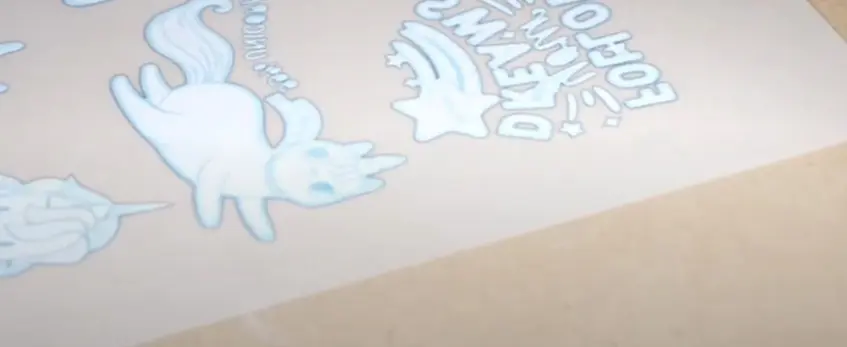
Getting the best results with your DTF printer means dialing in the right settings. Start with a resolution of 1440×720 DPI or higher—this gives you sharp, detailed prints. Keep in mind, slower print speeds help improve precision, especially on complex designs. For dark shirts, set the white ink underbase density to 100% to ensure full opacity. Adjust the CMYK ink levels to balance color vibrancy without oversaturation.
Color management is key. Use ICC profiles tailored for your jinlong DTF printer and tweak settings in your RIP software for accurate color matching and smooth gradients. Environmental factors matter too—humidity levels around 50% or higher and stable temperatures help maintain smooth ink flow, preventing clogging or uneven printing.
Always run test prints and perform nozzle checks regularly on your jinlong DTF system to catch issues early. This simple routine keeps your printer optimized for crisp, vibrant shirt prints every time. For a deeper dive into perfecting your printer setup, check out the comprehensive beginner’s guide to direct-to-film printing from jinlong.
DTF Film Guide: Types, Selection, and Handling Tips
Choosing the right DTF film for your shirt prints is crucial for durable, vibrant transfers. Here’s a quick guide to help you pick and handle your DTF transfer films like a pro.
Hot Peel vs. Cold Peel Films
- Hot Peel Films: Peel the film immediately after heat pressing while it\’s still hot. Ideal for fast production but requires precise timing.
- Cold Peel Films: Let the film cool before peeling. This method often gives a softer print feel and better durability.
| Film Type | Pros | Cons | Best For |
|---|---|---|---|
| Hot Peel | Faster process; good detail | Timing-sensitive | Faster production runs |
| Cold Peel | Softer hand feel; durable | Takes longer to peel | High-quality custom shirts |
Thickness Options and Finishes
- Thickness: Most DTF films range between 75 to 100 microns. Thinner films (75 microns) allow for softer prints but can be fragile during handling. Thicker films (100 microns) are sturdier and easier for beginners.
- Finish: Choose between matte or glossy finishes depending on the design’s look. Matte films reduce glare, while glossy can enhance vibrant colors.
Best Films for Shirt Fabrics
| Fabric Type | Recommended Film Type | Notes |
|---|---|---|
| Cotton | Matte or glossy 75-100 micron | Excellent ink adhesion; soft feel |
| Polyester | Glossy film, 100 micron | Better color on synthetic fibers |
| Blends | Matte finish, 85-100 micron | Balanced durability and softness |
Storage and Loading Tips
- Keep films in a cool, dry place to prevent curling or static buildup.
- Store films flat or in their original packaging until use.
- When loading into your jinlong DTF printer, ensure the film lies smooth without wrinkles to avoid jams or poor prints.
Common Film Issues and Fixes
| Issue | Cause | Fix |
|---|---|---|
| Film Curling | Humidity or improper storage | Use humidity control; store flat |
| Static Cling | Dry air or friction | Use anti-static sprays or cloth |
| Powder Not Sticking | Uneven adhesive powder | Apply powder evenly; check curing |
| Peeling Problems | Wrong peel timing or temp | Match film type with heat press settings |
Selecting quality DTF PET film and handling it well will set the foundation for vibrant, lasting shirt prints. For beginners using jinlong printers, explore jinlong’s DTF transfer film options to get started with films that match your needs perfectly.
DTF Ink Tips: Selection, Maintenance, and Troubleshooting
Choosing the right DTF inks is key for vibrant, durable prints. Opt for premium pigment inks—they deliver excellent washfastness and keep colors popping on shirts. For the best results, always use a set that includes CMYK plus a strong white pigment ink, especially important for dark fabrics.
White Ink Management is critical because it tends to settle and clog nozzles. To avoid this, circulate the white ink daily and shake the cartridges or bottles well before loading. This keeps the pigment evenly distributed and prevents downtime.
When loading ink into your jinlong DTF printer, follow the manufacturer’s priming instructions carefully to ensure smooth ink flow. Regular maintenance is essential: perform nozzle checks and cleaning cycles frequently to spot and fix clogs early. These simple routines keep your printer running smoothly.
If you encounter common issues like banding, fading, or ink clogs, addressing them quickly is important. For example:
- Run a nozzle check to identify blocked nozzles
- Use the printer’s cleaning mode to clear them
- Adjust ink density settings if prints look washed out
If you want to dive deeper into ink issues and how to tell if your jinlong DTF printer is out of ink versus clogged, this detailed diagnostic guide offers practical tips.
Sticking with proper ink selection, daily maintenance, and prompt troubleshooting will help you get consistently vibrant DTF shirts and maximize your printer’s lifespan.
Heat Press Settings and Transfer Techniques for Perfect Shirt Results

Getting your heat press settings right is key to durable, vibrant DTF prints on shirts. For most fabrics, set your heat press temperature between 300°F and 320°F with a pressing time of 10 to 15 seconds at medium pressure. These settings ensure the hot melt adhesive powder melts properly for a strong bond without scorching your shirt.
Fabric-Specific Adjustments
- Cotton shirts: Stick to the standard temperature and time above. Cotton handles direct heat well and gives great ink adhesion.
- Polyester or blends: Lower heat slightly (around 300°F) and reduce pressing time if needed to avoid melting the fabric or causing discoloration.
Peeling Techniques
- Hot peel: Peel the transfer film immediately after pressing, while still warm, for smoother finishes on cotton.
- Cold peel: Let the transfer cool completely before peeling, typically better for polyester or blends to prevent ink smudging.
Post-Press Curing
After peeling, give the shirt an additional 10-15 second press without the film to lock in colors and improve washfastness. This step softens the print and boosts durability.
Achieving Soft Hand Feel and Longevity
- Use quality transfer films compatible with your jinlong DTF printer.
- Maintain even powder application and curing.
- Avoid over-pressing, which can cause stiff prints.
For more on getting the best results from your equipment, check out this detailed heat press guide for DTF that covers temperature, timing, and pressure tips tailored for direct to film printing t-shirts.
With the right heat press settings and transfer techniques, your custom t-shirt transfers will look professional, vibrant, and hold up to 50+ washes.
Common Mistakes and Troubleshooting in DTF Shirt Printing
DTF shirt printing can deliver vibrant, durable results—if you avoid some common pitfalls. Here’s how to fix frequent problems and boost your print quality.
Ink Bleeding or Poor Adhesion Fixes
- Ink Bleeding: Often caused by excessive ink coverage or improper curing. Lower your ink density or slow the print speed to prevent colors from bleeding into each other.
- Poor Adhesion: Check your heat press settings—temperature, time, and pressure must be spot-on (typically 300-320°F, 10-15 seconds, medium pressure). Make sure the adhesive powder is applied evenly and cured fully before pressing to the shirt.
Banding, Ghosting, and Uneven Powder Application
- Banding or Ghosting: Usually due to clogged nozzles or RIP software misprints. Run regular nozzle checks and cleanings in your jinlong DTF printer to maintain smooth ink flow.
- Uneven Powder: Apply hot-melt adhesive powder evenly across the entire printed film. Use a shaker or sifter to avoid clumps. Uneven powder leads to patchy transfers and poor print durability.
Wash Test Failures and Durability Tips
- Aim for prints that last 50+ washes by using high-quality pigment inks and proper curing. Insufficient curing or low-quality powders reduce washfastness.
- Perform a wash test on sample prints regularly to catch any durability issues early.
Environmental Factors: Humidity and Dust Control
- Maintain workspace humidity above 50% to keep ink flow steady and avoid nozzle clogs.
- Keep your printing area clean and dust-free—dust on the film or powder can cause adhesion problems or print defects.
By addressing these common issues with your jinlong DTF systems and following good printing habits, you’ll get consistent, durable, and vibrant DTF transfers every time. For more on preventing print issues, check out our detailed guide on DTF printing on shirts, cost, durability, and washability.
Advanced Tips for Professional DTF Shirt Prints
Taking your DTF printer for shirts to the next level means focusing on techniques that boost print vibrancy, efficiency, and business growth. Here are some advanced tips to get professional, eye-catching results with your jinlong DTF system:
Multi-Layer Printing for Extra Vibrancy
Layering multiple passes of ink, especially the white pigment underbase, can dramatically improve opacity and color pop, particularly on dark shirts. Print a solid white base, cure it, then print the CMYK colors on top. This technique makes your design stand out with sharper details and deeper hues.
Use Gang Sheets to Save Time and Ink
Gang sheets combine multiple small designs onto one print run, reducing waste and speeding up production. This is perfect for small businesses handling bulk orders or multiple shirt sizes/styles. With your jinlong DTF printer, optimize your RIP software settings to layout gang sheets efficiently without losing detail.
Scaling from Hobby Printing to Small Business
Starting small? The jinlong DTF line offers models suitable for beginners and pros alike, letting you grow without upgrading hardware too soon. Focus on mastering settings like ink density, film handling, and powder application to consistently deliver durable DTF transfers. As demand grows, adding production tools like a curing oven or a larger heat press makes scaling smoother.
Care Instructions to Share with Customers
To keep your vibrant DTF prints looking fresh:
- Recommend washing inside out on cold setting.
- Use mild detergent, avoid bleach.
- Tumble dry low or hang dry to extend durability.
- Avoid ironing directly on the print.
Following these tips will ensure your custom t-shirt transfers stand out with quality and longevity, helping you build a loyal customer base with professional results.
For detailed info on inks and films perfect for these methods, check out jinlong’s complete DTF ink guide and their recommended DTF transfer films.





 English
  Español
  Deutsch
  Français