



How to Print Matte DTF Transfers for Soft Professional Results
Understanding Matte DTF Transfers vs. Glossy
When choosing between matte and glossy DTF film printing, understanding their key differences helps you deliver the exact look your clients want. Matte DTF transfers offer a soft hand feel that’s smooth and subtle—perfect for premium apparel where comfort and understated style matter. Unlike glossy finishes, matte transfers reduce shine and glare, giving your designs a more refined, professional look with muted reflections.
Color pop on matte film is slightly softer but remains vibrant, making it ideal for minimalist branding, streetwear, and corporate apparel where subtlety beats flashiness. Glossy DTF transfers, by comparison, deliver brighter color saturation and a shiny finish, which can sometimes feel less natural or stiff on garments, especially on dark fabrics.
Durability-wise, both finishes hold up well, but matte transfers tend to resist cracking and peeling better due to their softer adhesive powder blends and optimized curing processes. That’s why matte now dominates premium custom orders—you get a stylish, durable, and soft-feeling transfer that customers love to wear day after day. Matte DTF film shines particularly on dark fabrics, where its muted finish and smooth texture make designs pop without overpowering the garment.
In short, if you want professional matte DTF transfers with durable soft hand feel and a refined look, the matte finish is your go-to choice for premium, everyday apparel.
Essential Materials and Equipment for Matte Success
To achieve soft hand feel DTF transfers with a professional matte finish, having the right materials and equipment is key. Start with jinlong DTF Matte Transfer Film, available in both cold-peel and hot-peel options, designed specifically for that smooth, non-glossy look. Choosing the right type depends on your workflow and fabric needs—cold-peel gives you more flexibility, while hot-peel speeds up application.
Next, use high-quality pigment inks; they deliver vibrant colors without risking shine or stickiness. Pair these with fine-grain adhesive powder to ensure transfers stay soft and flexible while locking in durability. The texture of the powder plays a big role in keeping that premium matte softness.
A stable DTF printer with excellent white-ink circulation is crucial—white ink tends to clog or swirl, which affects print quality and consistency. For detailed tips on managing white ink, check out the jinlong DTF printer head solutions.
A heat press with precise temperature and pressure control rounds out the setup. Exact control means you avoid overcuring or creating unwanted shine. Don’t forget to use recommended cover sheets and texturizing options to protect prints and amplify softness, sometimes mimicking the screen print look.
Pro tip: Selecting the right film thickness is just as important—thinner films generally provide a softer hand feel but may require more careful handling. Thicker films increase durability but can feel stiffer.
For a full list of trusted materials and insider advice, explore the jinlong DTF Matte Transfer Film collection and detailed guide on powders to get those soft, matte DTF transfers mastered.
Preparing Your Design and Software Settings for Matte DTF Transfers
When preparing your designs for matte DTF film printing, start with a high-resolution file—at least 300 DPI—to ensure crisp, clear details. Use the RGB color mode since DTF printers handle it best, but remember to adjust colors carefully; matte finishes tend to mute vibrancy, so slightly boosting saturation helps maintain rich tones without shine.
Always mirror your design horizontally before printing, as this step is crucial for correct image transfer onto fabric. For a professional matte DTF transfer look, keep your artwork simple: stick to flat colors, avoid excessive gradients, and minimize shadows. This prevents unwanted gloss and keeps the matte finish clean and soft.
For RIP software, tweak the ink density to avoid oversaturation, which can cause unwanted shine even on matte film. Lower pass counts usually work better, and some programs allow you to specifically select a matte media profile—use this when available. These small adjustments optimize your printer settings for the unique needs of matte DTF film and help achieve that soft hand feel you want.
By carefully preparing your design file and adjusting software settings, you’re laying the groundwork for professional matte DTF transfers that look smooth, soft, and premium. For more on ink quality that complements matte prints, check out our detailed guide on DTF pigment inks and powders.
Optimizing Printer Settings for Matte DTF Film
Getting the perfect print on matte DTF film means adjusting your printer settings to avoid common issues like oversaturation and unwanted shine. Matte film requires a different calibration than glossy because it absorbs ink differently and reflects less light, giving you that soft, flat finish.
Here’s what to focus on:
- Resolution: Use a medium-high setting (around 720 to 1440 dpi). Too high can cause ink buildup and shine; too low sacrifices detail.
- Ink Density: Lower your CMYK ink density slightly to avoid oversaturation. Matte film absorbs ink more deeply, so less ink means a cleaner, softer look.
- White-Ink Balance: Maintain stable white-ink circulation and slightly increase white underbase opacity to enhance color vibrancy without gloss.
- Pass Count: Stick to 2-3 passes for smooth ink laydown without thick buildup that can stiffen your transfers.
- Media Type Setting: Select “Matte Film” or customize a profile that lowers ink volume and adjusts drying time to prevent smudging.
- Calibration Tips: Matte DTF film needs frequent nozzle checks and color calibration to maintain consistent matte finish and prevent unnecessary gloss.
Before printing, run a quick checklist:
- Film loaded coated side up.
- Printer nozzles cleaned and aligned.
- White ink circulation system active.
- Media settings set for matte film.
- Ink density reduced for CMYK while boosting white.
Optimizing these printer settings ensures your matte DTF transfers have that soft hand feel, professional matte DTF finish, and the vibrant, durable look your customers expect.
For more on maintaining white ink quality for your prints, check out this guide on white inkjet ink vs. standard ink.
Step-by-Step Guide to Printing Matte DTF Transfers
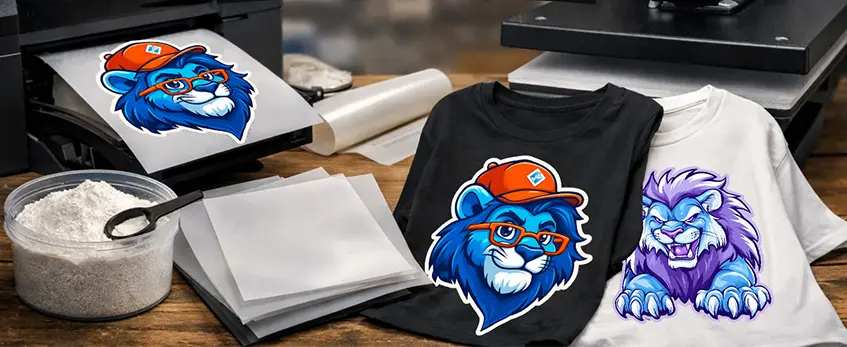
Printing professional matte DTF transfers involves a few precise steps to get that soft hand feel and flawless matte finish. Here’s how to do it right:
Prepare Your Workspace and Equipment
Make sure your DTF printer is clean, white ink is well-circulated, and the matte DTF film is ready. Use Jinlong DTF Matte Transfer Film (choose cold-peel or hot-peel depending on your process).
Load Matte DTF Film Correctly
Place the film with the coated side up into the printer. This is critical; the coating side is where the adhesive powder sticks, so the print layer needs to go here.
Check Printer Settings
Confirm your printer settings match matte film requirements (low ink density, balanced white ink layers, proper resolution). These prevent shine and oversaturation.
Start Printing
Run your print job. Monitor the film as it feeds through; ensure smooth movement without wrinkles or jams for even ink laydown.
Inspect the Ink Laydown
Immediately after printing, check the image for consistent ink coverage and sharp color edges without any glossy shine. Matte transfers should look dull but vibrant.
Apply Adhesive Powder
While still wet, evenly apply fine-grain adhesive powder on the image side. Shake off excess powder gently—uneven powder will cause texture inconsistencies.
Cure the Powder
Cure your transfer either in an oven or with a heat press as per your equipment guidelines, ensuring adhesive bonds well but stays soft for that premium matte feel.
Following this simple, clear process guarantees soft, durable, and professional matte DTF transfers every time.
For the best printers that handle matte film printing with stable white-ink circulation, check out reliable entry-level to professional DTF printers. This helps ensure each print’s quality from start to finish.
Applying Adhesive Powder and Curing Correctly
Getting the adhesive powder right is key to soft hand feel DTF transfers with a durable matte finish. Here’s how to apply and cure it properly for professional matte DTF transfers:
Even Application: Spread the Jinlong DTF adhesive powder evenly over the fresh print while it’s still wet. Use a fine-mesh shaker or sifter for a thin, consistent layer. Avoid clumps to prevent stiffness.
Remove Excess Powder: Gently shake or tap off any loose powder on the film to reduce roughness and improve softness once cured. Less excess means a better final hand feel.
Curing Temperatures & Times:
- Heat Press: Cure on a heat press at 160-165°C (320-329°F) for 2–3 minutes with medium pressure. Avoid longer pressing, which can harden the powder and reduce softness.
- Oven Method: For bulk curing, a fan-forced oven set at 160°C (320°F) for 3 minutes works well. Stay consistent, as uneven heat causes under or over-cured spots.
Powder Choice Matters: Use fine-grain adhesive powders designed specifically for matte DTF film printing. These powders melt smoothly, maintaining a soft hand feel without cracking or stiffness.
Watch for Warning Signs:
- Over-curing: Transfer feels hard or brittle, cracking may appear on stretch.
- Under-curing: Powder remains powdery or rubs off easily, causing poor adhesion and dull colors.
Monitoring curing closely protects the vibrant colors and softness that define high-quality matte DTF transfers. For a full guide on the best adhesive powders and film options, check out the detailed A3 DTF transfer film types and applications.
Heat Press Application Techniques for Maximum Softness

Getting the heat press step right is crucial for soft hand feel DTF transfers with a lasting professional matte finish. Here’s how to nail it:
Fabric Prep: Always start with a clean, lint-free surface. Pre-press your garment for 5–7 seconds at 320°F to remove moisture and wrinkles. This helps the matte DTF transfer film stick evenly.
Temperature/Pressure/Time:
- Set your heat press to about 320°F (160°C).
- Use medium pressure—enough to leave a firm imprint but not too much to crush the transfer.
- Press for 12–15 seconds on the first press depending on your film and ink.
Peel Method (Cold vs. Hot): Matte DTF films usually perform best with a cold peel. Let the transfer cool completely after pressing before removing the carrier film to maintain softness and sharp edges. Some Jinlong matte films offer hot-peel options, so check your specific product guides for best practices.
First-Press Best Practices:
- Confirm even heat and pressure across the garment to avoid shine or stiffness.
- Don’t rush the peel—patience during cold peeling avoids cracking or lifting.
- Keep your cover sheet intact during pressing to protect your print and press platen.
Mastering these heat press application techniques will ensure your matte DTF transfers come out with a soft hand feel and professional finish every time. For perfect results, pair this with quality materials like Jinlong’s DTF matte transfer film designed for optimal softness and durability.
Advanced Post-Press Techniques for Screen-Print-Like Results
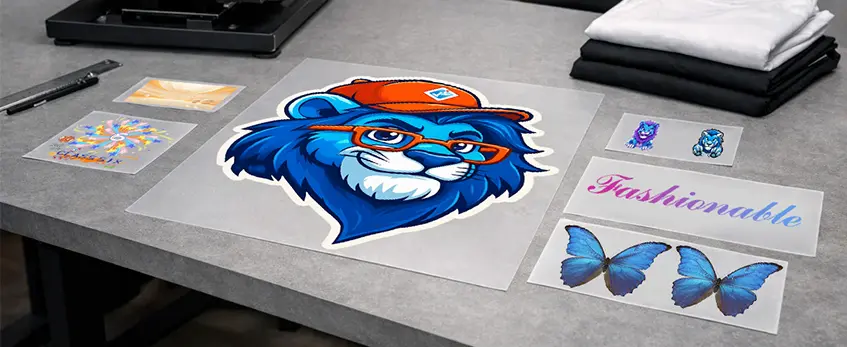
To get that screen-print look with DTF and maintain a soft hand feel, using a second-press method is essential. After your initial heat press, place a texturizing sheet or parchment paper over the transfer before pressing again. This step helps enhance the matte finish and adds an extra layer of softness to the print, reducing any unwanted stiffness.
Proven cover-sheet options include silicone-coated parchment sheets or specialized texturizing papers designed for matte DTF transfers. Press the design for a shorter time (around 5-8 seconds) at the same temperature and pressure settings used initially. This brief reheat helps smooth out the adhesive while locking in that soft, professional matte feel.
Remember, the timing is key here—too long or too hot, and you risk losing the matte effect or causing print damage. Experiment with sheets and times but start with the recommended settings on your Jinlong Matte DTF Transfer Film packaging for optimal results. This post-press step is the secret to achieving durable soft hand feel transfers that rival traditional screen printed apparel.
Troubleshooting Common Matte DTF Problems
Matte DTF transfers look great when done right, but issues like shine, stiffness, cracking, poor adhesion, color dullness, or peeling can pop up. Here’s a quick-reference table with common problems and how to fix them for soft, professional results.
| Problem | Cause | Fix |
|---|---|---|
| Unwanted Shine | Over-saturation or too much adhesive powder | Lower ink density, use less powder, calibrate printer settings for matte DTF film |
| Stiff Transfers | Excessive adhesive powder or over-curing | Apply powder evenly, shorten curing time or reduce heat press temperature |
| Cracking Prints | Overheating or repeated stretching | Lower heat press temp, avoid over-pressing, use softer powder for more flexibility |
| Poor Adhesion | Incorrect curing or fabric prep | Increase curing time or temperature, ensure fabric is clean and smooth |
| Dull Colors | Wrong color mode or faded inks | Use RGB color mode, high-quality pigment inks, check white-ink circulation |
| Peeling Edges | Insufficient curing or powder application | Even powder coat, cure fully, verify heat press pressure and time |
Pro Tips:
- Matte films need different calibration than glossy—always test print to avoid shine.
- Stick to recommended heat press settings for matte DTF to keep softness intact.
- For stubborn adhesion issues, double-press with a texturizing sheet to enhance bonding and softness (learn about proven cover-sheet options in our guide).
If you want to dive deeper into powder safety and curing risks, check the detailed DTF powder toxic risks explanation to ensure you’re using safe, effective materials.
By addressing these common matte DTF defects early, your transfers will maintain that sought-after soft hand feel and professional matte DTF finish your customers expect.
Maintenance Tips for Consistent Professional Results
Keeping your matte DTF transfers looking soft and professional means staying on top of maintenance. Here’s what works best:
Daily Printer Care: Clean your DTF printer heads and nozzles each day to avoid clogging that can affect matte finish quality. Wipe excess ink from the white-ink circulation system to maintain stable output and prevent dull colors.
Ink Circulation Routines: Run regular ink circulation cycles, especially for white pigment inks, to keep the color vibrant and prevent sediment buildup that can ruin transfer softness and adhesion.
Proper Storage for Jinlong DTF Film and Powder: Store your jinlong DTF matte transfer film and adhesive powder in a cool, dry place. Keep film rolls tightly sealed to avoid dust and humidity, which can alter the matte texture and increase stiffness in your prints.
Humidity Control: Use dehumidifiers in your print room to protect materials from moisture — critical for preserving the soft hand feel DTF transfers demand.
Routine upkeep like this ensures your matte DTF film printing stays consistent, giving you reliable professional matte DTF transfers every time. For more on common film issues and fixes, check out the detailed troubleshooting guide on common DTF film problems and solutions.
Garment Care Instructions to Protect Your Work
Proper care is key to keeping your matte DTF transfers looking soft and professional for the long haul. Here’s what I recommend you tell customers for the best results:
- Washing: Always turn the garment inside out before washing. Use cold water and a gentle cycle to prevent wear on the matte DTF film printing. Avoid bleach and harsh detergents that can dull colors or weaken adhesion.
- Drying: Air drying is best to maintain the soft hand feel DTF transfers, but if using a dryer, set it on low heat. High heat can cause cracking or peeling over time.
- Ironing: Avoid direct contact between the heat press area and the design. If ironing is needed, place a protective sheet over the print to keep the matte finish intact.
- Longevity Tips: Suggest washing the garment no more than once a week and avoid dry cleaning. Proper storage, like folding carefully rather than hanging heavy prints, helps preserve the transfer’s durability and matte softness.
Sharing these simple guidelines ensures your customers will enjoy durable soft hand feel transfers that look fresh and professional, boosting satisfaction with your premium matte DTF prints.
For more on keeping your prints perfect, check out our tips on white ink circulation and maintenance to support lasting quality from print to wear.
Frequently Asked Questions About Matte DTF Transfers
1. What’s the best type of matte DTF film for soft hand feel transfers?
Choosing quality matte DTF film, like jinlong DTF Matte Transfer Film, is key. Cold-peel options often deliver softer finishes, but hot-peel films work well for durable, premium results depending on your fabric and heat press setup.
2. Can I use matte DTF transfers on both cotton and polyester blends?
Yes. Matte DTF works well on cotton, polyester, and blends, but you may need to adjust heat press settings slightly for optimal adhesion and softness on different fabrics.
3. What temperature is ideal for curing matte DTF transfers?
Most prints cure best between 300°F–320°F (149°C–160°C) for about 12-15 seconds. Always follow your film and powder manufacturer’s guidelines to avoid stiffness or color dullness.
4. How do printer settings differ for matte DTF film versus glossy?
Matte films require lower ink density and careful white-ink balance to avoid shine and ink saturation. Use specialized printer profiles tuned for matte finishes to get the best results.
5. Does matte finish affect color vibrancy compared to glossy DTF?
Matte DTF transfers offer more muted, sophisticated colors, trading off some pop for a subtle, premium look that fits minimalist and professional apparel styles.
6. What\’s the average cost per print using matte DTF transfers?
Costs vary based on film thickness, powder choice, and ink usage but generally fall in the range of $2-$5 per print for small to medium runs, competitive with other custom apparel printing methods.
7. Can I get a screen-print look using matte DTF?
Yes, by using texturizing sheets and advanced post-press techniques like second-pressing, you can achieve the soft hand feel and finish similar to traditional screen printing.
8. What adhesive powder works best for soft, durable matte transfer results?
Fine-grain TPU powder is preferred for a soft hand feel and strong adhesion on matte transfers. Avoid coarser powders that can increase stiffness. Explore TPU powder options at Jinlong Prints TPU powder guide.
9. How do I prevent matte DTF transfers from cracking or peeling?
Ensure even powder application, correct curing temperature/time, and use a quality heat press with stable pressure. Under- or over-curing is the most common cause of cracking.
10. What’s the best peel method for matte DTF?
Cold peel is usually best for softness and longevity in matte transfers, but some films allow hot peel – test both to see which fits your process and fabric better.
11. How should I store matte DTF film and powder to maintain quality?
Keep films in a cool, dry place and powders sealed tightly to avoid moisture. Proper storage preserves the matte film surface and powder’s melting properties for consistent prints.
12. Where can I find reliable matte DTF transfer film and accessories?
For professional and consistent results, consider products like the Jinlong double pro matte DTF transfer film paired with high-quality pigment inks and precise heat-press controls.
This FAQ covers common concerns about film choice, machine settings, fabric compatibility, and costs to help your matte DTF printing deliver soft, professional, and durable custom apparel results every time.





 English
  Español
  Deutsch
  Français