



How to Choose the Best DTF Paper for Inkjet Printers Guide
What Is DTF Paper and Why It Matters for Inkjet Printers
DTF paper, short for Direct-to-Film transfer paper, is designed specifically for use with inkjet printers to create vibrant, durable prints for custom apparel and other textiles. This specialized DTF transfer film for inkjet printers acts as a medium where DTF inks are printed before applying a powder adhesive and heat pressing the image onto fabric. Choosing the right DTF paper is crucial because it directly affects ink absorption, print clarity, and transfer durability.
Unlike regular printing paper, DTF paper features a unique coating that manages DTF ink absorption coating effectively. This ensures your colors stay vivid and sharp while the film remains flexible after transfer. If the paper’s quality is poor, you’ll face issues like bleeding, fading, or poor adhesion. For anyone using an inkjet, especially popular models like Epson printers, understanding the role of the right DTF paper ensures smoother workflow, reliable transfer quality, and ultimately happier customers. Simply put, the right DTF paper bridges your printer’s capabilities with the quality your end product demands.
Key Factors to Consider When Choosing DTF Paper for Inkjet Printers
Picking the right DTF paper for your inkjet printer is crucial for sharp, durable prints. Here’s what to keep in mind:
| Factor | En qué fijarse | Por qué es importante |
|---|---|---|
| Ink Absorption & Coating Quality | Smooth, even coating that absorbs DTF ink well | Ensures vibrant color DTF printing results without smudging or fading |
| Film Thickness & Transparency | Optimal thickness (around 50-80 microns) and clear PET-based film | Balances durability and flexibility; transparent film works better for certain designs |
| Peel Type (Hot Peel vs. Cold Peel) | Choose based on your workflow: hot peel for faster results, cold peel for finer details | Impacts ease of transfer and detail quality |
| Adhesion & Release Properties | Strong adhesion with good release to DTF powder | Prevents peeling or cracking after application |
| Durabilidad y resistencia al lavado | High-quality coating that withstands multiple washes | Keeps custom apparel looking fresh longer |
| Compatibilidad de impresoras y tintas | Compatible with Epson and other specific DTF ink sets | Avoids print quality issues and ink smearing |
| Size & Format Options | Sheets or rolls matching your printer’s format | Matches your production scale and printer setup |
| Finish & Texture | Smooth, anti-static surface for even powder application | Improves transfer quality and reduces static problems |
| Storage Stability & Shelf Life | Long shelf life with proper packaging | Ensures consistent print quality over time |
What stands out most depends on your project needs and printer model. For a detailed guide on printer and ink matchups, check out this resource on avoiding common buying mistakes with DTF printers.
Types of DTF Transfer Film Compared
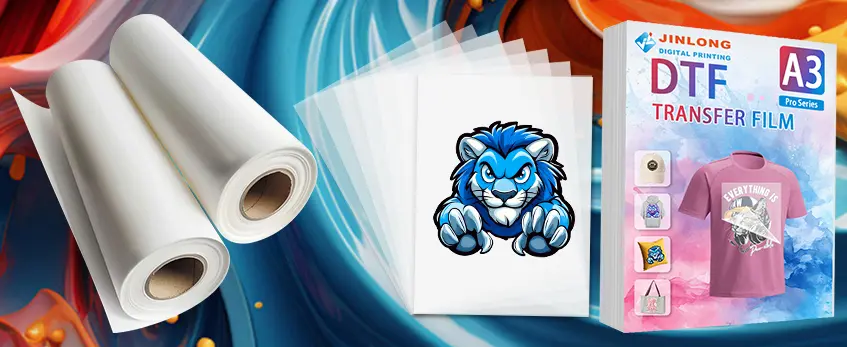
When choosing the best DTF paper for inkjet printer use, understanding the types of DTF transfer film is crucial. The main varieties differ by material, coating, and peel type, each affecting your print quality and durability.
PET-Based DTF Transfer Sheets: These are the most common, offering excellent transparency and strength. PET films provide a smooth surface ideal for vibrant color DTF printing results, especially with Epson printers and other compatible inkjet devices.
Opaque vs. Transparent Films: Opaque DTF transfer film works well for dark garments as it blocks the fabric color from showing through. Transparent or clear films are better suited for light-colored apparel, ensuring softer prints and better blending.
Espesor de la película: The best DTF film thickness depends on your printer and the type of garment. Thicker films can hold more ink and powder but may impact flexibility. Choosing the right thickness balances durability and comfort.
Hot Peel vs. Cold Peel: Hot peel DTF papers require removing the film immediately after heat pressing, which is faster but less forgiving if timing is off. Cold peel films allow for gradual peeling once cooled, often preferred for delicate fabrics or longer processing times.
Anti-Static Coating: Some DTF films feature anti-static DTF film properties to reduce dust attraction during printing, improving overall print quality.
Film Rolls vs. Sheets: Rolls provide continuous print length ideal for high-volume jobs, while sheets offer convenience for smaller batches or testing different designs.
Keep compatibility in mind, especially matching your DTF paper for inkjet printer with your chosen inks and powder for consistent adhesion and wash resistance. For beginners, checking out a DTF kit for beginners that covers all essentials can help you get started with the right film types for your setup.
Common Mistakes to Avoid When Selecting DTF Paper
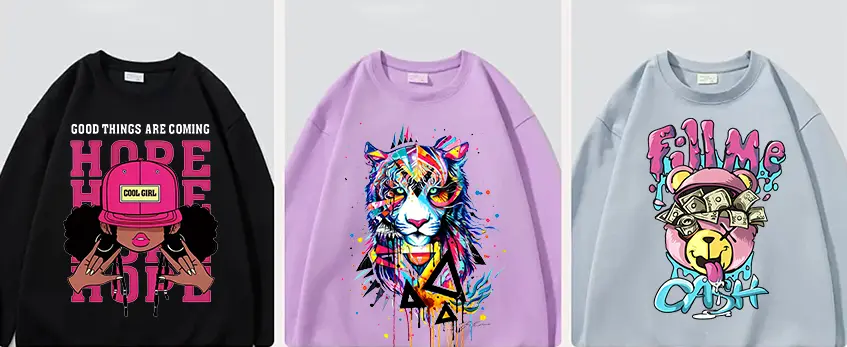
Choosing the right DTF paper for your inkjet printer can be tricky. Avoid these common pitfalls to get the best results:
Ignoring Ink Absorption Coating: Low-quality DTF ink absorption coating can cause blurry prints or poor color vibrancy. Always check for paper with a reliable coating designed specifically for your printer type.
Overlooking Film Thickness: Using DTF transfer film with the wrong thickness can affect transfer durability and feel. Too thick, and the print might crack; too thin, and it could tear easily. Aim for the best DTF film thickness recommended for your workflow.
Mixing Peel Types: Don’t confuse hot peel vs. cold peel DTF paper — each requires different curing processes. Using the wrong peel type can ruin your transfers and slow production.
Ignoring Adhesion and Release Quality: Poor adhesion between the DTF powder and paper or bad release properties can cause patchy or incomplete transfers.
Incompatibility with Your Printer or Ink: Not all DTF paper works with every inkjet printer or DTF ink. For example, if you use Epson printers, make sure your DTF film compatibility includes them to avoid print quality issues.
Skipping Testing Before Buying in Bulk: Always test new DTF paper with your inks and printer setup. This helps avoid wasting money on large quantities of incompatible or low-quality paper.
Avoiding these mistakes will save you time, reduce waste, and ensure your custom apparel prints stay vibrant and durable. For smoother choices in your DTF workflow, consider exploring high-quality DTF film recommendations para satisfacer las necesidades de su empresa.
How to Test and Evaluate DTF Paper Before Committing
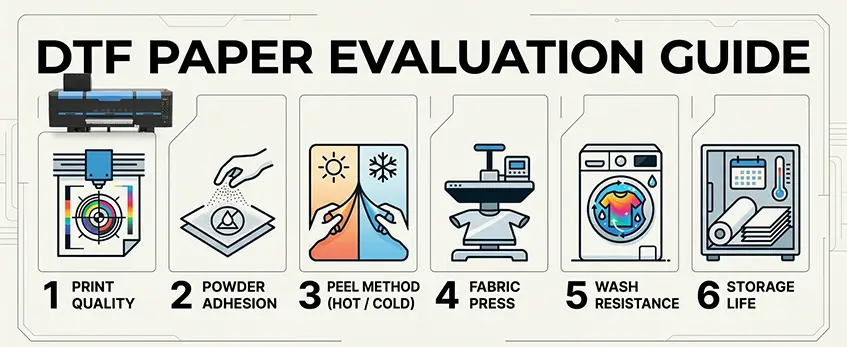
Before fully committing to a batch of DTF paper for your inkjet printer, it’s smart to run some simple tests to avoid costly mistakes. Here’s how you can evaluate DTF transfer film for inkjet printers to ensure it suits your needs:
Print a Sample Image
Use a vibrant, detailed design to check how well the paper handles DTF ink absorption coating. Look for sharp colors and no bleeding, which shows good compatibility with your printer and ink.
Check Adhesion with Powder
Apply your TPU DTF hot melt adhesive powder evenly on the printed area. Pay attention to the powder’s grip and distribution—poor adhesion here means weak transfer quality.
Peel Test (Hot Peel vs. Cold Peel)
Test peeling the transfer at recommended temperatures. If the paper supports your preferred peel type (hot peel or cold peel DTF paper) without tearing or residue, it’s a good sign.
Transferencia a tejido
Iron or heat-press the sample onto your target fabric. Observe the film thickness, transparency, and overall print durability. Check if the transfer is opaque enough and firmly adheres without curling or peeling.
Wash Resistance Test
After curing, wash the garment multiple times to confirm durability and wash resistance. High-quality DTF paper should maintain color vibrancy and adhesion through washes.
Storage Simulation
Store a few sheets the way you plan to keep your stock and test for any changes in texture or print quality over days or weeks.
Testing helps you avoid print quality issues and ensures the DTF film roll or sheets you choose perform well for your specific inkjet printer and production process. For best results, combine this with recommendations from trusted sources like Jinlong’s guide on problemas habituales de los sistemas de impresión y agitación DTF.
Taking these steps saves you time, money, and frustration while producing excellent custom apparel.
Benefits of High-Quality DTF Paper in Your Inkjet Workflow
Using high-quality DTF paper for inkjet printers makes a noticeable difference in your printing results and overall production efficiency. Here’s why investing in the best DTF transfer film for inkjet printers pays off:
| Beneficio | Descripción |
|---|---|
| Vibrant Color Printing | Premium DTF paper has superior ink absorption coating, which ensures bright, crisp colors every time. |
| Consistent Adhesion | Quality paper paired with good DTF powder adhesion quality means transfers stick well and last longer. |
| Durabilidad y resistencia al lavado | High-grade films offer transfers that stand up to washing without fading or cracking, boosting garment life. |
| Reduced Print Errors | Better coating and anti-static properties help avoid common DTF print quality issues like smudges or blotching. |
| Easy Handling | Proper film thickness and peel type (hot peel vs cold peel) make your workflow smoother, saving time on each job. |
| Compatible with Inkjet Brands | Choosing paper compatible with major printers like Epson optimizes print performance and reduces head clogging risks. |
High-quality DTF film not only improves final output but also cuts down on wasted materials and reprints, saving money over time. If you want consistent results in your custom apparel business, starting with premium DTF paper is key.
For tailored tips on pairing your inkjet printer with the best transfer materials, check out our expert advice on the best DTF transfer printer options. This can help you match your workflow perfectly with the right paper and inks for vibrant, durable prints every time.
Recommended Practices for Optimal Results with jinlong DTF
To get the best results with jinlong DTF paper for inkjet printers, follow these simple but effective practices:
Use Compatible Inks and Printers: Ensure you’re pairing jinlong DTF transfer film with inkjet printers and inks that are fully compatible, such as Epson models known for vibrant color DTF printing results. This reduces print quality issues and boosts adhesion.
Optimize Printer Settings: Adjust your printer’s color profiles and resolution to match jinlong’s DTF ink absorption coating. This helps achieve sharp, bright designs with the best ink penetration on the PET-based DTF transfer sheets.
Handle with Care: Jinlong DTF films often have anti-static properties, but still avoid touching the coated side directly to prevent dust or smudging that can affect transfer quality.
Proper Powder Application: Use high-quality DTF powder adhesion to coat the printed image evenly. Applying too much or too little powder can cause poor adhesion or transfer flaws.
Correct Curing and Peeling: Follow jinlong’s guidelines on curing temperature and time, especially when deciding between hot peel vs cold peel DTF paper types. This ensures durable DTF transfers with excellent wash resistance.
Pre-Test and Adjust: Test small prints first to dial in settings on your printer and heat press. This step prevents wasted materials and ensures consistent output.
Store Paper Correctly: Keep jinlong DTF rolls or sheets in a cool, dry place to maintain storage stability and shelf life. Proper storage prevents premature deterioration and keeps paper ready for use anytime.
By sticking to these recommended practices, you’ll maximize quality and longevity in your custom apparel projects using jinlong’s reliable DTF transfer film for inkjet printers. For a deeper dive into how this technology works, consider checking out our detailed guide on what is DTF printing on shirts, benefits, workflow, and applications.





 English
  Español
  Deutsch
  Français