



DTF Ink Secrets to Prevent Clogging and Double Printhead Life
Why DTF Ink Clogs Printheads: The Root Causes
DTF ink clogging is the top reason printheads fail prematurely. Understanding why clogs happen is the first step to preventing them and extending your DTF printhead lifespan.
Here’s what causes printhead clogging with DTF ink:
- DTF white ink sedimentation: White ink contains heavier pigments that settle quickly, leading to blockages if not stirred or circulated properly.
- Ink drying inside nozzles: When the printer idles too long without printing or wet capping, the ink dries in the piezoelectric printhead channels, causing stubborn nozzle clogs.
- Poor ink quality: Low-quality DTF ink often has inconsistent particle sizes or improper formulation, increasing the risk of deposits that clog nozzles.
- Inadequate cleaning: Skipping routine DTF printhead maintenance, such as cleaning the wiper blade and using DTF ink cleaning solution, allows ink buildup to harden and block spray paths.
- Factores medioambientales: High dust, poor humidity, or temperature swings contribute to ink drying faster and clog formation inside the printhead.
Preventing DTF nozzle clogs means addressing these root causes consistently with proper ink selection, daily maintenance, and environment control. Ignoring any of these factors accelerates printhead wear and costs you in downtime and replacement parts.
Choosing the Right DTF Ink: The Foundation of Clog-Free Printing
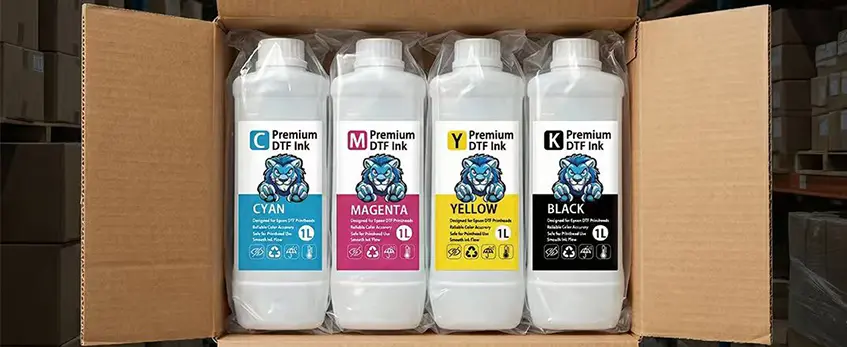
Picking the right DTF ink is the first and most crucial step to prevent DTF nozzle clogs and keep your printhead running smoothly. High-quality DTF ink formulations minimize white ink sedimentation, which is a common cause of clogging in piezoelectric printhead systems. Avoid cheap or incompatible inks because they often lead to faster build-up and clog risks, cutting your printhead lifespan in half.
Look for inks specifically designed for DTF printing that offer consistent pigment suspension and quick drying times. This helps reduce the chances of clogging during idle times and ensures reliable color output. Also, consider ink sets that support a good color rotation technique—this can prevent pigment settling when your printer isn\’t used daily.
Using premium DTF ink cleaning solutions paired with your chosen inks can enhance maintenance efforts and help recover clogged DTF printheads faster. To keep your system in top shape, combine ink choice with proper printer upkeep routines.
For tips on dealing with common printhead obstacles, check out this detailed guide on DTF printer head problems, cost of repair, and how to reduce downtime. Ultimately, investing in high-quality DTF inks sets a strong foundation for clog-free, efficient printing and helps extend DTF printhead lifespan significantly.
Daily and Weekly Maintenance Routines That Actually Work

Keeping your DTF printer in peak shape means sticking to a solid maintenance routine—both daily and weekly. This is key to preventing DTF nozzle clogs and extending your printhead lifespan by 2x.
Mantenimiento diario:
- Check and clean the wiper blade to remove any ink buildup or debris.
- Perform a wet capping DTF printer routine after each print session to keep nozzles moist and prevent DTF white ink sedimentation.
- Run a nozzle check every morning to spot potential clogs early.
- Use high quality DTF ink recommendations only; poor-quality ink gums up your piezoelectric printhead faster.
- Keep the printer free from dust and always close the lid after use.
Weekly Maintenance:
- Limpieza profunda de los cabezales de impresión using a dedicated DTF ink cleaning solution to dissolve any stubborn ink residue.
- Flush the system with cleaner if your printer has been idle for more than a couple of days to stop DTF ink sedimentation before it clogs.
- Inspect the DTF wiper blade and capping station for wear and replace if needed.
- Rotate color heads or run the DTF color rotation technique to prevent color buildup.
These steps are your best defense against clogging and make a huge difference in lifespan. For more on printhead care and when to clean or replace parts, check this detailed guide on Problemas con el cabezal de impresión DTF.
Environmental Control..The Overlooked Secret to Longevity
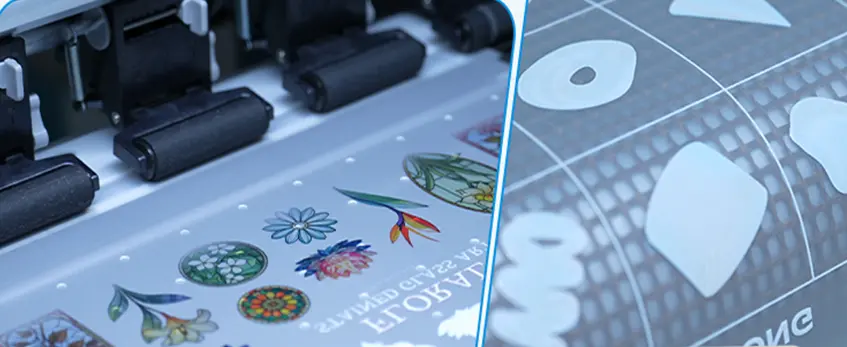
One of the biggest factors behind clogged DTF printheads that many overlook is the printer’s environment. Controlling humidity and temperature isn’t just nice to have — it’s crucial for keeping your ink flow smooth and extending printhead life.
Why environment matters:
- Control de la humedad: Too much moisture causes DTF white ink sedimentation and poor ink consistency, which leads to nozzle clogs. Too little humidity dries out the ink too fast, increasing the risk of crusty buildup on piezoelectric printhead nozzles.
- Stable temperature: Fluctuations can thicken ink or accelerate drying inside nozzles, making printhead maintenance harder.
To prevent DTF nozzle clogs through environmental control:
- Keep your workspace humidity between 40% and 60%, using a humidifier or dehumidifier as needed.
- Avoid sudden temperature swings — try to maintain a steady room temperature around 70°F.
- Store DTF inks properly to preserve their quality and prevent premature drying or sedimentation.
Setting up a workspace with the right environmental conditions complements other maintenance habits like wet capping your DTF printer and daily cleaning routines. It’s a simple but effective way to protect your investment and extend your DTF printhead lifespan. For more insight, check out our detailed guide on DTF white ink sedimentation and maintenance tips.
Advanced Prevention Techniques and \”Secret\” Habits
If you want to really extend DTF printhead lifespan and avoid those frustrating clogs, going beyond basic maintenance is key. Here are some advanced prevention techniques and lesser-known habits that can make a huge difference:
Wet capping DTF printer heads: Keeping your printhead capped with a quality wet cap prevents ink from drying inside the nozzles during idle times. This is one of the most effective ways to prevent DTF nozzle clogs over long breaks.
Use DTF ink cleaning solution regularly: Incorporating a specialized cleaning solution into your routine breaks down any white ink sedimentation before it can build up and cause blockages.
Rotate colors smartly with the DTF color rotation technique: Sometimes printing the same colors repeatedly leads to sediment buildup in those nozzles. Rotating your color usage helps keep the entire printhead evenly active and less prone to clogging.
Wiper blade cleaning: Regularly clean the DTF wiper blade to avoid spreading dried ink back onto the printhead nozzles, which can accelerate clogging and wear.
Limit idle periods: Avoid long periods where the printer sits unused. If unavoidable, make sure to run cleaning cycles or print test patterns during idle time to keep the ink flowing smoothly.
Maintain optimal humidity and temperature: While environmental control is its own topic, always remember that small shifts can accelerate ink sedimentation. Pair these advanced habits with good environmental management for best results.
Together, these “secret” habits not only prevent clogs but also maximize your printer’s performance and lifespan. For more on protecting your equipment from poor ink quality, check out this guide on DTF printer head problems from poor ink or film quality.
Troubleshooting and Recovering from Existing Clogs
When your DTF printhead gets clogged, quick action is key to avoid damage and costly downtime. Start by running a DTF ink cleaning solution through the system—this helps dissolve dried ink blocking the nozzles without harsh tools. For stubborn clogs, multiple cleaning cycles may be needed.
Next, physically inspect the DTF wiper blade to ensure it’s removing excess ink properly, since build-up here often causes nozzle issues. Gently clean the printhead surface and wiper blade with a lint-free cloth and recommended cleaning agents.
If your machine supports it, perform a taponado húmedo routine. Keeping the printhead capped with a wet sponge when idle prevents ink from drying and causing further clogging. During recovery, maintain proper DTF printer humidity control to keep ink flow stable.
Lastly, use the DTF color rotation technique to avoid sedimentation, especially with white ink, which clogs easier due to particle buildup. Rotating colors helps keep ink fresh in the lines and the printhead clear.
With these tips, you can recover a clogged DTF printhead more effectively and extend its lifespan. For more on managing white ink specifically, check out this guide on Tinta blanca DTF para calidad de impresión de inyección de tinta, opacidad y durabilidad.
Measuring Success and Real-World Results
Tracking how well your DTF printhead maintenance and clog prevention strategies work is key to extending DTF printhead lifespan. Start by monitoring print quality regularly—sharp, consistent prints with no gaps mean your nozzles are clear. Keep a log of daily DTF printer routine tasks, noting any changes in output or downtime caused by clogs.
You can also measure success by how often you need to use a DTF ink cleaning solution or recover clogged DTF printheads. Fewer cleaning cycles and less downtime mean your prevention methods are effective. Comparing ink consumption and print speeds before and after implementing these routines highlights improvements in efficiency.
Real-world results show that using high quality DTF ink recommendations combined with proper daily care and environmental control can double printhead life and slash maintenance time. For example, shops that apply the DTF color rotation technique and wet capping DTF printer methods experience fewer white ink sedimentation issues and improved piezoelectric printhead care.
If you want a deeper look at cost-efficiency and maintenance impacts for an A3 model, check out this detailed DTF printer A3 cost breakdown including supplies and cost per print. It’s a solid reference for seeing how good maintenance directly saves money.
Keep measuring, stay consistent, and those printheads will thank you with longer life and cleaner prints every day.





 English
  Español
  Deutsch
  Français