



How Transparent T-Shirt Transfer Paper Boosts Print Clarity and Color Accuracy
The Science Behind Transparency: Why It Matters
Understanding why transparent t-shirt transfer paper matters starts with how light interacts with your print. Unlike traditional opaque transfer papers, which use a white backing that can reflect and scatter light unevenly, transparent DTF transfer film lets light pass through cleanly. This means your design appears sharper and more vibrant because there’s no unwanted glare or haze blocking fine details.
With opaque papers, the white underlayer can sometimes distort colors, especially delicate neons and pastels, causing them to look dull or off-hue. Transparent transfer paper eliminates this issue entirely — there’s zero color distortion from white underlayers, so what you see on your screen is exactly what you get on your fabric.
Additionally, ink adhesion and polymer curing work more efficiently on clear PET film. The smooth, consistent surface of the transparent film allows inks to bond tightly and cure evenly during heat pressing. This results in prints that not only look better but withstand washing and wear longer. In short, the science behind transparency optimizes both print clarity and color accuracy, giving you professional-quality results on every project.
Key Advantages of Transparent Transfer Paper
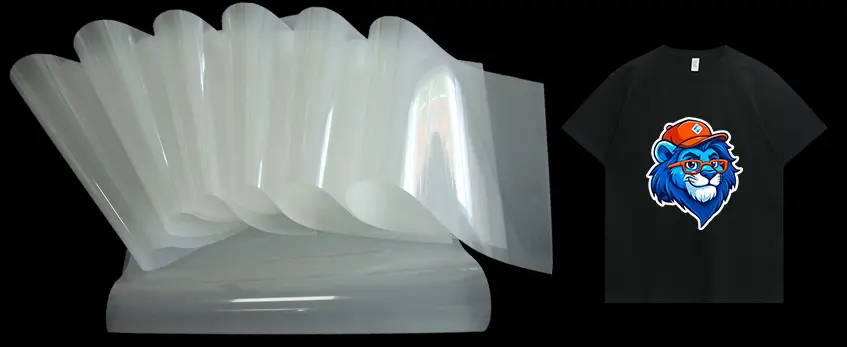
Transparent transfer paper offers clear benefits that make it a favorite for t-shirt printing, especially when you want sharp, vibrant results. First up, it delivers exceptional print clarity and fine detail reproduction. Because the film is clear, every line, tiny text, and intricate design comes out crisp and easy to read—no fuzziness or blurring like some traditional methods.
When it comes to color, transparent transfer paper shines with superior accuracy and vibrancy. Neon shades and pastels, which usually fade or look dull on opaque transfers, really pop and stay true to your design. This makes it perfect if you’re aiming for eye-catching prints that don’t lose their brightness after a few washes.
Another advantage is the true “no-hand” soft feel it gives your garments. Unlike thicker, rougher transfers, this paper blends seamlessly with the fabric, making the print feel like part of the shirt rather than an added layer. That softness is a big deal for comfort and long-term wear.
Plus, transparent transfer paper works equally well on both light and dark fabrics without causing any unwanted color shifts. You get consistent results whether you’re printing on a white tee or a deep black, with no ghosting or dulling.
Finally, it eliminates the “boxed” or framed look common with opaque transfers. Instead of a glaring white or colored background showing around your design, transparent transfers let your artwork stand out naturally, giving your t-shirts a sleek, professional appearance.
For those interested in high-quality options, the jinlong DTF transparent film is a great choice to explore.
Transparent Transfer Paper vs Traditional Methods (Side-by-Side Comparison)
When choosing the right transfer method for your t-shirts, clear understanding helps. Here’s a quick comparison of transparent DTF film with classic transfer options like white toner laser, opaque inkjet transfer paper, and dye sublimation.
| Feature | Transparent DTF Film | White Toner Laser Transfer | Opaque Inkjet Transfer Paper | Dye Sublimation |
|---|---|---|---|---|
| Print Clarity | Outstanding fine details and sharp lines | Good, but less defined on dark fabrics | Moderate clarity, often blurry edges | Excellent on polyester, less so on cotton |
| Color Accuracy | Superior vibrancy, no color shift | Colors can look flat under white toner | Colors often dull, less vibrant on darks | Vivid colors but limited to light fabrics |
| Fabric Compatibility | Works on cotton, polyester & blends | Mostly synthetic fabrics | Works on cotton & blends | Only polyester or polyester-coated fabrics |
| Feel on Garment | True no-hand, soft finish | Slightly heavier feel | Thicker, plasticky finish | Soft, dye infused into fabric |
| Use on Dark Fabrics | Excellent, no white underbase distortion | Requires white toner, sometimes opaque edges | Needs thick white underbase, boxed look | Not suitable for dark fabrics |
| Wash Durability | High, maintains clarity after 50+ washes | Moderate, can crack or fade | Moderate, prone to peeling | Excellent on polyester, poor on cotton |
| Setup Complexity | Moderate; requires DTF printer and PET film | Simple; uses standard laser printers | Simple but needs white inkjet inks | High; needs sublimation printer and coated fabrics |
Transparent DTF transfer film stands out by offering exceptional clarity and color accuracy while working perfectly on both light and dark garments. Unlike white toner laser or opaque inkjet paper, it avoids the “boxed” look by eliminating thick white layers underneath. Plus, compared to dye sublimation, transparent DTF gives you more fabric options and true “no-hand” softness.
For those interested in advanced transfer techniques, exploring DTF transfer film options like the Jinlong DTF transparent film can boost your print quality and color vibrancy, especially on cotton tees.
Technical Factors That Maximize Clarity & Color
Getting the sharpest, most vibrant prints on transparent t-shirt transfer paper comes down to a few key technical factors. Here’s what really makes a difference:
| Factor | Best Practice & Explanation |
|---|---|
| Film Quality | Use high-grade films like jinlong DTF 75-micron instant-peel film for consistent ink adhesion and perfect peeling. Clear PET films with this thickness offer smooth surfaces that improve ink bonding and durability. Check out Jinlong’s DTF transfer film for reliable performance. |
| White Ink Density & Layering | Proper white ink layering is crucial. Multiple white layers increase opacity without sacrificing softness, ensuring colors show true on dark fabrics. Optimizing ink density avoids clogging and grainy prints. |
| Printer RIP Settings | Use RIP software settings for max resolution (300+ DPI) and enhanced color profiles. This ensures precise dot placement and smooth gradients, especially important on transparent transfer papers that reveal any flaws. |
| Curing Temperature & Time | Cure prints at recommended temperatures (typically 160-170°C) for sufficient time to fully dry inks and cure polymers. Over-curing can dull colors; under-curing weakens adhesion. Follow your printer and film guidelines closely. |
| Heat-Press Pressure & Peel Type | Apply medium to firm pressure for even heat transfer and ink bonding. Hot peel keeps prints soft but risks smudging; cold peel offers crisper detail but might require longer pressing. Choose peel type based on design and fabric. |
Mastering these factors helps unlock the full potential of transparent DTF transfer film, delivering crisp lines, vibrant color accuracy, and a true “no-hand” soft feel on any color garment. For a deeper dive into how to fine-tune your DTF prints for top clarity, check out our guide on the full workflow from PNG to finished product.
Real-World Results & Customer Case Studies
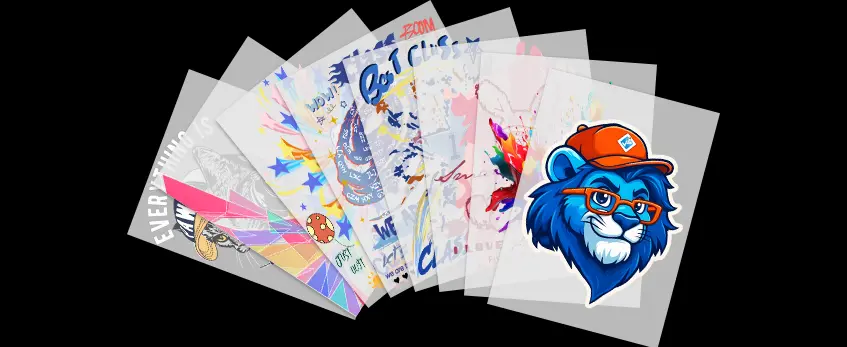
Using jinlong DTF transparent film on black, navy, and white tees shows just how impactful transparent t-shirt transfer paper can be. Before-and-after photos highlight the impressive difference—prints pop with sharper edges and vibrant colors that stand out clearly, no matter the fabric color.
Close-up macro shots reveal fine lines, small text, and smooth gradients recreated flawlessly, proving the film’s ability to capture intricate details without losing clarity. The transparency of the transfer paper allows colors to stay true and crisp, avoiding the dullness seen with opaque backings.
Plus, wash test results after 50+ cycles confirm real durability. Prints maintain their sharpness and color vibrancy without significant fading or cracking, even on high-wear areas. This durability makes transparent DTF transfer film a reliable choice for professional t-shirt printing at home or in small shops focused on quality. For best results, pairing this film with high-quality DTF ink ensures maximum color accuracy and adhesion.
Pro Tips to Get the Sharpest, Most Accurate Prints
Getting the best results with transparent t-shirt transfer paper starts with good design prep. Use high-resolution files—300 DPI or higher—and save them as PNGs with transparency to avoid unwanted backgrounds. Also, stick to the right color profiles (usually sRGB) to keep colors true and vibrant on fabric.
Choosing the right fabric matters too. Smooth, tight-knit cotton or cotton blends work best for capturing sharp details and fine lines. Avoid super textured or stretchy fabrics, which can blur prints or cause distortion.
Watch out for common pitfalls that kill clarity:
- Over-curing can cause colors to dull and details to soften. Stick to recommended temperature and time settings.
- Low heat-press pressure leads to poor ink adhesion and faded prints, so make sure to apply firm, even pressure.
- Peeling the film too early or too late can affect sharpness; follow hot or cold peel guidelines for your specific transfer paper.
For beginners and pros, here’s a recommended setup to consistently nail sharp prints:
- A reliable DTF printer compatible with transparent PET film
- Jinlong DTF 75-micron instant-peel film (proven for clarity and easy use)
- A heat press with accurate temperature and pressure controls
- RIP software that supports white ink layering and high-resolution output
Optimizing these factors can significantly boost your prints’ sharpness and color accuracy. For more on choosing the right film and ink to improve durability and vibrancy, check out detailed guides like how to choose the right DTF transfer film for your project.
Frequently Asked Questions
Does transparent paper work on 100% cotton?
Yes, transparent DTF transfer paper works great on 100% cotton fabrics. It offers excellent ink adhesion and clarity, making it a solid choice for cotton tees. Just ensure you\’re using the right curing and pressing settings to avoid any fading or cracking over time.
Can I print white ink without a white underbase?
No, white ink requires a proper white underbase to maintain opacity and vibrancy on darker garments. Transparent transfer paper still relies on a white layer beneath the colors to prevent color distortion—especially on black or dark fabrics. If you want to learn more about white ink layering, jinlong’s DTF ink white series offers reliable performance for these needs.
Is cold-peel or hot-peel better for sharpness?
Cold-peel generally results in sharper, crisper prints when using transparent film. It allows the ink to fully set before peeling, minimizing smudging or distortion. Hot-peel transfers can work but may sometimes cause slight edge softening. It’s best to test both on your setup to find the sweet spot.
How does jinlong DTF transparent film compare to big brands?
Jinlong DTF transparent film stands out with its 75-micron PET construction, providing instant peel capability and consistent print clarity. Compared to other big-brand films, it offers superior ink adhesion and better color vibrancy, especially on neon and pastel colors. More details about its quality and handling can be found in this overview of printed PET film for DTF. It’s a top choice for both pros and beginners aiming for professional t-shirt printing at home.





 English
  Español
  Deutsch
  Français