



Imprimante DTF avec agitateur de poudre pour débutants Impression automatisée facile
What is DTF Printing? A Quick Primer for Beginners
If you\’re new to printing on fabrics, you might wonder what makes Impression du DTF stand out. So, what exactly is Direct-to-Film (DTF) printing, and how does it compare to other popular methods like DTG (Direct-to-Garment) or traditional screen printing?
Impression du DTF involves printing designs directly onto a special PET film using an inkjet printer. After printing, a fine adhesive powder is applied, then cured to create a flexible, vibrant stencil. This film is then heat-pressed onto various fabrics, transferring the design with impressive color accuracy and durability.
How DTF compares to other methods:
| Méthode | Polyvalence des tissus | Vibration des couleurs | Pretreatment Required | Complexité de l'installation | Ideal Use |
|---|---|---|---|---|---|
| DTF | Works on cotton, polyester, blends, and more | Very vibrant, sharp | Aucun prétraitement n'est nécessaire | Modéré | Versatile small to medium runs |
| DTG | Best on cotton or light fabrics | High-quality prints | Requires pretreatment | Plus élevé | Soft prints on cotton-heavy items |
| Sérigraphie | Works on most materials but less flexible | Vibrant but limited | No, but setup intensive | Complex | Bulk printing, bold colors |
Core advantages of DTF printing:
- Versatile on different fabrics: Cotton, polyester, blends – if it can handle heat press, DTF can print on it.
- Vibrant, durable colors: The powder adhesive locks colors in place for long-lasting designs.
- No fabric pretreatment required: Saves time and reduces waste compared to DTG.
- Easy to learn for beginners: The basic process is straightforward, especially with automated tools.
Basic DTF workflow without automation
For someone just starting, here’s a simple overview:
- Design creation: Prepare your artwork using design software.
- Impression sur film PET : Use a DTF printer to print your design in reverse.
- Apply adhesive powder manually: Shake the powder over the wet ink.
- Dry/cure the powder: Use heat or air drying to fix the adhesive.
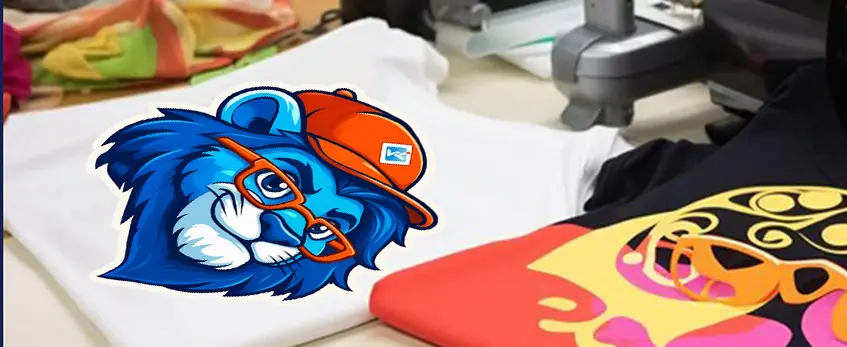
- Transfer design: Heat press the film onto the fabric for a smooth, lasting print.
This manual method works well but can get messy and inconsistent without automation. That’s why beginners quickly grow to appreciate a DTF printer with powder shaker for easier, cleaner, and more reliable results.
Ready to see how automation simplifies this? Let’s dive into the magic of the powder shaker next.
The Role of the Powder Shaker in DTF Printing
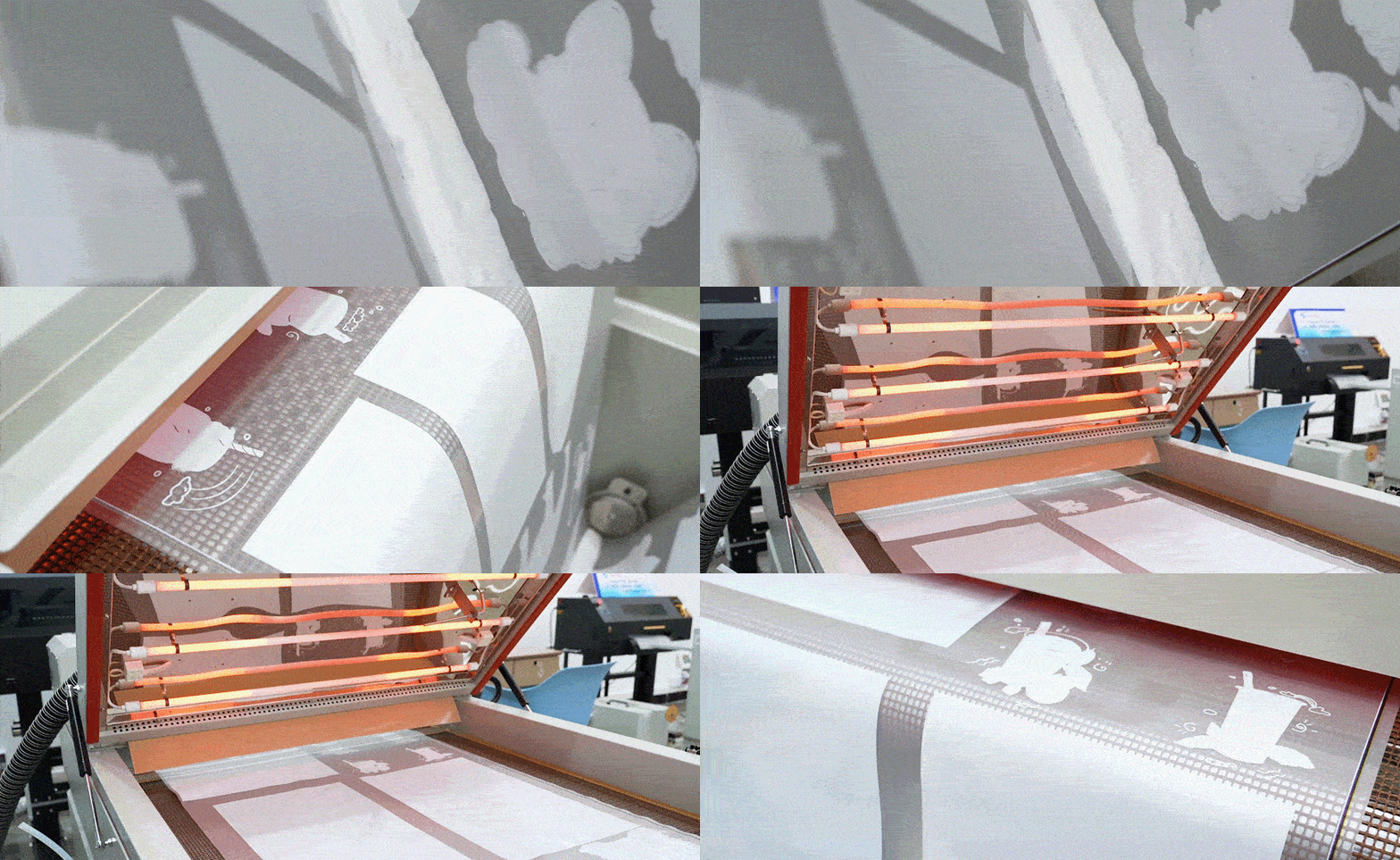
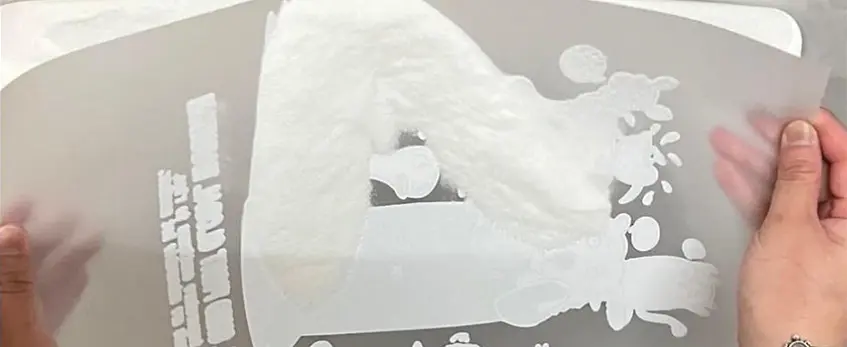
Powder application is a vital step in DTF printing because it creates the adhesive bond that makes transfers stick firmly to fabric. Without the right powder layer, prints can peel or fade quickly.
Manual vs. Automated Powder Shaking
| Aspect | Manual Powder Shaking | Automatic Powder Shaker |
|---|---|---|
| Cohérence | Uneven powder distribution | Even, uniform coverage |
| Mess Level | Can be messy, powder spills easily | Cleaner process with less waste |
| Time Efficiency | Time-consuming and labor-intensive | Fast, “set-it-and-forget-it” workflow |
| Waste | More wasted powder | Excess powder is recycled automatically |
Hand-shaking is tricky for beginners—it\’s hard to get a smooth, even layer, and the process can be messy and slow. On the other hand, an automatic DTF powder shaker solves these problems by evenly distributing powder, reducing waste by recycling the extra adhesive powder, and cutting down overall production time.
Using an automatic DTF powder shaker not only boosts print durability but also streamlines your workflow, making it a must-have for anyone starting with DTF printing. For more on how powder and curing improve print quality, check out this detailed explanation of how a DTF printer, shaker, and oven improve print quality and workflow.
How Easy Automation Works: Step-by-Step Explanation
Getting started with a DTF printer with powder shaker is simpler than you might think, thanks to easy automation that takes most of the hassle off your hands. Here’s a clear breakdown of how the process works with an automated powder shaker system:
Design Preparation and Printing on PET Film
First, you create your design using RIP software and send it to the printer. The DTF printer prints your design directly onto a clear PET film using vibrant pigment inks, including white ink, which is crucial for bright colors on any fabric.
Automatic Powder Application and Shaking
Once printed, the film moves automatically through the powder shaker, where finely milled adhesive powder is evenly applied and shaken to remove excess. This automatic DTF powder shaker ensures consistent coverage, preventing the mess and uneven application common with manual powdering.
Integrated Drying/Curing
After powdering, the film passes through a built-in drying or curing oven. This step melts the adhesive powder slightly, bonding it to the ink for durable, long-lasting transfers. Integrated curing ovens improve workflow by combining powder application and drying in one seamless process.
Film Collection and Heat Press Transfer
The finished film is collected ready for heat pressing. You can then transfer the vibrant, durable design onto your chosen fabric with just a heat press. The whole workflow offers a smooth “set-it-and-forget-it” experience—perfect for beginners looking to reduce manual labor while ensuring quality results.
Visual aids, such as diagrams or demonstration videos, can really help make this process crystal clear for new users, showing exactly how each step flows into the next.
For a deeper understanding of white ink’s role and the advantages automation brings, check out the detailed guide on white inkjet ink for printing professionals.
Why Choose a DTF Printer with Built-in or Bundled Powder Shaker?
For beginners, a DTF printer with a built-in or bundled powder shaker is a game-changer. It simplifies the entire printing process, offering clear benefits:
| Bénéfice | Explication |
|---|---|
| Time Savings | Automates powder application, cutting manual labor and speed. |
| Consistent Quality | Ensures even powder distribution and strong adhesive bonding. |
| Less Mess | Reduces powder spillover and airborne dust from hand shaking. |
| Évolutivité | Lets you handle larger orders with easy “set-it-and-forget-it” automation. |
Space and Cost Efficiency
Choosing an all-in-one system means less clutter and fewer separate machines to manage. Bundled setups usually cost less than buying printers and powder shakers separately — perfect for beginners on a budget.
Solving Common Pain Points
Manual powder application leads to uneven adhesion, wasted powder, and added cleanup time. An automatic DTF powder shaker helps fix this by:
- Recycling excess powder to reduce waste
- Providing precise adhesive coverage every time
- Lowering physical effort and fatigue
This makes the automatic DTF powder shaker a smart investment for beginners wanting consistent output and fewer headaches. For more on how DTF automation improves quality and process, check out this comparison of direct-to-film vs. heat transfer printing.
Recommended Features in Beginner-Friendly DTF Printers with Powder Shakers
Lors du choix d'un DTF printer with powder shaker as a beginner, some features make a big difference in ease and quality. Here’s what to look for:
| Fonctionnalité | Pourquoi c'est important | Option recommandée |
|---|---|---|
| Largeur d'impression | A3 or 13-inch max is perfect for starters — not too big, not too small | Entry-level models with A3 size |
| Printhead Type | Reliable, precise printheads deliver vibrant colors and sharp images | Latest inkjet tech with white ink circulation |
| White Ink Circulation | Keeps the white ink flowing smoothly, reducing clogs and downtime | Circulation system included |
| Powder Recycling | Automatically collects and reuses excess adhesive powder to cut waste | Built-in powder recycling system |
| Touch Controls | User-friendly, simple to operate without complex setups | Intuitive touchscreen panels |
| Smoke Filtration | Keeps the working area safe and odor-free during curing | Integrated smoke/filter system |
Spotlight on jinlong DTF Models
Jinlong’s range of DTF printers with integrated or bundled powder shakers stands out for beginner-friendly features:
- Reliable integration of powder shaker and curing oven for smooth workflow
- User-friendly design with clear touch controls, perfect for those new to DTF printing
- Utilisations high-performance consumables like certified TPU powder and transfer films (see TPU hot-melt adhesive powder here) to ensure long-lasting, vibrant prints
- Supports stable white ink circulation for consistent print quality
- Offers space-saving all-in-one configurations, ideal for small studios or home setups
Choosing a beginner-friendly DTF printer bundle that combines print, powder application, and curing can save you time and headaches, allowing you to focus on creativity instead of troubleshooting. For example, jinlong’s certified transfer films (check out basic series films here) are optimized for these systems, ensuring smooth adhesion and sharp details right out of the box.
Look for automation extras like powder recycling and easy controls—they’re game changers for anyone just starting the DTF printing journey!
Top Picks for Beginners: jinlong DTF Systems and Alternatives
For those just starting out, jinlong DTF printer bundles with powder shakers stand out for their easy setup and reliable performance. These all-in-one systems come ready to use with certified inks, films, and powders, making the messy trial-and-error process much smoother for beginners.
If you\’re looking for entry-level options, jinlong offers compact models with about 13-inch print widths—perfect for small businesses or hobbyists testing the waters. For users planning to grow, mid-range systems provide faster speeds and larger print sizes, without overwhelming complexity. Both options focus on user-friendly interfaces and automation features like automatic DTF powder shakers and integrated curing ovens to simplify your workflow.
When choosing the right DTF printer with powder shaker for beginners, consider your budget, expected print volume, and the level of support you need. jinlong’s customer service and helpful resources make getting started easier, especially for those new to DTF automation.
For a deeper dive on choosing the right consumables that pair perfectly with jinlong systems, check out this guide on the Le meilleur film DTF pour les débutants.
If you want alternatives, other brands also offer automated powder shakers and entry-level printers, but jinlong’s seamless integration and focus on beginner-friendly features make them a top pick in the U.S. market.
Setup and Getting Started Tips
Getting started with your DTF printer with powder shaker is easier than you might think. Here’s a simple breakdown to help you roll smoothly into your first prints without headaches.
Unboxing and Assembly Basics
- Carefully unpack all parts from the box, including the printer, powder shaker, power cables, and cartridges.
- Follow the step-by-step manual to assemble any components if needed; most beginner-friendly models like jinlong come with plug-and-play design.
- Place the equipment on a stable surface with good ventilation to avoid heat or smoke buildup during printing and powder curing.
Software (RIP) Configuration for Optimal Results
- Install the recommended RIP software that manages your print files and ink layers.
- Configure settings specific to DTF printing, such as ink density, white ink circulation, and film type.
- Set powder application parameters if your printer’s software supports automated shaker control for consistent powder dispersal.
First Print Walkthrough
- Start with a test design—simple shapes or logos—to get a feel for the entire workflow.
- Print on PET film, watch the automatic powder shaker apply adhesive evenly, and complete the curing process.
- Press the film onto your fabric with a heat press or curing oven (learn more about curing options and best practices ici).
- Check for consistent color vibrancy and adhesion quality.
Safety and Maintenance Essentials
- Always wear a mask and work in a well-ventilated area to avoid inhaling powder residue.
- Regularly clean the printheads and powder shaker components to prevent clogging and uneven powder application.
- Use manufacturer-approved inks and powders to maintain printer health and prolong consumable life.
- Follow safety guidelines carefully, especially when handling powders and heat press machines.
By following these straightforward steps, beginners can start producing vibrant, durable DTF transfers with less mess and fuss. If you want a detailed starter guide, check out our ultimate resource on equipment selection and first prints.
Troubleshooting Common Beginner Issues
When starting with a DTF printer with powder shaker, beginners often face a few common problems like uneven powder application, clogging, and poor adhesion. Here\’s a quick guide to fix and prevent these issues so your printing stays smooth and professional.
Uneven Powder Application
- Cause : Powder shaker settings may be too low or the powder distribution uneven.
- Quick Fix: Adjust the automatic DTF powder shaker speed to get a consistent layer. Make sure the powder is fresh and stored properly to avoid clumps.
- La prévention : Regularly clean the shaker tray and recycle excess powder if your machine supports powder recycling to keep distribution even.
Printhead Clogging
- Cause : White ink tends to clog easily, especially if left unused or not circulated properly.
- Quick Fix: Run a printhead cleaning cycle through your RIP software. Avoid letting ink dry inside the printhead by printing regularly or using white ink circulation features.
- La prévention : Use recommended inks and keep your DTF printer bundle with shaker in a climate-controlled space to minimize clogging risks.
Adhesion Problems
- Cause : Poor powder bonding or incorrect curing can lead to transfers peeling off.
- Quick Fix: Check that the powder shaker evenly coats the printed film and the drying/curing stage is set at the right temperature and duration.
- La prévention : Use high-quality films and certified powders compatible with your system. For help choosing the right supplies, see this guide on selecting the best DTF transfer materials.
Extra Tips for Beginners
- Run test prints before full jobs to catch issues early.
- Keep your workspace clean to avoid powder contamination.
- Follow routine maintenance schedules on your all-in-one DTF printer to prolong its life and consistency.
By staying on top of these common issues, you can enjoy a hassle-free, automated DTF workflow that’s perfect for beginners looking for reliable results without a mess or guesswork.





 English
  Español
  Deutsch
  Français