

Aucun produit dans le panier.

Jinlong
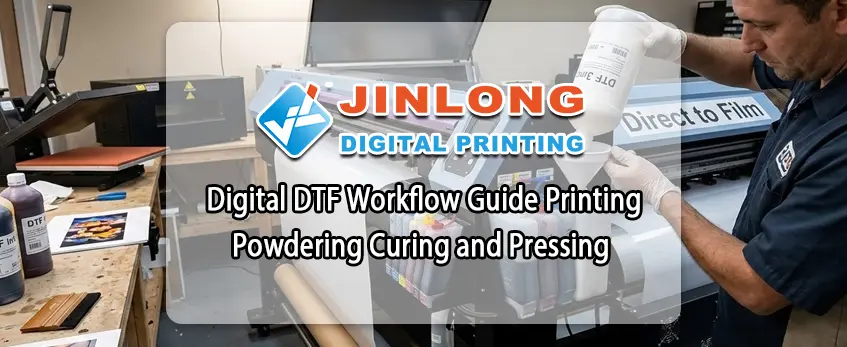
Digital DTF Workflow Guide Impression Poudrage Durcissement et pressage
Préparation de la conception et de l'installation
Êtes-vous prêt à créer des impressions DTF de haute qualité, éclatantes de couleurs et de détails ? Une conception et une configuration correctes constituent la base d'un flux de travail numérique DTF fluide. Voici ce qu'il faut savoir pour bien commencer.
Exigences essentielles en matière de conception pour l'impression DTF
Avant d'allumer l'imprimante, votre dessin doit répondre à certaines spécifications pour garantir des résultats nets et éclatants :
- Résolution : Visez une résolution d'au moins 300 DPI pour que les détails restent nets. Une résolution inférieure entraîne des bords flous ou de la pixellisation.
- Mode couleur : Utilisez le mode de couleur CMJN pour une reproduction fidèle des couleurs. N'oubliez pas que des impressions éclatantes dépendent de profils de couleurs appropriés.
- Miroir : Il faut toujours reproduire votre dessin avant de l'imprimer, afin que l'image soit correctement transférée sur le tissu.
- Base blanche : Incorporez une couche de base blanche solide sous votre dessin pour plus d'opacité, en particulier sur les vêtements sombres. Cette étape permet d'éviter que les couleurs ne paraissent délavées et de les rendre plus éclatantes.
Paramètres recommandés pour le logiciel et le RIP
Pour obtenir le meilleur rendement de votre imprimante jinlong DTF, il est essentiel d'utiliser le bon logiciel et les bons paramètres RIP (Raster Image Processor). Les outils de conception courants comme Adobe Photoshop ou Illustrator fonctionnent bien, mais il est utile de les associer à un logiciel RIP dédié (comme CADlink ou Wasatch) :
- Contrôle de l'étalement de l'encre pour une densité de couleur constante
- Gestion précise de la stratification de l'encre blanche et de la sous-couche
- Optimiser la vitesse d'impression et les paramètres de résolution
- Réduire les problèmes d'impression courants tels que les bandes et le colmatage de l'encre
Fournitures clés jinlong DTF dont vous avez besoin
Une impression numérique DTF réussie n'est pas seulement une question de fichier, c'est aussi une question de matériaux de qualité. Voici ce dont chaque configuration a besoin :
- Encres : Utilisez les encres DTF de Jinlong, spécialement formulées pour offrir des couleurs éclatantes et une excellente adhérence. Leur consistance permet d'éviter le colmatage et d'assurer un écoulement régulier.
- Films : Choisissez des films de transfert DTF de haute qualité compatibles avec votre imprimante pour garantir des images nettes et une adhésion facile à la poudre.
- Poudres : Les poudres adhésives thermofusibles Jinlong sont disponibles en qualité fine et standard, toutes deux conçues pour fondre uniformément, offrir une forte adhérence et une grande durabilité.
- Imprimantes compatibles : Assurez-vous que votre imprimante est compatible avec les encres et les films jinlong DTF pour profiter pleinement de la qualité d'impression et éviter les problèmes techniques.
En suivant ces directives de conception et en utilisant les fournitures de confiance de jinlong, vous mettrez en place un flux de travail DTF numérique fiable qui produira des impressions éclatantes et durables à chaque fois. Passons maintenant à la première étape cruciale : l'impression sur film DTF.
Étape 1 : Impression sur le film DTF

Commencez par charger votre film DTF dans l'imprimante Jinlong DTF, en veillant à ce qu'il soit correctement aligné pour éviter les bourrages ou les erreurs d'impression. Calibrez régulièrement l'imprimante pour obtenir des résultats cohérents, en vous concentrant sur la vérification des buses et la précision des couleurs. Pour obtenir des impressions de haute qualité, l'ordre de dépôt de l'encre est le suivant : CMJN plus encre blanche, le blanc étant généralement imprimé en premier comme base pour garantir des couleurs éclatantes et des bords nets.
Réglez votre résolution d'impression autour de 1440 ppp pour des images détaillées, en équilibrant la vitesse et la qualité en fonction de la taille du travail. Ajustez soigneusement les temps de séchage entre les couches : un séchage trop rapide peut provoquer des bavures, un séchage trop lent nuit à l'efficacité du flux de travail. Les encres Jinlong DTF sont conçues pour produire des couleurs riches et saturées avec une excellente netteté des bords. Veillez donc à utiliser les paramètres recommandés du logiciel RIP adaptés à ces encres.
Faites attention aux problèmes courants tels que les bandes et le colmatage des buses. Les bandes signalent souvent des problèmes d'alignement de la tête d'impression ; il faut donc effectuer des cycles de nettoyage de la tête d'impression ou recalibrer la machine pour y remédier. En ce qui concerne le colmatage de l'encre, une maintenance régulière telle que la purge des buses et l'utilisation d'encre Jinlong DTF de haute qualité permet d'éviter les temps d'arrêt. Une configuration correcte de l'imprimante et l'utilisation de fournitures Jinlong DTF compatibles garantissent une impression fluide à chaque fois.
Pour un démarrage en douceur, pensez à la Imprimante numérique Jinlong DTF604P Série Pro qui est optimisé pour des performances d'impression DTF supérieures.
Étape 2 : Poudrage du film imprimé
Lorsqu'il s'agit d'appliquer de la poudre adhésive, le choix du bon type est crucial. Il existe deux options principales : poudre fine et poudre standard. La poudre fine offre une couverture plus lisse et un toucher plus doux, tandis que la poudre standard est plus tolérante pour les débutants et les applications en vrac. La poudre Jinlong se distingue par son excellente qualité de fusion et sa forte adhérence, ce qui permet à vos impressions de rester éclatantes et durables, lavage après lavage.
Vous pouvez appliquer la poudre manuellement ou à l'aide d'un agitateur automatique. L'application manuelle vous donne le contrôle, mais nécessite des mains fermes et de l'entraînement pour éviter les amas. En revanche, un agitateur automatique - comme celui recommandé pour les installations DTF jinlong - garantit une couverture homogène et régulière et accélère le flux de travail, ce qui est particulièrement utile pour la production par lots. Pour en savoir plus sur l'automatisation et les techniques d'agitation, consultez notre guide sur l'agitation automatique. Imprimante DTF avec secoueur de poudre pour débutants.
Pour obtenir les meilleurs résultats :
- Appliquer la poudre uniformément : Évitez d'accumuler de la poudre au même endroit ou d'en manquer. Tapotez doucement si nécessaire.
- Secouer pour éliminer l'excédent de poudre : L'excès de poudre peut entraîner une rugosité ou une mauvaise adhérence. Recyclez-la en la collectant et en la réutilisant pour réduire les coûts.
- Assurez la sécurité de votre espace de travail : Portez un masque anti-poussière, assurez une bonne ventilation et tenez la poudre à l'écart des flammes nues : ses fines particules peuvent constituer un risque d'incendie.
L'application cohérente de la poudre est une étape clé dans la mise en œuvre de la politique de l'UE en matière d'environnement. Processus d'impression du DTF étape par étape, Le résultat est un transfert de haute qualité qui résiste aux lavages et à l'usure. En suivant ces conseils, vos impressions resteront nettes et votre flux de travail sera fluide.
Étape 3 : Durcissement de la poudre pour des transferts solides et durables

Un durcissement approprié est crucial dans le processus d'impression DTF, étape par étape, car il garantit que la poudre adhésive fond parfaitement, offrant une excellente adhérence, une grande souplesse et une bonne résistance au lavage. Sans un bon durcissement, vos impressions risquent de se décoller, de se craqueler ou de se décolorer après seulement quelques lavages.
Comparaison des méthodes de séchage
- Four DTF dédié : Le meilleur choix pour le volume et la consistance. Il permet de contrôler la température et le flux d'air, ce qui facilite l'obtention d'une polymérisation uniforme à chaque fois.
- Presse à chaud Méthode de survol : Idéal pour les petits tirages ou les essais. Il suffit de placer la presse à chaud légèrement au-dessus du film enduit de poudre pour faire fondre la poudre sans la presser directement.
- Sécheur flash ou sécheur à convoyeur : Ces solutions conviennent à une production modérée, mais nécessitent un réglage minutieux de la température et de la vitesse afin d'éviter un durcissement excessif ou insuffisant.
jinlong - Paramètres recommandés
- Température : 300-350°F (150-175°C)
- Durée : 2 à 5 minutes, en fonction de la quantité de poudre et du débit d'air de l'équipement
- Flux d'air : Régulier pour faire fondre uniformément la poudre sans la brûler
Comment repérer un remède parfait
- Finition mate : La poudre doit être lisse et mate, et non brillante ou humide.
- Pas d'effet collant : Le film ne doit pas être collant au toucher.
- Un lien fort : Les transferts doivent se décoller proprement sans que la poudre ne s'écaille.
Dépannage des problèmes courants
- Sous-polymérisation : Entraîne une mauvaise adhérence, un décollement de la poudre et une faible résistance au lavage.
- Durcissement excessif : Provoque des craquelures, un jaunissement ou une impression fragile.
Si vous constatez l'un ou l'autre de ces problèmes, ajustez progressivement le temps ou la température de durcissement.
Pour obtenir les meilleurs résultats, utilisez l'équipement de polymérisation du DTF de Jinlong et la poudre spécialement conçue pour une fusion et un collage fiables. Vous éviterez ainsi les écueils les plus courants et produirez des transferts DTF de haute qualité, conçus pour durer.
Consultez le site dédié de jinlong Film de transfert DTF A4 Double Pro Series pour les matériaux compatibles optimisés pour les performances de durcissement.
Étape 4 : Pressage à chaud et transfert
Avant d'appuyer, Pré-impression de vos vêtements pour éliminer toute trace d'humidité ou de plis. Cette étape permet au transfert de mieux adhérer et d'éviter les plis indésirables.
Lorsqu'il s'agit de positionner le transfert durci, Il faut ensuite choisir entre le pelage à chaud et le pelage à froid. Le pelage à froid est généralement recommandé avec les transferts DTF de Jinlong pour des détails plus nets et une meilleure adhérence.
Pour obtenir les meilleurs résultats, suivez les réglages de la presse à chaud jinlong DTF en fonction du type de tissu :
- Coton : 320-350°F (160-175°C) pendant 10-15 secondes avec une pression moyenne à forte
- Polyester ou mélanges : 280-320°F (140-160°C) pendant 8-12 secondes avec une pression moyenne
Après avoir appuyé, utilisez la touche technique du peeling à froid pour retirer soigneusement le film une fois qu'il est refroidi. Pour une plus grande durabilité, effectuez un deuxième pressage avec une feuille de couverture par-dessus.
Pour les dessins multicouches ou surdimensionnés, Pour ce faire, prenez le temps d'aligner chaque couche avec précision. L'utilisation de ruban adhésif résistant à la chaleur peut vous aider à maintenir les bords alignés et à éviter qu'ils ne se déplacent pendant le pressage.
Ces étapes garantissent des impressions éclatantes et durables à chaque fois que vous suivez le processus d'impression jinlong DTF étape par étape. Pour en savoir plus sur la manipulation et le stockage, consultez les conseils suivants Stockage et manipulation des films de transfert DTF.
Post-traitement et contrôle de la qualité dans votre flux de travail DTF numérique
Une fois les étapes de thermocollage et de transfert terminées, une manipulation adéquate après le processus garantit que vos transferts DTF restent éclatants et durables.
Meilleures pratiques en matière de refroidissement et d'épluchage
- Refroidir avant de peler : Laissez le transfert refroidir légèrement avant de le décoller pour éviter de déformer le motif. Avec les transferts DTF jinlong, la méthode de pelage à froid après le pressage donne les meilleurs résultats.
- Peler lentement et uniformément : Décollez le film à un angle lent et régulier pour éviter de soulever ou de déchirer l'impression.
Essais de lavage et de durabilité
- Les impressions Jinlong DTF résistent généralement à Plus de 50 lavages sans décoloration ni décollement lorsqu'elle est effectuée correctement.
- Maintenir la longévité :
- Laver les vêtements à l'envers.
- Utilisez de l'eau froide ou tiède avec des détergents doux.
- Évitez l'eau de Javel et les assouplissants.
- Séchage par culbutage à basse température ou à l'air libre.
Stockage des transferts terminés et des films inutilisés
- Conservez vos transferts terminés et le film DTF jinlong inutilisé dans une boîte de conservation. endroit frais et sec, à l'abri de la lumière directe du soleil.
- Garder les rouleaux debout et couverts pour éviter l'accumulation de poussière et l'exposition à l'humidité qui peuvent affecter la qualité de l'impression et l'adhérence de la poudre.
Adapter votre flux de travail DTF à la production par lots
- Utiliser des encres jinlong homogènes, des films tels que le Film de transfert DTF Série de base simple, et des poudres pour garantir une production uniforme.
- Mettez en place des stations dédiées à chaque étape - impression, poudrage, durcissement et pressage - afin de rationaliser les opérations et de réduire les temps d'arrêt.
- Planifiez les lots pour maximiser la capacité de votre four de séchage ou de votre presse à chaud, en évitant les cycles répétés de réchauffement et de refroidissement de la machine.
Le respect de ces étapes de post-traitement et de contrôle de la qualité dans votre flux de travail DTF numérique permet de garantir des impressions de haute qualité et durables qui répondent aux attentes de vos clients sur le marché américain.
Conseils avancés et dépannage pour le flux de travail du DTF numérique
Pour obtenir un toucher doux et une bonne récupération de l'étirement avec vos imprimés DTF, concentrez-vous sur ces facteurs clés :
- Utiliser le bon équilibre entre la poudre et l'encre - trop de poudre peut entraîner une rigidité.
- Durcir correctement la poudre pour qu'elle reste flexible sans se fissurer.
- Choisissez des encres et des poudres formulées pour l'étirement ; les fournitures DTF de jinlong sont conçues pour maintenir le toucher et la durabilité du tissu.
Évitez les écueils courants tels que l'agglutination de la poudre, le saignement de l'encre ou une mauvaise adhérence :
- Secouer soigneusement l'excédent de poudre pour éviter la formation de grumeaux.
- Maintenir les têtes d'impression propres et bien entretenues afin d'éviter le colmatage et une répartition irrégulière de l'encre.
- Utiliser les paramètres d'impression et les temps de durcissement recommandés pour garantir un collage correct.
La maintenance est essentielle pour assurer une qualité constante et une productivité à long terme :
- Nettoyer régulièrement les têtes d'impression conformément aux directives de Jinlong.
- Entretenez votre secoueur de poudre en le nettoyant pour éviter les accumulations et une distribution inégale de la poudre.
- Stockez les encres, poudres et films DTF jinlong authentiques pour obtenir les meilleurs résultats et des options respectueuses de l'environnement.
Jinlong DTF se distingue par des fournitures fiables et respectueuses de l'environnement qui prennent en charge l'ensemble de votre flux de travail numérique DTF, de l'impression et du poudrage au durcissement et au pressage. Le service et les ressources de Jinlong DTF sont d'une aide précieuse pour assurer la fluidité de votre production et la qualité de vos impressions.
Pour en savoir plus sur l'optimisation de votre équipement et de la qualité d'impression, consultez les recommandations des experts de jinlong dans le guide sur les les meilleures imprimantes de transfert DTF.





 English
 Español
 Deutsch
 Français