



DTF Color Chart Guide for Accurate Matching with jinlong DTF
Ever printed a design that looked perfect on screen only to end up dull and off-color on your apparel? If you’re deep into DTF printing, you know how frustrating color mismatches can wreck your workflow and eat into profits. That’s where a solid DTF color chart becomes your secret weapon—a precise guide that turns guesswork into guaranteed, vibrant prints.
In this complete guide, we’ll unpack everything you need to master accurate color matching with DTF—from understanding CMYK basics and Pantone standards to pro calibration tips featuring jinlong DTF’s industry-leading tools. Ready to stop wasting ink and ups your print game? Dive in and grab your free jinlong DTF color chart today to start hitting perfect hues every time.
What Is a DTF Color Chart and Why Does It Matter?
A DTF color chart is your go-to tool for mastering color accuracy in direct-to-film (DTF) printing. It’s essentially a reference guide displaying a range of colors that your printer can reproduce using specific inks and settings. This chart helps you match colors precisely from digital designs to final prints, eliminating guesswork.
The Fundamentals of DTF Color Charts
- Color standards at a glance: Shows how each color should look after printing and curing, given your specific ink and film combo.
- Ink and substrate interaction: Colors can shift based on fabric type, printer model, and ink formulation. The chart accounts for these variables.
- Calibration tool: Helps adjust printer settings and inks to achieve consistent, repeatable results.
- Communication bridge: Aligns expectations between designers, print operators, and clients, so everyone is on the same page about final output.
Common Color Pitfalls in DTF Printing and How Charts Solve Them
Printing colors that pop and match brand specifications is tricky without a reliable reference. Here are common issues and how charts help:
| Color Pitfall | How DTF Color Chart Helps |
|---|---|
| Colors look different onscreen vs. print | Provides physical proof of colors in real-world conditions. |
| Uneven or muddy gradients | Clearly shows smooth transitions; highlights printer capabilities. |
| Unexpected shifts on different fabrics | Shows substrate color influence; guides fabric-specific tweaks. |
| White ink imbalance | Charts with white underbase references ensure proper layering and opacity. |
| Neon and specialty colors fail to match | Specialized swatches help adjust ink mixes for tricky shades. |
With a DTF color chart, you take control over your printing process. It’s more than a color guide; it’s your map to consistent, vibrant, and brand-true prints every time. Whether you’re printing custom apparel or promotional products, it matters because color accuracy is your competitive edge.
Understanding Color Models: From RGB to CMYK for DTF Success
When working with DTF printing, knowing the difference between RGB and CMYK color models is a game changer. RGB (Red, Green, Blue) is what screens use — think monitors, phones, and cameras. CMYK (Cyan, Magenta, Yellow, Key/Black) is the color model used for printing, including DTF transfers. This means colors can look vibrant on your screen but may shift when printed if you don’t account for the switch.
Bridging this digital-to-print gap is crucial. Pantone integration helps by providing standardized shades, so your brand colors stay consistent no matter the device or printer. Applying Pantone matching for transfers in your DTF workflow limits surprises and ensures every print matches your original design.
For designers, using hex and RGB references alongside CMYK lets you quickly pick colors and communicate exactly what you want. These references work as quick wins, helping speed up the design-to-print process and improve brand color fidelity in DTF prints.
To get the most accurate results, combining proper monitor calibration for printers with a solid Epson DTF color profile or similar will keep your colors true from start to finish. This foundation is key for flawless color matching every time.
How to Create and Use a Custom DTF Color Chart
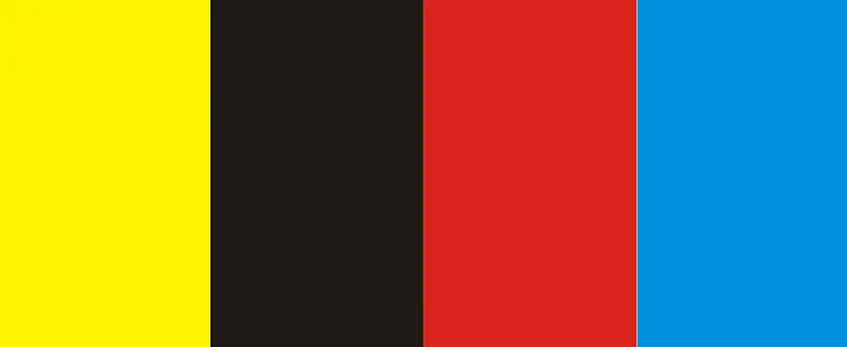
Building your own DTF color chart helps you achieve precise color matching every time you print. Here’s a simple step-by-step guide to get started:
Step 1: Select Your Base Colors
Choose your core ink colors, including CMYK plus any specialty inks like white or neon. Make sure you’re using the exact inks and printer settings you plan to work with regularly.
Step 2: Print Color Swatches
Print a series of swatches that include solid colors, gradients, and blends. This range covers the variations you’ll encounter when designing. Be sure to print them on the same type of substrate you use most often, as fabric type affects how colors appear.
Step 3: Measure and Compare
Use tools like a spectrophotometer or trusted color measurement apps to check color accuracy against your desired values (Pantone, RGB, Hex). This step catches any off-shade colors early.
Step 4: Create a Reference Chart
Organize your printed swatches into a chart with clear labels for each color’s values (CMYK percentages, Pantone codes, Hex codes). This becomes your go-to reference for quick color checks and design approval.
Testing and Validation: Ensuring Accuracy
Once your chart is printed, test it with actual designs and under different lighting conditions to confirm how colors hold up. Repeat the printing and measuring process to refine your chart until the colors match perfectly.
When to Update Your Chart
Update your custom DTF color chart whenever you:
- Change ink brands or batch colors
- Replace or recalibrate your printer
- Switch to a new film or substrate type
Staying on top of these tweaks guarantees your prints remain consistent and your brand colors stay true. For more on keeping your printer in peak condition, check out expert tips on maximizing your DTF printer’s performance.
Advanced Color Matching Techniques for Professional DTF Printers
For pros looking to nail color every time, advanced tools like ICC profiles and RIP software optimization are game-changers. ICC profiles help your printer communicate exact color info, ensuring what you see on screen matches your print. Meanwhile, RIP software lets you fine-tune color output, adjust gradients, and tailor prints for consistent results with your DTF ink color calibration.
When it comes to substrates, knowing your fabric is crucial. Different materials—cotton, polyester, blends—absorb ink differently, which affects color accuracy. That’s where substrate-specific matching comes in. Testing with a custom fabric color accuracy guide helps you predict how colors turn out on each material, so your brand colors stay sharp and true no matter the surface.
Specialty colors, including neons, whites, and opaques, require extra attention. Neon inks need custom adjustments for vivid brightness, while white ink underbases must be optimized to prevent dullness or shadowing. Opaque colors, too, rely on precise layering to keep prints bold without bleeding. Using advanced color matching techniques ensures those tricky shades come out perfect every time.
For more on fine-tuning your setup, tools like RIP software color adjustment can help you stay on top of printer performance and print quality.
jinlong DTF\’s Exclusive Tools and Resources for Flawless Color Matching
When it comes to getting color right with DTF printing, jinlong DTF offers some standout tools designed to make your life easier. Their Master Color Chart is a game-changer for anyone serious about consistent, brand-true colors. This chart simplifies color selection by providing calibrated color swatches matched specifically for jinlong’s inks and transfer films, helping you avoid common pitfalls like color shifts or unexpected fades.
Beyond the chart, jinlong DTF experts recommend routinely using RIP software color adjustment and ensuring your monitor is calibrated to match print output. Pairing this with their recommended substrates and inks (like those found in their DTF transfer film collections) guarantees better substrate color testing and fabric color accuracy.
A couple of insider tips:
- Use the Master Color Chart alongside your ICC profiles for precise color calibration.
- Regularly update your chart as you switch between printers or brands to maintain color fidelity.
Relying on these tools and expert advice takes the guesswork out of color matching, so your prints consistently hit the mark every time.





 English
  Español
  Deutsch
  Français