



Best DTF Heat Press Settings for Temperature Pressure and Time
The Golden Triangle of DTF Application
When it comes to best DTF heat press settings, mastering the balance of temperature, time, and pressure is key — what I call the Golden Triangle of DTF application. Getting these three right ensures your prints are vibrant, durable, and free from common issues like peeling or dye migration.
Temperature: Precision is Essential
The right temperature is critical for melting the textile adhesive powder perfectly. Too low, and the powder won\’t bond, resulting in a weak transfer. Too high, and you risk damaging both the PET film and the fabric itself. For most DTF projects, maintaining accurate heat allows the adhesive to fuse without scorching or melting your film.
Time: Finding the Perfect Cure
Curing time balances between two major pitfalls: under-curing, which causes the design to peel off easily, and over-curing, which can lead to unwanted ink bleeding, especially in polyester fabrics (a phenomenon called dye migration). Getting this just right means your prints stay sharp and vibrant wash after wash.
Pressure: The Often-Overlooked Variable
Most users focus on temperature and time while neglecting pressure — but it’s just as important. For DTF, a medium-heavy pressure, typically around 40-60 PSI (4-6 bar), ensures the adhesive evenly bonds without crushing the fabric or distorting the design. You can test pressure manually by placing a sheet of paper under the heat platen and closing the press to feel the resistance; it should be firm but not overly tight.
Together, this golden triangle of temperature, time, and pressure forms the foundation of flawless DTF printing, making sure your designs not only look great but last long.
The Master Chart: Recommended Settings by Fabric Type
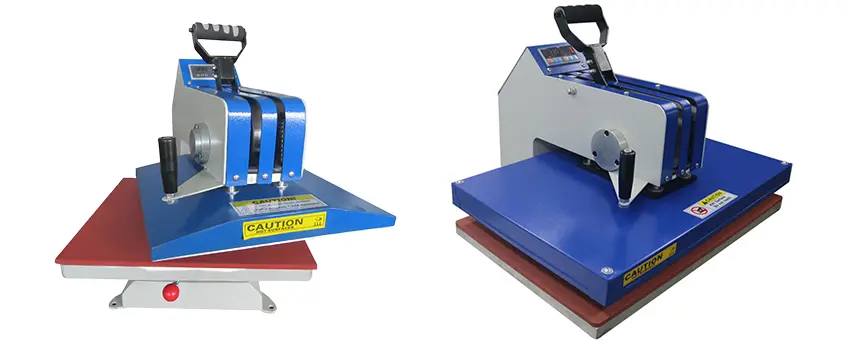
Getting your best DTF heat press settings right means dialing in the right temperature, time, and pressure for the fabric you’re working with. Here’s a simple breakdown:
100% Cotton:
- Temperature: 300°F – 325°F (148°C – 160°C)
- Time: 10 – 15 seconds
- Pressure: High/Heavy
Cotton needs a hotter press and stronger pressure to ensure the adhesive powder melts well and bonds deeply without risking damage.
Polyester & Synthetics:
- Temperature: 275°F – 285°F (135°C – 140°C)
- Time: 8 – 12 seconds
- Pressure: Medium
Polyester is sensitive to heat — too hot and you’ll get dye migration or bleeding. Keeping temps lower and using medium pressure helps preserve sharpness and color integrity.
Tri-Blends (Cotton/Poly/Rayon):
- Temperature: 285°F – 300°F (140°C – 148°C)
- Time: 10 – 12 seconds
- Pressure: Medium-Heavy
Tri-blends require a balance—hot and heavy enough to cure the ink well but not so much that the synthetic fibers get damaged.
Adjusting settings based on fabric type is key for preventing common issues like poor adhesion or washing durability problems. For reliable results, pair these settings with quality materials like Jinlong’s DTF transfer film known for consistent performance across fabric types.
This tailored approach to temperature, time, and pressure ensures vivid prints that hold up wash after wash.
The Peel: Hot, Warm, or Cold?

Understanding how to peel your DTF transfers correctly is just as important as setting the right temperature, time, and pressure. The peel type you choose depends heavily on the specific PET film you are using. For example, Jinlong DTF films come with their own peel recommendations to ensure the best results and durability.
Cold Peel: The Industry Standard
Cold peel means waiting for the transfer film to cool completely before removing it. This method is preferred because it gives you the sharpest edges and the best texture on your design. Cooling allows the adhesive powder to fully bond with the fabric without smearing or lifting, which is crucial for long-lasting prints and vibrant details.
Hot/Instant Peel: When Speed Matters
Hot peel lets you remove the film immediately or while still warm. This approach speeds up production but carries risks like the design lifting or parts of it peeling off with the film. Hot peel is best used only when you\’re experienced and working with trusted film and powder combinations designed for instant peel.
Peeling Technique Tips
- Peel at a low angle, close to the surface of the fabric
- Use a slow, smooth motion to avoid jerking or lifting the design
- Avoid pulling straight up as it can cause parts of the transfer to come off
Choosing the right peel method and mastering the technique keeps your prints crisp and durable. For more details on recommended PET film options and curing, check out how Jinlong DTF films perform under different peel conditions.
The Second Press (Post-Press): The Secret to Durability
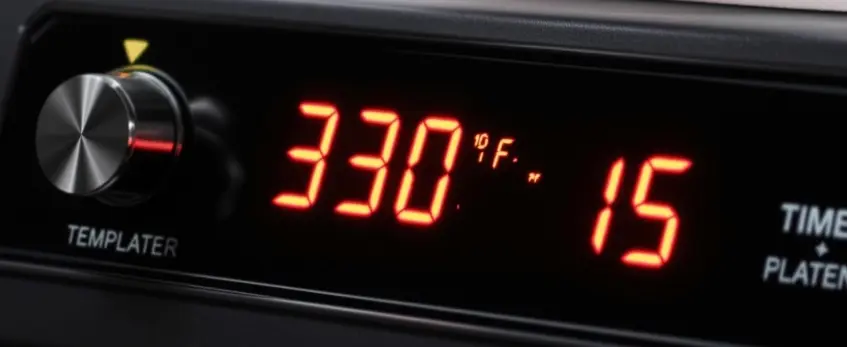
The second press, or post-press, is a simple but crucial step after peeling the DTF film from your garment. It involves pressing the shirt again to lock the ink deeper into the fabric fibers. This extra step significantly boosts the washing durability of DTF prints, making your design last longer through multiple washes.
Here’s why you should always include a post-press:
- Improves ink adhesion: Reinforces the bond between ink and fabric.
- Enhances wash fastness: Reduces fading and peeling over time.
- Creates a smoother finish: Helps the print feel softer and less raised.
Recommended Settings
- Time: 5 to 10 seconds
- Covering: Always place a Teflon sheet (which gives a glossy finish) or parchment paper (for a matte look) between the heat press platen and the garment. This protects your print from scorching or sticking.
Taking the time for a quick post-press boost is an easy way to extend the life of your DTF transfers without adding much effort. For more tips on DTF transfer settings and best practices, check out our detailed guides on starting a custom printing business and maintaining print quality.
Troubleshooting Common Heat Press Issues
Even with the best DTF heat press settings, issues can pop up. Here\’s a quick guide to fix the most common problems:
Design Lifting During Peel: If your design starts lifting or peeling off, try increasing the pressure or waiting a bit longer for the film to cool. This extra time ensures the adhesive powder fully bonds to the fabric, preventing your design from coming loose.
Scorched Fabric: Burn marks or scorched areas usually mean the temperature is too high or the heat isn’t evenly distributed. Lower your heat press temperature and always use a cover sheet like a Teflon sheet or parchment paper to protect the fabric. Also, check your heat press platen for “hot spots” with an IR thermometer to keep the heat even.
Rough Texture (\”Orange Peel\”): If you notice a bumpy or rough texture on your print, the pressure is likely too high. Dial back the pressure slightly, aiming for that medium-heavy PSI range (around 40–60 PSI) to get smooth results without damaging the print.
Dye Migration (Polyester Turning the Ink Color): Polyester fabrics are prone to dye migration — their dyes can bleed into your print if the temperature is too hot. Lower your pressing temperature and switch to a low-temp adhesive powder or specialized anti-sublimation DTF sheets to avoid color bleeding and keep your prints sharp.
Keeping these troubleshooting tips in mind ensures your DTF prints come out perfect every time. For more detailed insights, you can also check out guides on DTF powder melting point and PET film transfer settings to fine-tune your heat press machine calibration and get consistent results.
Equipment Maintenance: Ensuring Consistency
To get consistent results from your best DTF heat press, equipment maintenance is a must.
Calibration: Regularly check your heat press machine calibration with a reliable heat gun or IR thermometer. This helps verify that the temperature you set matches the actual platen temperature, avoiding issues like uneven curing or scorching.
Platen Care: Keep the heating element clean by removing old ink, adhesive residue, or powder buildup. A dirty platen can cause uneven heat distribution, which messes with your DTF powder melting point and overall transfer quality.
Why Quality Matters: Using high-quality consumables like Jinlong DTF films and powders not only helps maintain color accuracy and durability but also gives you a wider margin for error during pressing. For more on optimizing your workflow with top-grade materials, check out our guide on the best DTF film for professional printers.
Keeping your equipment in top shape ensures smooth operation, sharp prints, and longer-lasting results every time.





 English
  Español
  Deutsch
  Français