

No products in the cart.

Jinlong
Start a Custom Sticker Business with a DTF Printer Step-by-Step
If you’re serious about starting a custom sticker business with a DTF sticker printer in 2025, you’ve landed in the right place. This booming $2 billion+ market is exploding thanks to Gen Z trends, TikTok hype, and a massive demand for vibrant, durable stickers that just can’t be beat by vinyl or screen printing. Whether you’re launching a side hustle, Etsy shop, or expanding your print offerings, DTF printing is the absolute game-changer—no peeling nightmares, no weeding, and colors that pop on virtually any surface.
In this guide, you’ll get a complete, step-by-step breakdown of everything—from picking the best jinlong DTF printer and sourcing affordable supplies to mastering the workflow and scaling fast. Ready to turn your sticker dreams into a profitable reality in just 30–60 days? Let’s dive in.
Why Choose DTF for Your Sticker Business (And Why It Crushes the Competition)
Starting a custom sticker business? You might be wondering: why choose a DTF sticker printer over traditional options? Here\’s the deal — DTF (Direct to Film) printing offers huge advantages that can seriously boost your profits and product quality.
Durability & Wash-Test Proof (50+ Washes)
DTF stickers are built to last. These babies handle 50+ washes without fading or cracking, making them perfect for outdoor and apparel stickers. Unlike vinyl or screen-printed options, DTF retains color and adhesion on everything from water bottles to car windows.
No Weeding, No Layering — Vibrant Colors on Any Material
Forget tedious weeding or layering vinyl layers. With DTF, you print single-pass, full-color designs straight onto film, then press it onto virtually any surface — fabric, plastic, metal, glass, you name it. The colors come out bright and sharp every time.
Single Stickers or Gang Sheets — Maximum Profit Flexibility
DTF printing adapts to your workflow. Want to print single, custom stickers or save cash printing gang sheets with multiple designs tucked together? DTF covers both, letting you maximize profit per print job and reduce waste.
DTF vs Vinyl vs Direct-to-Vinyl vs Screen-Printed Stickers
Let’s get real with a quick comparison table:
| Feature | DTF | Vinyl | Direct-to-Vinyl | Screen Printing |
|---|---|---|---|---|
| Durability | 50+ washes, weatherproof | Good, but peels over time | Moderate, less durable | Very durable, but limited color |
| Color Vibrancy | High (full CMYK + white) | Limited to vinyl colors | Limited by vinyl colors | Limited color range |
| Setup Time | Fast, no weeding | Time-consuming weeding | Moderate complexity | Long setup & layering |
| Print on Any Material | Yes | Mostly flat smooth surfaces | Mostly flat surfaces | Usually fabric-specific |
| Cost per Sticker | Low–Moderate | Moderate to High | Moderate | Low on bulk, high on small |
In short: DTF is a game-changer for anyone who wants durable, colorful, flexible sticker production with less hassle and more profit opportunities.
Do this = print smart, sell durable, grow fast. Skip this = faded prints, slow jobs, lower margins.
Startup Costs Breakdown (Real Numbers for 2026)
Starting a custom sticker business with a DTF sticker printer can fit different budgets. Here’s a realistic breakdown for 2026 so you know exactly what to expect.
Budget Tiers:
Under $2,000
Ideal if you’re just testing the waters. You can grab an entry-level jinlong DTF printer (A4 or small A3 size), a budget heat press (usually clamshell style), basic RIP software, and starter packs of ink, powder, and film. Expect fewer prints per run and slower production, but it’s perfect for a side hustle.
$2,000–$5,000
This is the sweet spot for most small businesses. Upgrading to a larger A3+ jinlong DTF printer increases your print width and volume. Invest in a swing-away heat press for better heat distribution and ease of use. You’ll also want a better curing oven or drawer system, higher quality films, and premium adhesive powder for more durable stickers.
$5,000–$10,000
For semi-pro setups or fast-growing businesses, this budget lets you buy top-tier jinlong DTF printers with white ink circulation systems that keep prints vibrant and consistent. Add automated curing ovens, commercial-grade heat presses, bulk film and powder supplies, and advanced RIP software to speed up production and improve quality.
Essential Equipment List (With Current Prices):
| Item | Price Range (2026) |
|---|---|
| Jinlong DTF printer (A4-A3+) | $1,000 – $4,000 |
| Heat press (clamshell/swing-away) | $300 – $1,200 |
| Curing oven or powder dryer | $400 – $2,000 |
| RIP software license | $200 – $600 |
| DTF films (hot-peel/cold-peel) | $50 – $150 per pack |
| Adhesive powder (5kg Pro Series) | $120 – $160 |
| DTF inks (CMYK + White) | $150 – $300 per set |
Recommended jinlong DTF Printers and Why
Jinlong offers reliable DTF printers with models suited for stickers, particularly the A3 and A3+ options. These printers support larger print widths for gang sheet stickers and include critical features like a white ink circulation system, which keeps printing smooth and prevents clogging. This is vital when producing vibrant, durable custom DTF stickers at scale.
Heat Press: Clamshell vs. Swing-Away
- Clamshell presses are affordable and space-saving but can cause uneven pressure or heat on thicker materials.
- Swing-away presses offer more precise and consistent heat application, perfect for sticker pressing jobs requiring flawless adhesion.
Curing Oven or Drawer System
A curing oven or powder dryer ensures adhesive powders melt evenly, drastically improving sticker durability. Learn the differences and what works best for your workflow in curing DTF powder with a heat press vs a curing oven.
RIP Software, Films, Powders, and Inks
Don’t overlook the software that drives your printer. Good RIP software optimizes print quality and manages ink consumption, saving time and costs. High-quality films and powders directly affect print durability and finish—premium choices here pay off.
Hidden Costs Most Beginners Forget
- Replacement parts or ink cartridges
- Calibration tools for color accuracy
- Shipping and customs fees for imported goods
- Software updates or subscriptions
- Protective supplies and packaging materials
Being aware of these can keep your budget realistic and avoid surprises.
By knowing your startup costs in detail, you can pick the right jinlong DTF printer and gear setup that matches your goals and keeps your sticker business profitable from day one.
Choosing the Right jinlong DTF Printer for Stickers
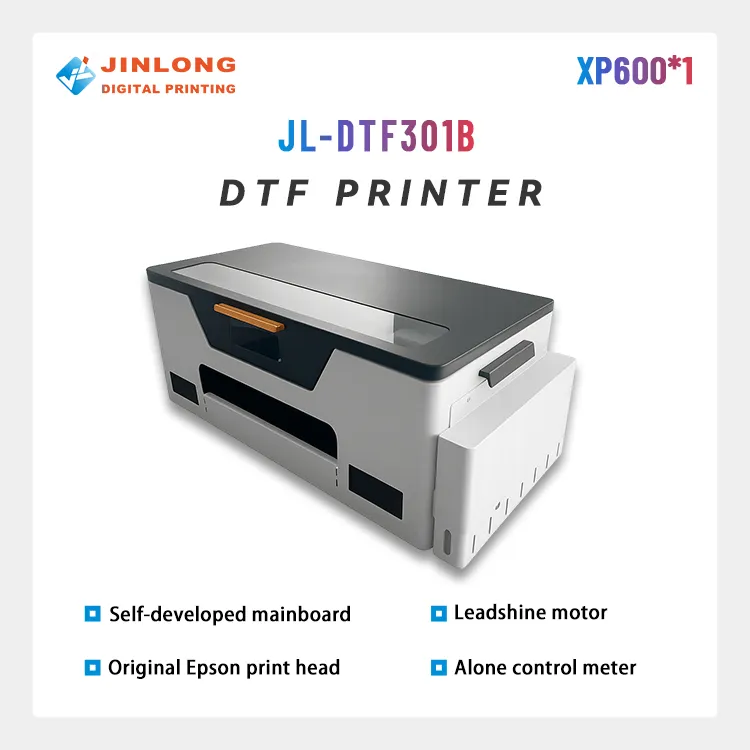
JL-DTF301B A3 DTF Printer XP600 【Applicable to beginner sets】
View more View more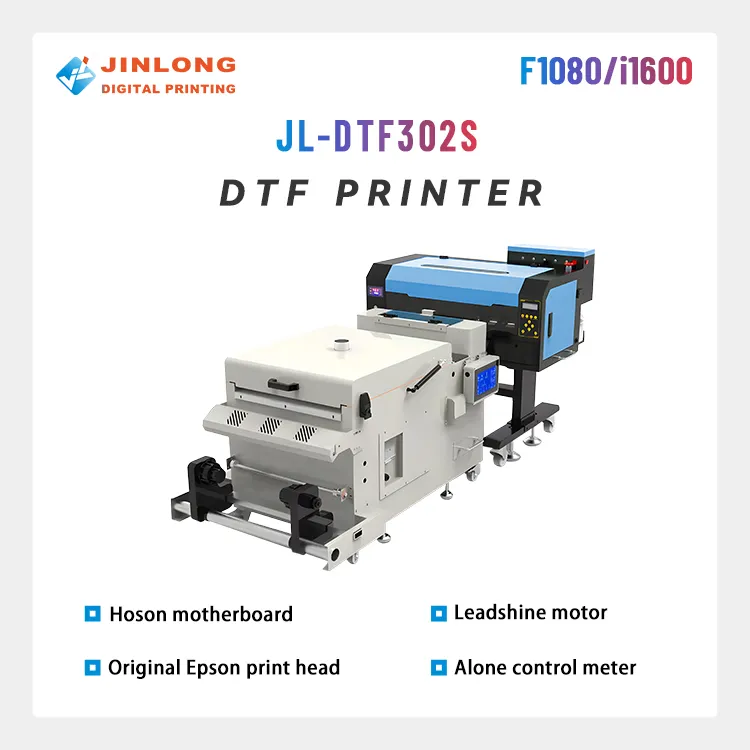
JL-DTF302S DTF Digital Printer
View more View more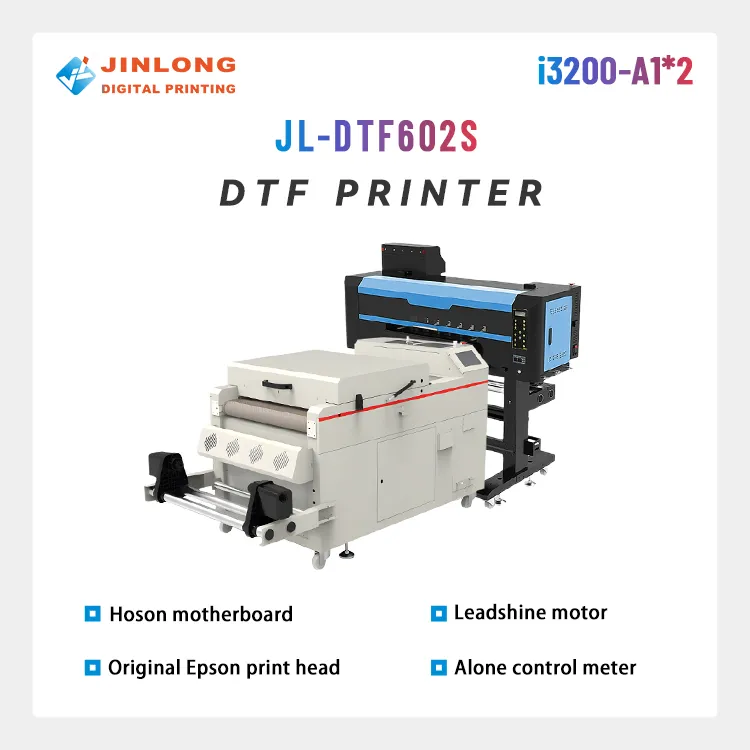
JL-DTF602S DTF Digital Printer Best Product Print Quality Package
View more View more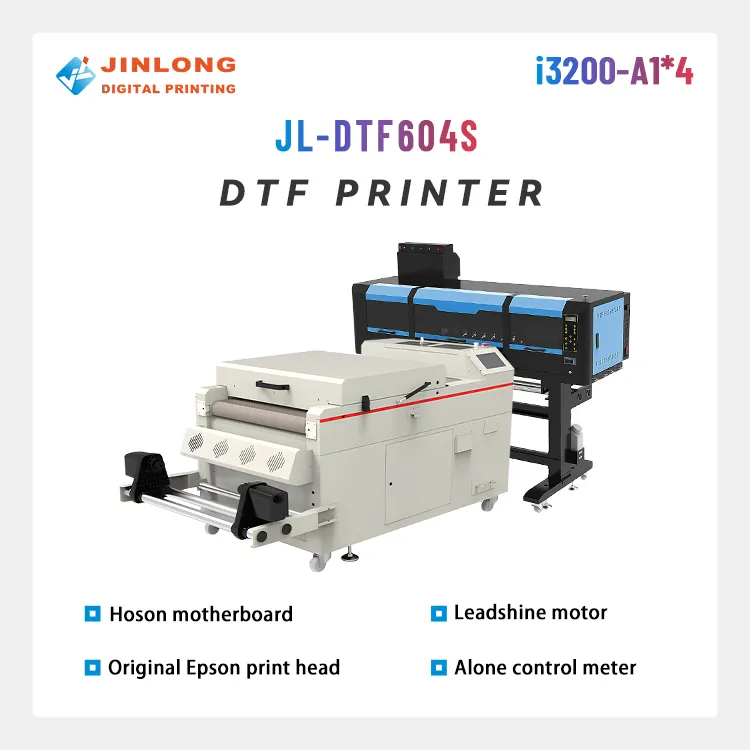
JL-DTF604S DTF Digital Printer Best Product Print Quality Package
View more View more![JL-DTF604P DTF Digital Printer [Pro Series]](https://jinlongprints.com/wp-content/uploads/2025/07/JL-DTF604P.webp)
JL-DTF604P DTF Digital Printer [Pro Series]
View more View more
When starting a custom sticker business, picking the right jinlong DTF printer is key. The best models for sticker production come in A4, A3, and A3+ sizes — each serving different volume needs. If you’re printing smaller batches or just starting out, an A4 model offers affordability and easy handling. For higher volume and bigger orders, the A3 or A3+ printers give you wider print widths and faster production speeds.
Print width directly affects your output: wider printers mean you can run gang sheets with multiple stickers, boosting your profit margin. But if you’re focusing on single, detailed custom stickers, smaller models might offer better precision without wasting material.
Another critical feature to look for is the white ink circulation system. A reliable circulation system prevents the white ink from clogging or settling, ensuring vibrant, consistent base layers that make your stickers pop on any material.
Checking real user reviews is always smart — jinlong DTF printers get solid marks for durability, ease of maintenance, and longevity. Many users report smooth operation past thousands of prints, which is essential when scaling your sticker business.
For more on selecting a vibrant and durable printer, explore detailed insights on the best jinlong DTF printers for 2026.
Exact Supplies You Need (And Where to Buy Cheap)
Starting your custom sticker business with a DTF sticker printer means getting the right supplies that deliver vibrant colors and durability. Here’s what you’ll need:
DTF Inks (CMYK + White): Choose high-quality inks for sharp, bright prints. The white ink is crucial for base layers, especially on dark materials. The jinlong DTF ink white 100ml Pro Series is a top pick for consistent opacity and excellent adhesion.
Premium Hot-Peel vs Cold-Peel Film: Hot-peel films are popular for stickers as you peel them while the print is still warm—this delivers clean edges and less residue. Cold-peel films allow for more flexibility but might take longer to finish. For stickers, hot-peel is usually preferred for crisp outlines.
Adhesive Powder (Fine vs Medium Grain): The adhesive powder melts during curing to bond the ink to your chosen surface. Fine grain powder works great for detailed designs, while medium grain is better for larger, solid areas. Using the right powder like the TPU DTF hot melt adhesive powder 500g Std Series ensures strong, wash-proof stickers.
T-shirt Transfer Film vs Sticker-Specific Film: While t-shirt films are designed for fabric, sticker-specific films offer better durability and stickiness on surfaces like laptops, water bottles, and car windows. Always go for films marketed for sticker printing to get the best results.
Where to Buy Bulk Supplies (US, EU, Asia)
- United States: Look for suppliers that specialize in DTF printing essentials with fast shipping—some specialized online stores and local print shops stock in-demand items.
- European Union: Wholesale print supply distributors offer competitive rates, though shipping times can vary—bulk buying directly often reduces costs.
- Asia: China-based platforms like Alibaba and local Jinlong distributors typically offer the best prices on inks, powders, and films but factor in shipping delays and customs fees.
Stocking up on these key materials at the right price lets you maximize quality and profits from day one.
Step-by-Step DTF Sticker Printing Workflow
Starting your custom sticker business with a DTF sticker printer is all about following a clear, reliable workflow. Here’s the step-by-step process to get vibrant, durable stickers every time:
Design Creation
Use user-friendly design programs like Canva, Photoshop, or AI-powered tools to create your sticker artwork. Keep your designs high-res and add any white ink layers where needed since DTF printers require white as a base on dark or transparent films.
Print Settings in RIP Software
Load your design into the RIP software that controls your jinlong DTF printer. Set your print mode specifically for stickers to ensure the right ink saturation and resolution. Most sticker prints need higher DPI and crisp edges, so adjust your settings accordingly.
Film Printing & Powder Application
Print your design on PET film using CMYK + white inks. Immediately after printing, apply a fine layer of DTF adhesive powder evenly over the wet ink. This powder sticks to the ink and is key for bonding the print to your sticker material.
Curing Process
Cure the powdered film in a heat press or curing oven. Typical settings are around 160°C (320°F) for 2 minutes, but always check your equipment and powder’s recommendations for max adhesion and durability.
Pressing Parameters
Transfer the cured print onto your chosen sticker substrate using a heat press. Use about 160–170°C (320–340°F), 15 seconds, and medium pressure. This step melts the adhesive powder and bonds the ink film perfectly to the material.
Peeling & Finishing
Once pressed, peel the film carefully—hot peel for smooth separation but cold peel for tougher materials. Trim or kiss-cut the stickers if needed to make individual shapes. Finish by inspecting for any edges that need a touch-up.
Pro Tips for Crystal-Clear Edges and No Ghosting
- Use fresh powder and shake it well before application to avoid clumping.
- Keep your heat press temperature steady and avoid over-curing, which can cause ghosting or color fading.
- Clean your platen regularly to prevent ink residue transfer.
- If ghosting occurs, reduce dwell time slightly or adjust pressure.
Following this proven DTF sticker printing workflow will keep costs down and quality up — perfect for scaling your custom sticker business smoothly. For detailed equipment advice including the best jinlong DTF printers and inks, check out this guide on how to choose the right DTF printer for you.
Design Strategies That Sell Like Crazy
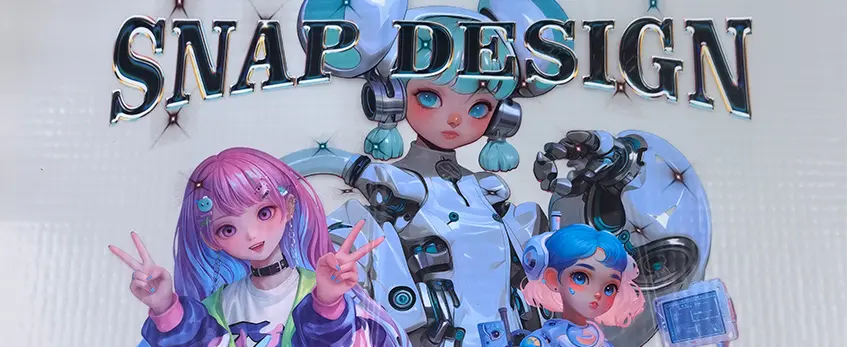
To make your custom DTF stickers fly off the shelves, focus on trending niches in 2026 like anime, sarcastic quotes, small business branding, car window decals, and Hydro Flask designs. These markets have passionate customers who love unique, eye-catching stickers.
Creating mockups that convert is crucial. Use simple free tools like Canva or Photoshop to create clean, realistic previews of your stickers on laptops, water bottles, or car windows. This helps buyers visualize how your stickers will look in real life, boosting sales.
For truly unique art, consider AI tools like MidJourney or Leonardo. They help you stand out with custom designs that are fresh and on-trend without hiring expensive artists.
Don’t skimp on packaging—it’s your first premium impression. Use sleek, branded packaging like resealable bags with a matte finish or custom backing cards. Good packaging not only protects your stickers but also justifies higher prices and encourages repeat buyers.
By combining these strategies, you can attract loyal customers who see your stickers as must-have collectibles or perfect gifts.
Where and How to Sell Your DTF Stickers (Fastest Paths to Revenue)
Starting to sell your custom DTF stickers? The fastest way to get cash flowing is by hitting multiple channels at once.
Etsy: Listing Hacks, SEO & Pricing
Etsy is still king for sticker sales. Optimize your listings with keywords like “custom DTF stickers” or “durable stickers” to get found. Use clear photos and include mockups showing your stickers in action. Price competitively—think $15 to $35 for an A4 gang sheet depending on your design and quality. Don’t forget to boost your SEO by including trending niches like “car decals” or “hydroflask stickers” in titles and descriptions.
Shopify Store + Printify/Printful Alternative
For higher margins, run your own Shopify store. Unlike Printify or Printful where you split profits, selling DTF stickers directly means you keep 100% of the margin. Use Shopify apps that integrate with your DTF setup or manual order fulfillment for total control. Promote your store on social media or through email to build a loyal following.
Local Markets, Craft Fairs & Car Meets
Don’t overlook in-person sales. Local craft fairs, flea markets, and car meets are perfect for getting quick feedback and immediate cash. People love supporting small businesses and are often willing to pay a premium for stickers they can see and touch before buying. Bring a variety of funky designs and have sticker bundles ready to boost order value.
TikTok Shop & Instagram “Sticker Haul” Strategy
Social media is a huge driver for sticker sales in 2026. Use TikTok Shop to sell directly within the app by posting short videos showing your DTF stickers’ vibrant colors and durability. On Instagram, work with influencers or create your own “sticker haul” posts and reels. This builds excitement and offers social proof, making followers more likely to grab your custom stickers.
Wholesale to Merch Brands and Influencers
Finally, consider wholesale opportunities. Many merch brands and influencers want quality stickers to promote their logos or add value to their products. Offering bulk pricing on gang sheets can bring in consistent revenue while freeing you from small-order fulfillment. Reach out via email or social media to build these partnerships.
Selling DTF stickers well means diversifying your channels and playing to each one’s strength. Mixed online presence plus local engagement and wholesale deals create a solid sales foundation.
For more on the best DTF printer setups to maximize your quality and volume, check out the jinlong DTF printer supplier options.
Pricing & Profit Margins (Real Examples)
When running a custom sticker business with a DTF sticker printer, understanding your costs and profit margins is key. For starters, a typical A4-sized DTF gang sheet usually costs between $3 and $5 to produce. This includes ink, adhesive powder, film, and electricity. Depending on your design and sticker size, you can cut anywhere from 10 to 30 stickers per sheet.
On the retail side, you can price each sticker anywhere from $15 to $35, especially if you target niche markets or premium quality designs. This means your profit margin per sticker is often around 70-80%, which beats many other printing methods.
Here’s a quick example:
- Cost per A4 gang sheet: $4
- Stickers per sheet: 20
- Cost per sticker: $0.20
- Retail price per sticker: $20
- Profit per sticker: $19.80
To earn a full-time income (around $50,000/year), you\’d need to sell roughly 7-8 stickers per day at this price point. Scaling up is easy with gang sheets, which maximize print volume and reduce costs per sticker.
Tracking both your production costs and retail pricing closely helps you stay competitive and profitable in the growing custom DTF stickers market.
Scaling from Side Hustle to 6-Figure Business
Once your custom DTF sticker business gains traction, scaling efficiently is key to hitting six figures. Start by automating your workflow using gang sheet software to maximize print volume while minimizing waste and setup time. This lets you produce more stickers per print run, boosting your profit margins without extra labor.
Next, consider hiring your first virtual assistant (VA) or a printer operator. A VA can handle customer service, order management, and social media, freeing your time. A printer operator helps keep production moving smoothly, especially as orders grow.
Investing in kiss-cut machines and auto-weeders takes your efficiency to the next level. These tools speed up post-print processes by precisely cutting and removing excess vinyl or film, eliminating tedious manual work and improving sticker quality.
Finally, expand your revenue by offering white-label services to other shops. This means producing DTF stickers that other brands can sell under their own label, increasing your volume and building steady B2B income streams.
By automating and outsourcing smartly, you can scale your DTF sticker printer business from a side hustle into a streamlined, profitable full-time operation.
Common Mistakes Beginners Make (And How to Avoid Them)

Starting a custom sticker business with a DTF sticker printer is exciting, but there are some common pitfalls that can trip up beginners. Avoid these to save time, money, and frustration:
Using the wrong film type: Sticker-specific film is designed to handle adhesive powder and heat pressing better than regular transfer or T-shirt films. Using the wrong film leads to poor adhesion and peeling issues. Always buy premium hot-peel or cold-peel film tailored for stickers.
Poor powder shaking: Adhesive powder needs to be thoroughly shaken before use. Clumps cause uneven coverage and weak sticking power. Invest in a good shaker or thoroughly mix your powder before every print.
Over-curing stickers: Too much heat or time in the heat press or curing oven can cause colors to fade or make the adhesive brittle. Stick to manufacturer guidelines—typically around 160-170°C (320-338°F) for 15-20 seconds—and test often.
Cheap ink problems: Low-quality inks can clog your jinlong DTF printer’s nozzles, produce dull colors, or fade quickly outdoors. Stick with proven DTF ink brands recommended for sticker printing to ensure vibrant, long-lasting prints.
Ignoring white ink circulation: White ink tends to settle quickly. Not using the printer’s circulation system or shaking the ink can cause clogging and streaky prints.
Skipping RIP software setup: Wrong print settings lead to wasted prints and poor quality. Learn your RIP software well for optimal print speed, powder application, and color profiles.
By avoiding these common mistakes, your custom DTF stickers will look sharper and stick longer, making your business more reliable and profitable right out of the gate.
Frequently Asked Questions about DTF Sticker Printing
Can I start with just an A4 jinlong DTF printer?
Yes, starting with an A4 jinlong DTF printer is a great option for beginners or side hustlers. It’s compact, affordable, and perfect for testing the waters before scaling. The A4 size works well for small batches and custom orders. As your volume grows, you can upgrade to larger A3 or A3+ models to boost output and efficiency.
Do I need a special cutter for DTF stickers?
While you don’t necessarily need a cutter designed exclusively for DTF, using a good vinyl or kiss-cut cutter is highly recommended. These help you achieve clean edges and accurately cut around your sticker designs without wasting material. Stick to cutters that support precise contour cutting for best results.
How long do DTF stickers really last outdoors?
Quality DTF stickers typically last 1–3 years outdoors under normal weather conditions. They stand out for their durability and wash-proof qualities (50+ washes) thanks to the TPU adhesive powder and flexible film used. For extended outdoor exposure, investing in premium films and powders can improve lifespan and keep colors vibrant longer. For detailed durability info see how TPU powder boosts durability.
Is DTF better than UV DTF now?
Traditional DTF and UV DTF each have pros, but standard DTF holds strong for sticker makers focused on color vibrancy, material compatibility, and cost efficiency. UV DTF adds enhanced outdoor durability and scratch resistance but usually comes with higher equipment and ink costs. For most custom sticker businesses, a jinlong DTF printer offers the best balance of quality and value in 2026.
Feel free to start small and build your setup around your needs, focusing on gear and supplies that maximize your print quality and business margins.





 English
 Español
 Deutsch
 Français