



How to Tell If Your Printer Is Out of Ink Early for Flawless Prints
Why Early Ink Detection Matters More Than You Think
Catching low ink early can save you from big headaches later. Here’s why you shouldn’t wait until your print quality drops.
Risks of Printing Until Ink Is Really Low
- Air in Lines: Running out of ink introduces air bubbles, which disrupt flow.
- Clogged Nozzles: Ink starvation can cause printheads to clog, leading to poor prints.
- Overheating Printheads: Without enough ink to cool, printheads overheat and degrade.
- Reduced Printer Lifespan: Frequent clogs and overheating mean costly repairs or replacements sooner.
Benefits of Proactive Ink Monitoring
Keeping a close eye on your ink levels means:
- Uninterrupted Workflow: No surprise stops or delays.
- Consistent, Vibrant Colors: Especially critical for DTF transfers where pigment ink performance matters.
- Cost Savings: Avoid emergency fixes and wasted prints.
Common Misconception: Don’t Rely Only on Faded Prints
- Many wait until prints look faded before checking—this is too late.
- Early low ink signs happen before visible quality drops.
- Pro tip: Use ink level indicators and software tools instead to catch issues early.
| Risk of Late Detection | Benefit of Early Detection |
|---|---|
| Air bubbles and clogs in lines | Smooth ink flow for sharp, consistent prints |
| Overheated, damaged printheads | Longer printer lifespan and fewer repairs |
| Poor print quality surprises | Vibrant colors ready when you need them |
| Workflow interruptions | Seamless printing with no downtime |
By watching your printer ink status closely, you protect your printer and your prints before problems begin. This simple step keeps you ahead—saving time, money, and frustration.
Built-in Printer Indicators for Early Low Ink Warnings
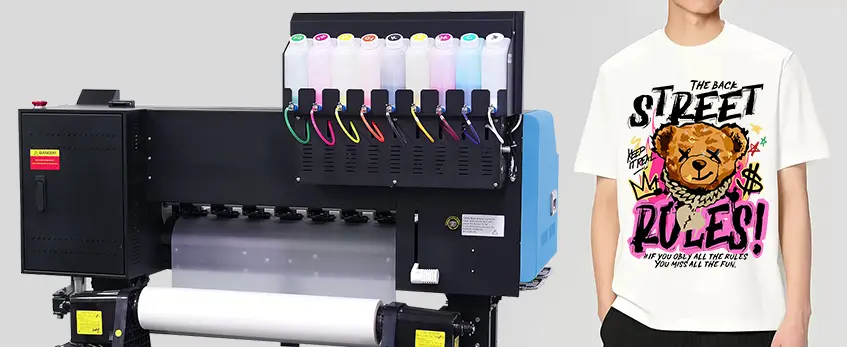
Most modern printers come with built-in indicators designed to alert you about low ink levels well before print quality starts to suffer. These often appear on the control panel as ink drop icons, gauge bars, blinking lights, or clear messages like “Low Ink” versus “Replace Soon.” These early warnings help you plan ahead instead of waiting for faded prints to show up.
For those using DTF technology, like Jinlong DTF printers, it’s especially important to monitor ink levels closely. Pigment-based inks used in DTF behave differently than typical dye-based inks and may cause unexpected interruptions if not tracked accurately. Keeping an eye on these built-in indicators can save you costly downtime when working with DTF transfers or other high-volume printing needs.
Learn more about managing ink for DTF by checking out Jinlong’s expert insights on starting a DTF printing business.
Using Software and Apps to Monitor Ink Levels Accurately
Keeping tabs on your printer ink level check is easier than ever with dedicated software and apps. Major brands like HP, Epson, and Canon offer tools that give you real-time ink status, helping you avoid poor print quality before it starts.
Here’s a quick guide:
- HP Smart app: Displays estimated ink levels and sends low ink warnings directly to your phone or computer.
- Epson Status Monitor: Shows ink tank status for Epson printers, especially useful for ink tank models.
- Canon IJ Printer Assistant: Provides detailed ink level reports and maintenance alerts.
On Windows or Mac, you can also check printer ink status by opening the printer properties or toolbox from your system settings. This gives a snapshot of your cartridge low alert levels without printing anything.
For mobile users, many apps offer push notifications to catch early low ink detection issues remotely, so you never miss a warning when you’re away from your printer.
For those working with DTF printing, especially high-volume setups, it’s smart to pair your jinlong DTF printer with compatible software to track pigment ink levels precisely. Since DTF pigment inks behave differently than dye-based inks, relying on software monitoring ensures smoother workflow and consistent results. For more on maximizing your DTF prints, check out our guide on the all-in-one DTF printer vs. separate printer and powder shaker.
Visual and Physical Checks – No Software Needed
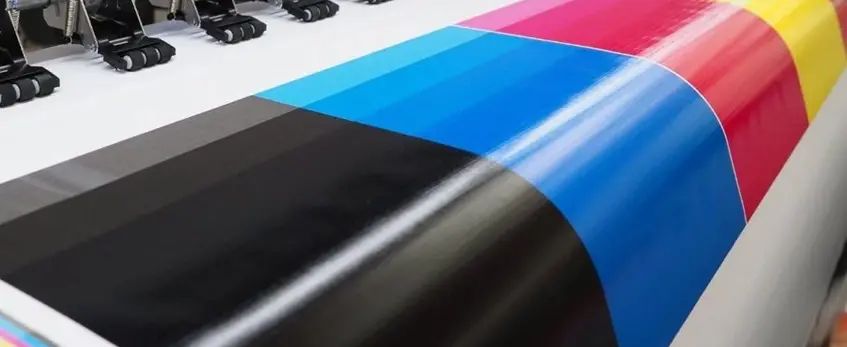
If you want to check your printer ink level without relying on software, there are a few simple ways to do it visually and physically. For printers with supertank or ink tank models, look at the ink tank windows. These clear panels show the fluid levels directly—make sure the ink stays between the minimum and maximum lines to avoid running low unexpectedly.
Another trick is the cartridge shake test: gently shake the cartridge to feel if it\’s light or heavy. A noticeably lightweight cartridge usually means it\’s close to empty. Comparing the weight of a full cartridge to your current one can give subtle clues about ink levels.
Don’t forget to print a status report or nozzle check page regularly. These pages help spot clogging or ink inconsistencies before they turn into serious print quality problems.
For DTF printers, especially Jinlong DTF models, keep an eye inside the ink tanks for sediment or separation—these are early signs that the pigment inks may be settling and causing flow issues. Staying ahead with these simple visual and physical checks can save headaches and keep your prints sharp.
For those managing high-volume DTF workflows, combining these checks with expert advice like our how to choose the right DTF kit for your printing business can further optimize your ink monitoring and maintenance routines.
Subtle Early Signs Before Quality Drops
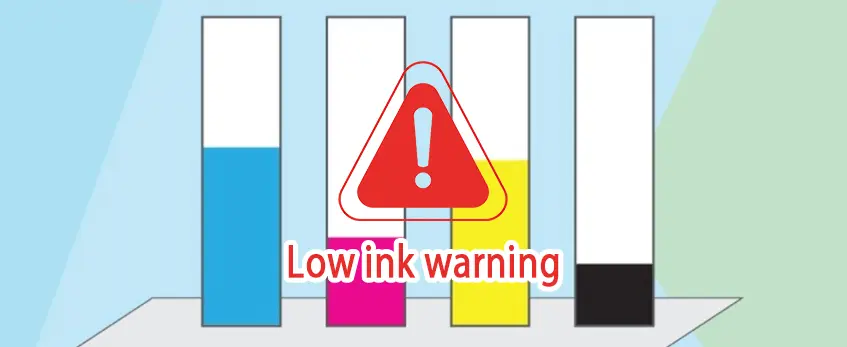
Knowing how to tell if your printer is out of ink before print quality drops is key to avoiding unexpected print problems. Watch for these subtle early signs:
- Printer behavior changes: If your printer takes longer to warm up, makes unusual noises during priming, or runs cleaning cycles more often, it could mean ink levels are running low.
- Software pop-ups or dashboard warnings: Your printer’s software may alert you with low ink warnings before any visible print issues appear.
- Inconsistent test print outputs: Even slight color shifts or gradient inconsistencies in nozzle check or test pages can be an early signal that ink is dwindling.
For those using jinlong DTF systems, pigmented inks often show minor flow variations first—these small changes may impact print quality if not addressed quickly. Keeping an eye on these early low ink detection signs helps protect your equipment and ensures consistent vibrant colors, essential for tasks like DTF transfers. For more tips on maintaining your DTF setup, check out our detailed DTF kit checklist.
Best Practices to Stay Ahead of Low Ink Issues
Staying on top of your printer ink level check is the key to avoiding unexpected downtime and poor print quality. Here are some practical tips:
Set reminders: Use your phone calendar or printer app notifications to remind you to check ink levels regularly. This early low ink detection helps you avoid last-minute surprises.
Keep spare jinlong DTF inks: For DTF printing, having extra inks ready means quick swaps that keep your workflow smooth, especially during high-volume jobs. Jinlong’s specialized inks are formulated to work seamlessly with DTF printers, ensuring consistent output.
Run maintenance pages often: In busy environments, running weekly nozzle checks or maintenance prints keeps your printheads clean and free from clogs, protecting your printer from damage caused by low ink.
Understand ink level estimates: Remember, printer ink monitor tools give approximations—they aren’t always 100% precise. Trust them as a guide but combine with physical checks to know when your ink is truly running low.
Know when to replace cartridges or tanks: Don’t wait until ink runs completely out. Replacing close to safe thresholds helps protect your printhead from damage and avoids issues like air bubbles or clogs.
For DTF users interested in mastering ink management and preventing common issues, exploring expert tips on how to DTF printing in 2026 with updated techniques and trends can be a game changer. This approach preserves print quality and lengthens your printer\’s lifespan.
Troubleshooting Common Ink Level Misreads
Sometimes your printer might show false low ink warnings, especially right after refilling or when using third-party inks. These alerts aren\’t always accurate and can be triggered by ink sensor confusion or refill residue.
If your printer ink level check indicates full tanks but print quality issues still appear, try these steps:
- Run a nozzle check or printhead cleaning cycle to clear any clogs.
- Power off the printer for a few minutes, then restart to reset the ink sensors.
- Verify cartridges or tanks are installed correctly without leaks or air bubbles.
For DTF users, jinlong DTF inks are engineered for precise sensor compatibility to minimize inaccurate readings and ensure smooth ink level monitoring. This reduces the chances of unexpected low ink alerts and helps protect your printheads with reliable early low ink detection.
For high-volume DTF printing, pairing jinlong’s inks with compatible printers and software keeps your workflow steady and avoids unnecessary downtime. For more on optimizing your setup, check out our guide on maximizing the potential of DTF transfer paper and powder in your printing workflow.





 English
  Español
  Deutsch
  Français