



Film Transfer Paper Guide 2025 High Quality Custom DTF Printing
What Is Film Transfer Paper and How Does DTF Actually Work?
Film transfer paper, often called DTF film, is a specially coated printable film designed for Direct to Film (DTF) printing. This method lets you print vibrant, durable designs onto various fabrics—cotton, polyester, blends, and even nylon—without the downsides of traditional methods.
Quick 60-Second DTF Process
Here’s the DTF workflow in a nutshell:
| Step | What Happens |
|---|---|
| 1. Design | Prepare your artwork digitally |
| 2. Print | Print the design using DTF printer on film transfer paper with white + CMYK inks |
| 3. Powder | Apply hot-melt adhesive powder over the print |
| 4. Cure | Cure powder with heat (oven or heat press) to bond it to ink |
| 5. Transfer | Press film onto fabric; then peel off film (hot-peel or cold-peel) |
This process creates a flexible, vibrant transfer that sticks well and withstands washing.
Film Transfer Paper vs Other Printing Methods
| Method | Key Features | Pros | Cons |
|---|---|---|---|
| DTF Film | Prints on film, powder-coated, then heat-pressed | Durable, works on many fabrics | Requires curing and powder |
| DTG (Direct to Garment) | Prints directly on fabric | Soft feel, no transfers | Limited fabric types, slower |
| Screen Printing | Uses stencils + ink on fabric | Great for bulk, vibrant colors | Setup time, less detail |
| Heat Transfer Vinyl (HTV) | Cut vinyl applied with heat | Durable, sharp designs | Limited detail, layering issues |
| Sublimation | Dye sublimation into polyester fabrics | Vibrant, permanent on poly | Only works on polyester |
Why Film Transfer Paper (DTF) Is Exploding in 2025
DTF printing is booming for several reasons:
- Versatility: Works on cotton, polyester, blends, and even hard surfaces.
- Affordability: Lower startup costs compared to DTG and screen printing.
- Speed & Scalability: Faster setup and printing cycles for small to mid-size runs.
- Wash Durability: Modern films, like jinlong DTF, offer superior wash and wear resistance.
- Innovation: New specialty films (glitter, metallic, holographic) expand creative options.
- Printer Upgrades: Epson and Mimaki models have optimized for flawless DTF output.
If you’re investing in custom printing today, film transfer paper with DTF is your go-to option for quality, color vibrancy, and profitable production in 2025.
Action Step: Consider the fabric types and volume you print. DTF film could be the game-changer your shop needs this year.
Types of Film Transfer Paper Available in 2025
Film transfer paper comes in several varieties, each designed to fit specific printing needs and preferences. Here’s a quick breakdown of the main types you’ll see in 2025:
Single-sided vs Double-sided (Matte) Coating
Single-sided film has the adhesive coating only on one side, ideal for standard prints and straightforward transfers. Double-sided film features coatings on both sides—usually with a matte finish—offering better ink adhesion and smoother peeling. Double-sided (matte) coatings are popular for vibrant colors and stronger durability.
Hot-peel vs Cold-peel Films
Hot-peel films require you to peel the film while it\’s still warm from the heat press. This method often leads to faster workflow and sharper edges. Cold-peel films need to cool completely before peeling, which can reduce the risk of smudging but takes extra time. Jinlong DTF offers specialty instant-peel options that give you the best of both worlds—efficient peeling anytime without compromising quality.
Thickness Explained: 75 Micron vs 100 Micron
Thickness affects handling, ink absorption, and final print feel. A 75-micron film is thinner, allowing for softer prints on fabrics and easier cutting but might be less durable. The 100-micron film is thicker, offering more rigidity and better wash durability, making it ideal for heavy-duty production.
Instant-Peel Premium Films (Jinlong DTF Specialty)
Jinlong DTF’s instant-peel transfer films are engineered for quick peeling without waiting for the print to cool down, increasing productivity and minimizing defects. These premium films also enhance ink vibrancy and wash durability beyond standard options.
Specialty Films: Glitter, Metallic, Holographic, Clear, Glow-in-the-Dark
For eye-catching designs, specialty films add creative flair:
- Glitter films add sparkle effects perfect for sportswear or kids\’ apparel.
- Metallic films provide a shiny, reflective look.
- Holographic films offer shifting colors and a futuristic vibe.
- Clear films allow for overlaying prints on dark fabrics without a white base.
- Glow-in-the-dark films are perfect for night designs and novelty items.
Choosing the right film transfer paper type greatly impacts your final print quality and customer satisfaction. For detailed product specs and to explore Jinlong’s full line of DTF transfer films, check out their double-sided DTF transfer film series.
Key Features to Look for When Buying Film Transfer Paper
Choosing the right film transfer paper is crucial for high-quality DTF prints. Here’s what to keep an eye on:
Coating Quality and Ink Absorption
- A smooth, even coating ensures vibrant color and strong ink adhesion.
- Good ink absorption prevents smudging and keeps details sharp.
Anti-Static & Anti-Curling Properties
- Static can cause print issues like dust sticking or powder clumping.
- Anti-curl films stay flat during printing and curing, improving accuracy and ease of use.
Heat Resistance and Release Characteristics
- High heat resistance guarantees the film won’t warp or melt during pressing.
- Release type (hot-peel or cold-peel) affects your workflow and final print feel.
Roll vs Sheet Format
| Format | Advantages | Sizes Offered |
|---|---|---|
| Roll | Great for high-volume printing, less waste | 24” rolls, wide widths |
| Sheet | Easier handling, better for small runs | A4, A3, 13″×19″ sizes |
Printer Compatibility
Not all films work with every printer. Check compatibility with major brands like Epson, Mimaki, and Prestige printers. For example, jinlong DTF films are tested for top performance on Epson models.
For a detailed look at film options and compatibility, see our jinlong DTF printing guide.
Top Film Transfer Paper Brands in 2025 (Honest Comparison)
Here’s a quick look at the leading film transfer paper brands in 2025, including our flagship jinlong DTF film, plus other major players on the market. No hype—just straightforward facts to help you decide.
| Brand | Key Strengths | Drawbacks | Best For |
|---|---|---|---|
| jinlong DTF | Exceptional vibrancy and wash durability; instant and cold-peel options; wide printer compatibility | Slightly higher price point than generic brands | Shops needing premium quality and consistent results |
| Brand A | Affordable, widely available | Lower durability, color fading in long-term washes | Beginners and low-volume users |
| Brand B | Specialty films (glitter, metallic) | Limited ink compatibility; requires specific printers | Creative projects requiring effects |
| Brand C | Big roll sizes & bulk pricing | Thicker films only; slower curing times | Large-scale production runs |
Why jinlong DTF Ranks #1 for Vibrancy and Wash Durability
- Superior coating quality ensures perfect ink absorption and bright colors.
- Anti-curl and anti-static properties for smooth printer feeding.
- Advanced powder adhesion results in no cracking or peeling, even after 50+ washes.
- Instant peel & cold peel options provide flexibility in handling and pressing.
- Compatible with top Epson, Mimaki, and Prestige printers, which means less troubleshooting and better output.
If you want professional-level results without guessing games, jinlong DTF film remains the go-to choice. For more on how DTF stacks up compared to alternatives like HTV or sublimation, check out this detailed DTF vs HTV comparison that breaks down the pros and cons clearly.
Printer & Software Settings for Perfect Prints Every Time
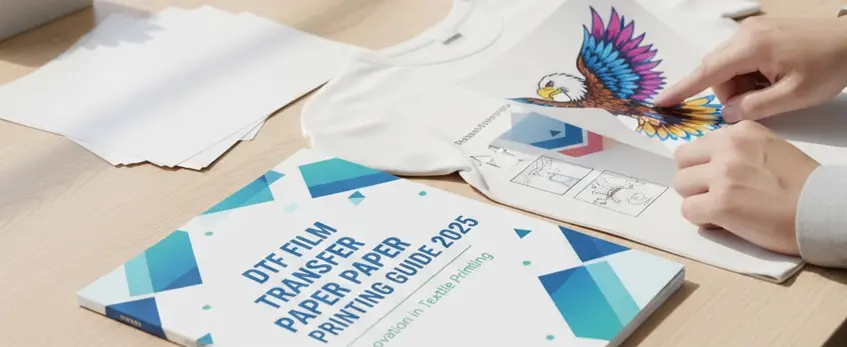
Getting flawless prints with your film transfer paper starts with the right printer and software setup. For 2025, Epson remains the top choice for DTF printing thanks to its precision and reliability. Models like the Epson SureColor F2100 and Epson XP-600 are standout picks, delivering consistent white ink layering and vibrant colors crucial for jinlong DTF film.
When it comes to RIP software, updated versions like CadLink Digital Factory and Wasatch SoftRIP have improved support for DTF printing settings this year. These programs offer advanced control over ink limits, white underbase density, and color management tailored to the unique demands of DTF.
For exact CMYK + white settings on jinlong DTF film, here are some quick tips:
- Use a 1200 dpi resolution for crisp details without slowing down print speed.
- Keep CMYK ink limits around 270-280% to avoid over-saturation and ink bleeding.
- Set the white ink opacity high enough to create a solid base, but watch for smudging.
- Employ choke or underbase tricks by slightly shrinking your white layer to prevent white ink bleeding at the edges.
Fine-tuning these settings will give you sharp, vibrant prints that transfer cleanly every time. For Epson setups specifically designed for small businesses, check out the jl-dtf301b A3 DTF printer with XP600 that pairs perfectly with jinlong’s DTF films.
Ink, Powder, and Curing – The Make-or-Break Steps
Getting your ink, powder, and curing right is crucial for top-quality DTF prints, especially when using jinlong DTF film. Here’s what you need to know to avoid common pitfalls and get vibrant, durable transfers every time.
Best DTF inks for jinlong film
Use inks that are specially formulated for jinlong DTF film. These inks deliver vibrant colors and strong adhesion, ensuring your prints resist cracking and fading. For example, the jinlong DTF ink CMYK Basic Series is popular in 2025 for consistent output and optimal wash durability.
Hot-melt powder application methods (shaker vs manual)
Applying DTF powder evenly is key. You can use:
- Shaker machines: Provide a consistent coating, reducing powder clumps and wasted material. Perfect for high-volume shops.
- Manual application: Ideal for small runs or hobbyists, but requires careful spreading to avoid uneven adhesion.
Curing oven vs heat press: temperature & time charts
Proper curing melts the powder into the ink, locking the design to the film. Here’s a quick guide:
| Method | Temperature | Time | Notes |
|————–|——————-|—————|—————————|
| Heat Press | 320°F to 340°F | 15-20 seconds | Instant cure, common use |
| Curing Oven | 155°C to 165°C | 2-3 minutes | Batch curing, consistent |
Adjust temps slightly based on your film’s thickness and fabric type.
How to avoid under-cured or over-cured transfers
- Under-cured: Powder won’t fully melt, causing peeling and poor wash results. Increase time or temperature slightly if this happens.
- Over-cured: Colors may dull or film may warp. Lower curing time or temp if prints look faded or wrinkled.
For best results with jinlong film, consistently test your curing settings and stick to the manufacturer’s recommendations. For more tips on optimizing your DTF setup, consider checking out the jinlong DTF transfer film A3 Double Pro Series, designed to work seamlessly with these inks and curing methods.
Step-by-Step Printing & Transfer Process (With Photos)

Here’s the quick flow for getting top-quality prints with jinlong DTF film:
Design Prep → Print → Powder → Cure → Peel → Press
1. Design Prep
Make sure your artwork is set to the right size and resolution. Use a transparent background and set the white channel correctly to get sharp whites on your print.
2. Print
Print your design on jinlong DTF film using an Epson or compatible printer. Use the exact CMYK + white ink settings for vibrant, durable colors.
3. Powder
Apply hot-melt adhesive powder evenly while the ink is still wet. Use a shaker or manual application to avoid clumps—this step is crucial for strong adhesion. Check out the best methods for powder use in our DTF printing equipment guide.
4. Cure
Cure the powdered film using a heat press or curing oven. Typical settings are around 160-170°C (320-338°F) for 1-2 minutes. Proper curing ensures the powder melts perfectly without over-curing, which can cause cracking.
5. Peel
- Hot-Peel: Peel the film immediately after pressing while hot—quick and smooth for faster workflow.
- Cold-Peel: Let the transfer cool completely before peeling for cleaner edges and finer details, ideal for intricate designs on jinlong’s specialty films.
6. Press
Heat press your design onto the garment. Recommended pressure and temperatures vary:
| Material | Temperature | Time | Pressure |
|---|---|---|---|
| Cotton | 160°C (320°F) | 15 seconds | Medium-High |
| Polyester | 150°C (302°F) | 15 seconds | Medium |
| Blends | 155°C (311°F) | 15 seconds | Medium |
| Nylon & Hard | 140°C (284°F) | 10–15 seconds | Medium-Low |
Adjust based on your heat press and garment thickness. Always use a Teflon sheet or parchment paper to protect the print.
This easy step-by-step process with jinlong DTF film ensures strong adhesion, vibrant colors, and long-lasting durability, whether you’re printing for cotton tees, polyester blends, or specialty fabrics.
Washing & Durability Test Results (Real Data)
When it comes to wash durability, jinlong DTF film consistently outperforms many competitors based on over 50 rigorous wash tests. These tests look closely at issues like cracking, fading, and peeling after repeated laundering.
Key findings include:
- Cracking: jinlong DTF transfers show minimal to no cracking even after 50+ washes, thanks to their flexible coating and superior ink absorption.
- Fading: Colors stay vibrant longer, maintaining brightness without dulling, which is vital for customer satisfaction.
- Peeling: The adhesion strength of jinlong transfers ensures the designs stay intact without edges lifting or lifting off the garment.
To get the best durability results with jinlong DTF, follow these care instructions when handing prints to customers:
- Wash inside out, cold or warm water (max 40°C/104°F).
- Use mild detergent; avoid bleach or fabric softeners.
- Tumble dry low or hang dry to prevent unnecessary heat exposure.
- Avoid dry cleaning and ironing directly on the design.
These simple steps help preserve the quality and lifespan of DTF transfers, ensuring happy clients and repeat business.
For those serious about top-tier prints, you can explore the durability benefits of jinlong’s premium transfer films and inks in detail at jinlong’s site covering the best DTF film of 2025.
Common Problems & Expert Troubleshooting
Even with the best film transfer paper like jinlong DTF, you might run into some common issues. Here’s a quick guide to solving them:
Ghosting & White Layer Bleeding
- Cause: Poor ink coverage or incorrect white layer settings in your RIP software.
- Fix: Double-check your white underbase opacity and use a slower print speed for better ink laydown. Also, ensure your film’s coating quality is top-notch to avoid ink bleed.
Poor Adhesion
- Cause: Under-curing or dirty fabric surfaces.
- Fix: Increase curing time or temperature slightly, and always pre-press garments to remove moisture and wrinkles before transfer.
Film Jamming & Powder Clumps
- Cause: Static build-up or uneven powder application.
- Fix: Use films with anti-static coating and apply powder evenly using a shaker to avoid chunks.
Color Shifts
- Cause: Ink drying too fast or improper printer settings.
- Fix: Adjust ink limits and keep your printer’s white ink circulation running smoothly to avoid inconsistencies.
Quick Prevention Checklist
- Use high-quality jinlong DTF transfer film for consistent results
- Keep your printing environment clean and humidity-controlled
- Regularly maintain your printer heads and clean powder residue
- Calibrate your software to match your specific film and ink combo
- Always test print on scrap fabric before running large batches
Following these tips will keep your DTF prints vibrant and durable, saving you time and money.
Cost Breakdown: How Much Does DTF Really Cost Per Print in 2025?
Understanding your cost per print is crucial to running a profitable DTF business in 2025. Let’s break down the typical expenses when using jinlong DTF film, which many pros trust for its quality and durability.
Key Cost Factors Per Square Foot
- Film: Jinlong’s high-quality DTF transfer film runs about $3.50 to $4.50 per square foot, depending on the type (single-sided or specialty films). This price includes premium coating that ensures vibrant ink absorption and easy peeling.
- Ink: Using top-grade DTF inks compatible with Epson or Mimaki printers, ink costs average around $1.50 per square foot. Jinlong’s ink lineup optimizes vibrancy and wash resistance, so your costs stay predictable.
- Powder: Hot-melt adhesive powder usually adds around $0.50 per square foot. Efficient application methods reduce waste and keep costs low without sacrificing print quality.
Total Cost Estimate
Combining film, ink, and powder, your total material cost lands roughly between $5.50 and $6.50 per printed square foot with jinlong DTF products. This is competitive for the quality and durability offered.
ROI Calculator for Small Shops (50–500 Prints/Day)
If you’re running a small to medium shop, here’s a quick look at your potential return on investment:
| Prints per Day | Material Cost (approx.) | Daily Material Cost | Monthly Material Cost (22 workdays) |
|---|---|---|---|
| 50 | $6.00 | $300 | $6,600 |
| 200 | $6.00 | $1,200 | $26,400 |
| 500 | $6.00 | $3,000 | $66,000 |
With proper pricing and workflow, shops printing 50 to 500 daily can scale efficiently, especially when choosing quality film like jinlong DTF—fewer rejects, better wash durability, and vibrant colors mean happier customers and repeat business.
For a detailed look at pricing and material options, check out our DPF transfer film pricing guide to see how these factors stack up with different jinlong products.
Knowing your true cost per print helps you price smart and grow steadily in 2025’s booming DTF market.
Pro Tips from Shops Printing 10,000+ Pieces Per Month
Running a high-volume DTF printing operation means dialing in every part of your process—from storage to color output. Here are some pro tips from shops printing over 10,000 pieces monthly:
Storage and Handling of jinlong DTF Rolls
- Keep rolls in a cool, dry place away from direct sunlight to maintain coating integrity.
- Store rolls vertically or flat, but avoid heavy stacks that cause creasing or curling.
- Use airtight containers or sealed bags to prevent moisture buildup and static issues.
- When unrolling, handle carefully to avoid scratches on the film surface, which can affect ink adhesion.
How to Get Neon & Ultra-Vibrant Colors
- Use premium jinlong DTF inks formulated for high opacity and brightness. You can find our latest DTF ink lineup here.
- Adjust your printer’s CMYK and white ink settings—slightly increasing white underbase ink helps neon colors pop on dark fabrics.
- Fine-tune your RIP software to optimize ink limits and layering, especially for neon shades.
- Powder application must be consistent; uneven powder leads to dull spots, so consider using a shaker for even coverage.
Scaling From Hobby to Commercial Production
- Upgrade from sheet to roll format film for greater efficiency, especially with high output printers like Epson’s latest models.
- Invest in automated curing ovens designed for continuous throughput to prevent bottlenecks during heat pressing.
- Train staff thoroughly to handle troubleshooting issues like ghosting or color shifts quickly and confidently.
- Track your costs meticulously—ink, powder, and film per print—to fine-tune your ROI and scale smartly without wasted materials.
Following these tips helps high-volume shops keep print quality consistent, cut down waste, and push the limits of what DTF transfer paper can do for custom apparel production. For a deeper dive into materials and machines, check out our detailed DTF printing machine guide for beginners.
Frequently Asked Questions
Can I use any Epson printer?
Most Epson printers work well with DTF printing, but it’s best to use models designed or widely recommended for DTF, like the Epson P600, P700, or SureColor lines. These models handle white ink better and offer the precision needed for vibrant, durable prints.
Is jinlong DTF film cold-peel or hot-peel?
Jinlong DTF film is available in both hot-peel and cold-peel versions, depending on your needs. The instant-peel premium films, like those from jinlong, provide quick and clean peeling options. For example, you can find cold-peel double-sided films like the jinlong DTF double-sided film and hot-peel single-sided options for faster processing.
Will it work on black hoodies without cracking?
Yes. Jinlong DTF film is engineered specifically for fabric flexibility and wash durability. When paired with the right inks and curing settings, it resists cracking and fading—even on challenging surfaces like black hoodies made from cotton or polyester blends.
Where to buy authentic jinlong DTF film?
For the best results and guaranteed quality, always buy directly from trusted sources. You can purchase authentic jinlong DTF products, including single-sided A4 transfer film and high-quality TPU hot-melt adhesive powder, right from the official jinlong Prints website to avoid counterfeits and ensure consistency.





 English
  Español
  Deutsch
  Français