

Es befinden sich keine Produkte im Warenkorb.


Jinlong
What Is DTF RIP Software and Why It Matters for Print Quality
What Exactly is DTF RIP Software?
DTF RIP software, short for Raster Image Processor, transforms your artwork from vectors or bitmaps into precise dot patterns that your DTF printer needs to produce high-quality prints. Think of it as a translator converting smooth shapes and colors into thousands of tiny dots that blend perfectly on film.
From Vector to Dots: The Rasterization Process
- Vector to Raster Conversion: Your design starts as smooth lines and curves (vector). RIP software rasterizes these into millions of ink dots.
- Dot Patterns: Depending on the design detail, the software creates specific halftone screening patterns, controlling ink placement for the best texture and breathability of the print.
Bypassing Standard Drivers: Why RIP Is Different
Unlike typical Windows or Mac printer drivers that only send basic print jobs, RIP software:
| Merkmal | Standard Driver | DTF RIP Software |
|---|---|---|
| Control Over Ink | Begrenzt | Full control (CMYK + White) |
| Farbgenauigkeit | Basic adjustments | Advanced color management |
| Print Workflow | Simple spool-to-printer | Complex, multi-channel commands |
This means your printer receives detailed instructions just for DTF workflows, not generic print commands.
The Multichannel Commander: Managing CMYK and White Ink
DTF printing involves more than just CMYK colors. RIP software handles:
- White Ink Underbase: Essential for vibrant colors on dark fabrics, RIP software controls white ink density and placement precisely.
- Channel Control: It manages CMYK plus the white channel independently, ensuring sharp, vivid prints with correct layering.
- White Mask and Choke: RIP software creates a “white mask” that prevents white ink spilling over edges, optimizing print clarity.
In short, DTF RIP software is the command center that streamlines your design from digital file to flawless print dots—making it indispensable for quality and consistency in direct-to-film printing.
Why RIP Matters: The 4 Pillars of DTF Success
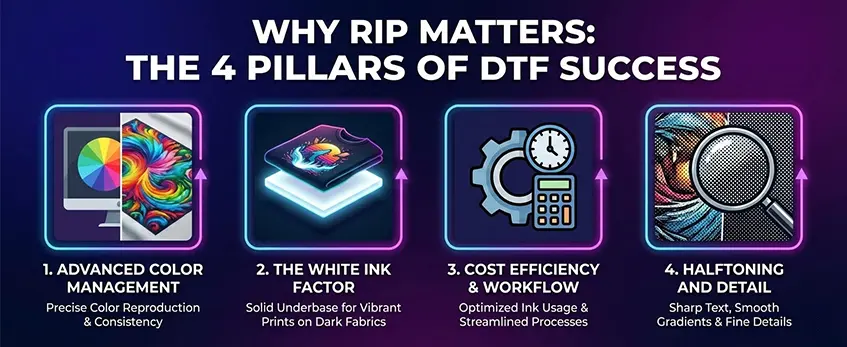
DTF RIP software is crucial because it directly impacts the quality, efficiency, and cost of your direct-to-film (DTF) printing. Let’s break down the four key areas where RIP software makes all the difference:
| Säule | Key Features & Benefits | Warum es wichtig ist |
|---|---|---|
| Advanced Color Management | Uses ICC color profiles for precise gamut mapping, controls linearization curves, adjusts saturation levels | Ensures vibrant, true-to-life colors across CMYK and white ink layers for sharp, professional prints |
| The White Ink Factor | Generates white ink masks, applies white choke to avoid ink bleeding, controls ink density for different fabric types | Prevents white ink from smudging or overshadowing color layers; critical for crisp images on dark fabrics |
| Cost Efficiency & Workflow | Optimizes image nesting to reduce waste, calculates ink cost, supports multi-printer setups | Saves money on ink and film, speeds up job processing, and scales easily with your production needs |
| Halftoning and Detail | Offers various dot patterns for halftone screening, knockout functions, and rasterization tailored for breathable transfers | Balances print detail with fabric breathability and durability, enhancing final product quality and comfort |
By managing these four pillars skillfully, RIP software transforms a simple print job into a consistent, high-quality, and cost-effective DTF printing operation.
If you’re looking to optimize your workflow with premium materials, be sure to check out reliable DTF-Übertragungsfolien designed for excellent print adhesion and durability.
Signs You Need to Upgrade Your RIP Solution
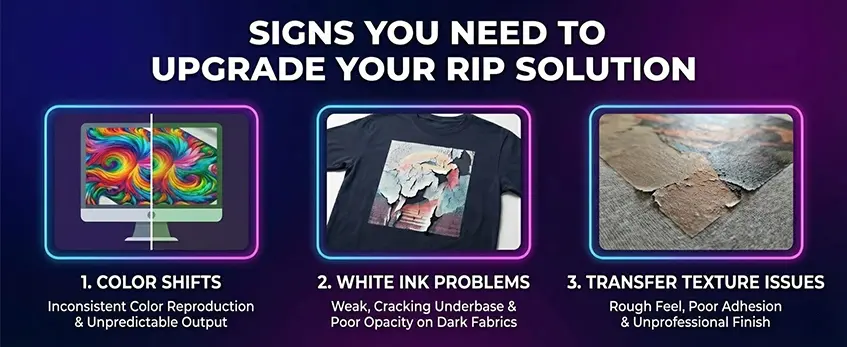
When your DTF prints start showing unexpected issues, it’s usually a sign your RIP software isn’t keeping up. Common symptoms include:
- Farbverschiebungen: Colors don\’t match your original design, showing inaccurate CMYK color gamut or dull results.
- White ink problems: Inconsistent white ink underbase, weak white mask generation, or bleeding edges due to poor white choke control.
- Transfer texture issues: Prints feel too thick, stiff, or patchy, affecting DTF transfer breathability and fabric feel.
These problems reduce print quality and waste film and ink, hurting your workflow and final product.
The Solution: Pairing Jinlong DTF with Professional RIP Software
Upgrading to dedicated RIP software like CADLink, Maintop, or RIIN can fix these problems. These programs excel at:
- Managing complex ICC color profiles for precise color calibration.
- Controlling multichannel outputs including white ink density and choke effects.
- Optimizing halftone screening and print dot patterns for smooth textures.
- Streamlining image nesting and efficient ink use across multiple printers.
For best results, combining quality Jinlong DTF transfer film with professional RIP software unlocks the full potential of your DTF setup and ensures consistent, vibrant prints. Explore how Jinlong’s DTF Transfer Film Double Pro series works seamlessly with these RIP solutions to elevate your direct to film workflow.
Frequently Asked Questions (Technical specifics)
Can You Use DTF Without RIP Software?
Technically, yes—you can use DTF printing without dedicated RIP software by relying on standard printer drivers. But you’ll miss out on critical features: detailed color calibration, precise white ink underbase control, and advanced halftone screening. This often means color shifts, poor ink density, and less breathable transfers. RIP software handles vector to raster conversion and lets you manage CMYK + white channels more efficiently, resulting in sharper, more consistent prints.
How Does RIP Software Affect Print Speed?
RIP software can actually improve print speed in many cases by optimizing data flow and reducing processing delays. Unlike a regular print spooler, RIP processes complex files (like layered designs with white ink masks) upfront—so your DTF printer runs smoother without pauses. Here\’s a quick look:
| Aspekt | Standard Printer Driver | RIP-Software |
|---|---|---|
| Color Management | Grundlegend | Advanced (ICC profiles, linearization) |
| Kontrolle der weißen Tinte | Begrenzt | White mask & choke capabilities |
| Rasterization Control | Minimal | Custom halftone and dot patterns |
| Print Speed Efficiency | Mäßig | Often faster due to optimized data |
| Multi-Printer Support | Rare | Usually included |
For the best outcome—especially when using professional DTF printers like the Jinlong DTF604P—pairing your hardware with professional RIP software like CADLink or Maintop is a smart move.
Want to explore more about how DTF printing tech is evolving? Check out the detailed insights on the future of digital DTF.





 English
  Español
  Deutsch
  Français