

Es befinden sich keine Produkte im Warenkorb.


Jinlong
DTF-Aufkleberdrucker-Fehlerbehebungsanleitung für häufige DTF-Probleme
Understanding Your jinlong DTF Sticker Printer Setup
Getting familiar with your jinlong DTF sticker printer’s key components is crucial for smooth operation and top-quality prints. Here’s a quick overview:
- Druckkopf: The heart of your printer, responsible for precise ink application. Keep it clean to prevent clogged nozzles, especially with white ink.
- Tintensystem: Includes separate channels for white ink and color inks. Proper ink circulation is vital to avoid sedimentation and maintain consistent flow.
- Film Feed: Manages the movement of DTF (Direct-to-Film) sticker films. Proper tension prevents film jamming or wrinkling, ensuring smooth prints.
- Powder Shaker Integration: Applies adhesive powder evenly onto the printed film, essential for effective transfer and sticker adhesion.
Quick Checklist for Optimal Performance
- Room Conditions: Maintain humidity between 40-60% and temperature stable at 20-25°C. This range helps prevent ink drying too fast or too slow and avoids static buildup in film handling.
- Regelmäßige Wartung: Follow the jinlong DTF maintenance guide daily, including printhead purging and ink circulation checks, especially for white ink.
- Materialien: Use compatible jinlong-certified inks, films, and powders designed specifically for sticker work. This ensures vibrant colors, reliable adhesion, and consistent powder bonding.
By mastering these basics and maintaining ideal environmental conditions, you’ll minimize common issues and achieve sharp, durable DTF sticker prints every time.
Most Common DTF Printer Issues & Immediate Checks
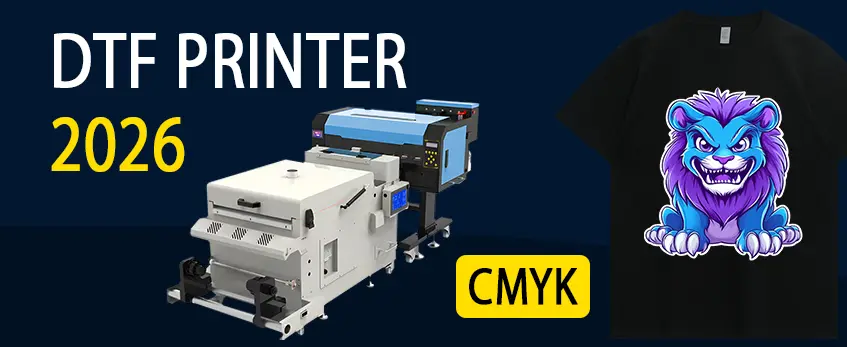
When working with your jinlong DTF sticker printer, certain issues pop up frequently. Catching these early can save you time and keep your prints looking sharp.
Nozzle/Printhead Clogging (especially white ink): White ink is notorious for clogging nozzles. Check for clogging by running a nozzle check pattern. If clogged, perform a targeted printhead cleaning using the recommended jinlong DTF printhead cleaning method. Regular white ink circulation is key to avoiding sediment buildup.
Ink Flow Problems & Sedimentation: If ink isn’t flowing smoothly, it often means sediments have settled, especially in white ink tanks. Gently stir or circulate white ink daily to prevent this. Also, confirm your inks are compatible with your jinlong printer to avoid flow issues.
Film Jamming or Tension Issues: Film feed problems can cause jams or wrinkles. Check the film feed tension and rollers regularly. Make sure your workspace humidity stays between 40-60%, as humidity affects film behavior, preventing film shrinkage or jamming.
Color Inconsistencies or Washed-Out Prints: Color fading or dull prints usually link back to ink quality, incorrect RIP software settings, or printhead issues. Use jinlong-compatible inks and calibrate your printer profiles specifically for stickers to avoid this.
Ink Smudging, Bleeding, or Wet Prints: If ink smudges or bleeds, check heat press settings for DTF stickers—too low temperature or insufficient curing time causes wet prints. Also, ensure powder application is even to prevent transfer issues.
For detailed advice on fixing printhead issues and reducing downtime, check out this jinlong DTF printer head problems and repair guide. Staying on top of these common troubles keeps your sticker production running smooth and quality high.
Transfer & Adhesion Problems in Sticker Applications
When working with jinlong DTF sticker printers, transfer and adhesion issues can really slow down your production and hurt your final product quality. Here’s how to handle the most common problems:
Poor Adhesion or Peeling After Pressing
- Double-check your heat press settings, especially temperature and pressure. Stickers usually need around 160-170°C (320-338°F) for 15-20 seconds.
- Ensure the powder layer is properly melted and fused; uneven or insufficient powder can cause peeling over time.
- Use jinlong-compatible films and powders designed specifically for DTF stickers to avoid adhesion failures.
Cracking or Fading After Washing or Exposure
- Cracking often means too much powder was applied or the curing cycle was rushed. Adjust powder application evenly and use proper post-press curing times.
- Fading can come from poor ink quality or wrong powder adhesives; stick to recommended jinlong inks and powders for best durability.
- Consider extended curing under heat press if stickers will face frequent washing or prolonged sun exposure.
Uneven Powder Application Leading to Rough Texture
- Avoid clumping by shaking off excess powder thoroughly before curing.
- Use a reliable powder shaker integration to get consistent, thin powder layers, minimizing roughness on the sticker surface.
- Regularly clean powder dispensing parts to prevent clogging and irregular powder application.
Transfer Not Sticking to Corners or Edges on Sticker Substrates
- Make sure the edges of your design are fully covered with powder and properly fused.
- Film tension during printing plays a big role; loose or wrinkled film can cause poor edge adhesion.
- Check that the sticker substrate surface is clean and free of oils or dust before transfer.
By keeping these points in check, your DTF sticker transfers will stick better and last longer under everyday use. For the best film options for sticker work, you can explore the range of jinlong DTF transfer films designed specifically for high-quality sticker prints. This helps ensure your stickers not only look great but also hold up well after pressing and everyday wear.
Print Quality Defects Specific to Stickers
When working with your jinlong DTF sticker printer, print quality defects can ruin an otherwise perfect run. Here’s what to watch for and how to fix common issues:
Blurry or Misaligned Designs: This usually happens if the printer’s calibration is off or if there’s film slipping during feeding. Double-check the film tension and run a quick alignment test in your RIP software to correct this.
White Ink Underbase Missing or Translucent: The white ink layer is critical for bright, opaque stickers. Issues here often come from poor white ink circulation or clogged nozzles. Make sure to follow proper white ink circulation routines and clean the printhead regularly to avoid white ink underbase problems.
Over/Under-Ink Saturation on Sticker Films: Getting ink saturation right is key for vivid colors without bleeding or patchiness. Check your RIP settings to ensure you’re not overloading the film or applying too little ink, which leads to washed-out prints or ink smudging.
Dust/Contamination Marks on Final Output: Clean workspace and proper handling are essential. Dust or lint on films, powders, or the print surface can cause unwanted marks. Store your materials in sealed containers and clean the printer environment often.
Maintaining consistent print quality means regularly monitoring these factors — especially with sticker-specific films. For tips on the best DTF films optimized for stickers, consider checking out the DTF-Transferfilm-Optionen recommended for durability and color vibrancy.
Mechanical & Hardware-Related Troubleshooting
Mechanical and hardware hiccups can slow down your jinlong DTF sticker printer if you’re not on top of them. Here’s how to handle the common ones:
Printer Communication Errors or Software Glitches
These often pop up due to outdated drivers, USB or network connection problems, or software bugs in the RIP program. Make sure your driver and firmware are current. Restart your printer and computer, and reconnect cables firmly. If issues persist, reinstall the RIP software or check for updates to avoid workflow interruptions.
Overheating During Long Runs
Extended printing sessions can cause your printhead or internal parts to overheat, affecting performance. Keep the printer in a well-ventilated area and monitor room temperature—ideally between 20-25°C. Allow the printer to cool during long jobs by scheduling breaks. Regular maintenance, such as cleaning fans or vents, helps prevent this as well.
Film Shrinkage or Wrinkling
Improper film tension or environmental factors like humidity beyond 60% can cause film to wrinkle or shrink during printing. Check your film feed alignment and tension settings before each run. Store films in a cool, dry place and avoid leaving them exposed. This prevents jamming and ensures smooth sticker prints.
Ink Leakage or Damper Issues
Ink leaks can damage hardware and waste materials. This often stems from clogged dampers, loose connections, or faulty ink cartridges. Regular cleaning according to the jinlong DTF maintenance guide and ensuring proper installation of ink components helps. If leakage occurs, stop printing immediately to clean and fix the issue.
Addressing these mechanical challenges quickly keeps your DTF sticker printer running smooth and your prints top quality every time. For deeper fixes like white ink problems, check out our dedicated guide on DTF-Drucker mit Problemen mit weißer Tinte und wie man sie behebt.
Advanced Fixes & Maintenance Best Practices for jinlong DTF
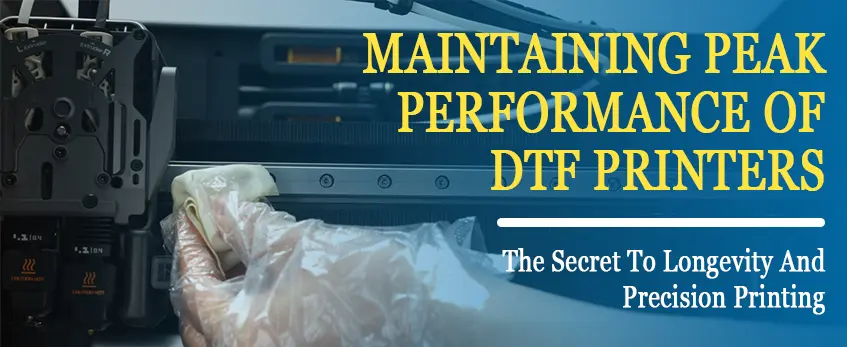
Keeping your jinlong DTF sticker printer running smoothly means sticking to solid maintenance habits. Here’s what I recommend for advanced fixes and routine care:
Daily and Weekly Cleaning Routines
- Printhead Purging: Run a cleaning cycle daily to prevent nozzle clogging, especially with white ink, which tends to settle fast.
- Tintenzirkulation: Use the built-in circulation function regularly to keep white ink moving and avoid sedimentation.
- Powder Shaker Cleaning: Wipe down the powder shaker system often to maintain even powder application.
Proper Ink Circulation & White Ink Management
- White ink needs constant circulation to stay fresh—don’t skip this step or you’ll end up with clogged nozzles and uneven prints.
- Keep inks stored at recommended temperatures and shake white ink bottles well before use.
Calibration & RIP Software Settings
- Calibrate your printer regularly to align printheads and ensure sharp designs.
- Adjust your RIP software for sticker-specific profiles; tweak ink density and white underbase settings to get vibrant, clear prints. Having the right calibration avoids misalignment and color washout.
Storage & Handling Tips for Films, Inks, and Powders
- Store DTF films, like the jinlong DTF-Übertragungsfolien, in a cool, dry place—keep humidity between 40-60% and temperatures near 20-25°C.
- Keep ink bottles sealed tight to prevent drying and contamination.
- Handle powders carefully to avoid clumping or uneven application.
When to Seek Professional Service
- If you encounter persistent issues like extreme printhead clogging, mechanical failures, or software glitches that cleaning won’t fix, contact jinlong’s authorized support. They’re equipped to handle complex repairs and firmware updates.
- Also consider professional help if your prints consistently show calibration errors or color shifts despite regular adjustments.
Sticking to these maintenance best practices prolongs your jinlong DTF’s life and keeps your sticker printing crisp and reliable.
Prevention Tips to Avoid Future Issues
To keep your jinlong DTF sticker printer running smoothly and produce top-quality prints, the right setup and habits matter a lot. Here’s what I recommend to avoid common issues over time:
Environmental Controls & Workspace Setup
- Maintain stable room conditions: Keep humidity between 40-60% and temperature around 20-25°C to prevent issues like ink smudging or drying too fast.
- Dust-free environment: A clean workspace helps prevent contamination marks on prints.
- Proper ventilation: Avoid overheating during longer print runs to reduce printhead wear and film wrinkling.
Material Quality Checklist
- Verwenden Sie immer jinlong-compatible inks, films, and powders to avoid clogging and adhesion problems. Low-quality or incompatible supplies can cause nozzle blockages, color fading in DTF printing, or transfer peeling.
- Check storage and handling tips for your DTF rolls to preserve their quality, which directly affects sticker performance—you can find detailed guidelines in the jinlong DTF rolls storage and handling tips for consistent results resource.
Routine Test Prints & Logs
- Perform daily or pre-shift test prints to spot issues like blurry DTF prints or color inconsistencies early.
- Keep logs of maintenance, print quality, and ink usage. This helps catch recurring problems before they get worse.
Upgrading Workflow for Sticker Production
- Use post-curing steps like heat pressing with proper settings (see tips in Häufige Fehler bei der Verwendung einer DTF-Heizpresse und wie man sie vermeiden kann) to improve adhesion and durability.
- Invest in weeding tools and clean cutting methods for sharp, precise sticker edges.
- Regularly calibrate your RIP software for optimal ink saturation and white ink underbase for crisp sticker designs.
By controlling your environment, sticking to quality materials, monitoring prints closely, and upgrading your sticker workflow, you can prevent most common jinlong DTF sticker printer issues before they disrupt your production.





 English
  Español
  Deutsch
  Français