

Es befinden sich keine Produkte im Warenkorb.


Jinlong
DTF Printer with Powder Shaker Workflow Guide for Efficient Curing
Was ist DTF-Druck?
Direct-to-Film (DTF) printing is a modern technique that prints designs onto a special PET film, which are then transferred onto fabric using heat. Unlike traditional methods, DTF printing applies ink directly onto the film rather than the garment, allowing for more flexibility and quality in textile decoration.
Core Principles of Direct-to-Film Technology
- Druck auf PET-Folie: Designs are printed on a clear polyester film instead of fabric.
- Hot melt adhesive powder: Powder is applied to the printed film to help the design stick during heat transfer.
- Heißpressen: The film with the powder is cured and then pressed onto fabric to achieve vibrant, durable prints.
DTF vs. andere Druckverfahren
| Merkmal | DTF-Druck | DTG (Direct to Garment) | Siebdruck | Sublimation |
|---|---|---|---|---|
| Kompatibilität von Stoffen | Geeignet für Baumwolle, Polyester und Mischgewebe | Am besten auf Baumwolle | Works on many but limited designs | Only polyester/light fabrics |
| Pretreatment | Keine Vorbehandlung erforderlich | Pretreatment necessary | Keine Vorbehandlung erforderlich | Keine Vorbehandlung erforderlich |
| Farbschwingung | High, with white ink layer | Good, sometimes dull on dark fabrics | Vibrant, solid colors | Vibrant, but limited design depth |
| Kosten der Einrichtung | Mäßig | Hoch | Gering bis mäßig | Mäßig |
| Detail drucken | Excellent on small designs | Ausgezeichnet | Gut | Very detailed |
Key Benefits of DTF Printing
- Versatile on fabrics: Geeignet für Baumwolle, Polyester, Mischgewebe und sogar Nylon.
- Lebendige Farben: White ink base ensures bright, sharp colors on any dye.
- Keine Vorbehandlung erforderlich: Saves time and reduces additional supplies.
- Langlebigkeit: Prints are long-lasting with proper curing and pressing.
DTF printing is gaining traction for its balance of quality, speed, and flexibility — ideal for both small businesses and large production setups looking for reliable textile decorating solutions.
Essential Equipment for a DTF Workflow
To set up an efficient DTF workflow, you need the right gear starting with a reliable DTF-Drucker. Jinlong DTF models stand out thanks to their sturdy printheads and consistent performance, ensuring sharp details and vibrant colors on your PET film. These printers handle both roll-to-roll and sheet-fed film types, giving you flexibility whether you’re running small batches or scaling up.
Als nächstes wird die powder shaker and dryer play a key role in applying and curing the hot-melt adhesive powder that makes your prints stick. Automated powder shakers, especially ones compatible with jinlong DTF printers, offer even powder distribution and precise excess removal, which manual methods can’t match. This automation not only improves the quality but also speeds up the workflow.
Supporting your setup, you’ll need PET film suited for DTF printing, high-quality Schmelzklebstoffpulver, specialized DTF inks, and a heat press for transferring the design onto fabric. Don’t forget proper fume extraction — it’s important for ventilation and keeping your workspace safe during curing and pressing.
For those wanting more on selecting the right adhesive powder, check out the TPU hot-melt adhesive powder options by Jinlong that work seamlessly with their printers and powder shakers.
Preparing Your Design and Printer
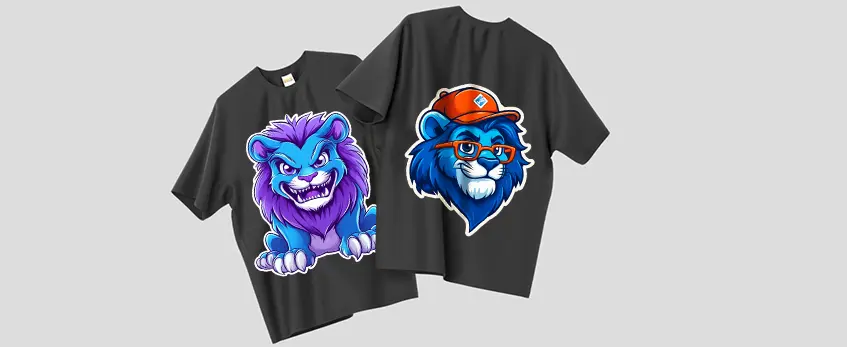
Before printing, use reliable RIP software for precise color management and smooth white ink layering. This helps achieve vibrant and accurate prints on your DTF transfers. For the best results, design files should be at least 300 DPI, in RGB color mode, and sized to fit your intended print area without stretching.
When loading materials into your jinlong DTF printer, handle the PET film carefully—whether using roll-fed or sheet-fed options—to avoid wrinkles or jams. Make sure to fill the ink tanks with compatible DTF ink to maintain consistent printing quality. Proper calibration of the printer is key: align the printheads and adjust settings like ink density and print speed to match your design needs.
For detailed guidelines on loading film and ink in jinlong DTF models, check out the jinlong DTF printer setup and expert tips to optimize your workflow from the start.
Step 1: Printing the Design on PET Film
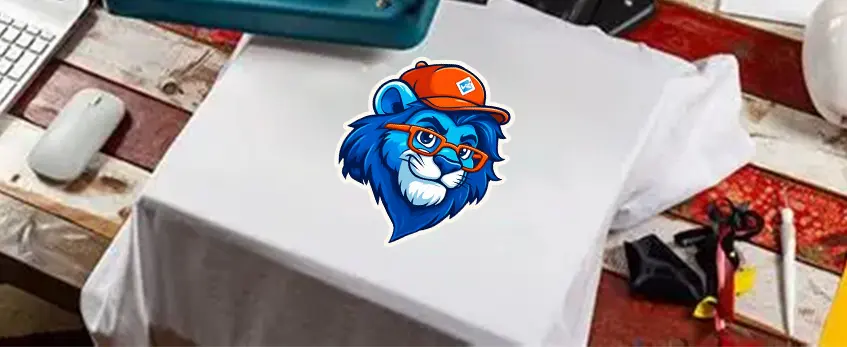
The first step in the DTF transfer workflow is printing your design onto PET film. Depending on your setup, you’ll either use roll-fed or sheet-fed film. Roll-fed PET film is ideal for longer runs and continuous printing, while sheet-fed works well for smaller batches or custom sizes. Choose the type that fits your production volume.
For the best results, optimize your print settings for both quality and speed. A higher resolution ensures vibrant details and sharp edges, but keep in mind that this may slow down the printing process. Most jinlong DTF printers let you balance these settings to fit your workflow.
During printing, it’s important to monitor the process closely. The ink remains wet on the PET film, so handle it carefully to avoid smudges or dust settling on the surface. Having a clean environment and steady film feeding prevents misprints and jams. Properly managing wet ink output ensures a smooth next step for applying adhesive powder.
For a more detailed look into how PET film interacts with the DTF powder, check out this guide on DTF-Transferfilm-Optionen that pairs perfectly with jinlong printers.
Step 2: Applying Adhesive Powder with the Shaker
Applying hot melt adhesive powder is a crucial step in the DTF printing process to ensure the ink firmly sticks to the fabric. Here’s how automatic powder shakers work and why using a jinlong DTF-compatible shaker makes a big difference.
How Automatic Powder Shakers Work
- Vibration system: Automatically vibrates the film to spread the hot melt powder evenly across the wet ink.
- Even distribution: Ensures consistent coverage without clumps or bare spots.
- Excess removal: Vibrations help shake off loose powder that isn’t needed, preventing waste and uneven curing.
Benefits of jinlong DTF-Compatible Shakers
- Guarantees uniform adhesive coating every time, improving transfer durability.
- Reduces manual labor and speeds up the powder application step.
- Integrated with shaker-dryer combos available for seamless powder application and curing.
- Helps maintain steady workflow with less downtime and waste.
Manual Powder Application vs. Automation
| Merkmal | Manual Application | Automatic Powder Shaker |
|---|---|---|
| Konsistenz | Irregular coverage | Even, reliable powder distribution |
| Geschwindigkeit | Langsam und arbeitsintensiv | Fast and efficient |
| Abfall | High (over-application) | Minimal (controlled shaking) |
| User fatigue | Hoch | Niedrig |
| Quality and durability | Variabel | Consistently better transfers |
Manual powder shaking is an option but often leads to uneven coverage and more waste. Automation with a jinlong DTF powder shaker is the better choice for precision, repeatability, and volume efficiency.
Using automated equipment ensures your DTF transfer workflow stays smooth, with reliable adhesive powder application—key for great results on every print.
For more on eco-friendly adhesive powders compatible with jinlong systems, check out this detailed guide on Ecofriendly Hot Melt Glue Powder in DTF printing.
Step 3: Curing the Powder
Proper curing of the hot melt adhesive powder is crucial for strong adhesion and long-lasting durability in the DTF printing process. When the powder melts correctly, it bonds the printed design firmly to the fabric during transfer, preventing peeling or cracking after washing.
Most modern workflows use integrated shaker-dryer systems that combine even powder application with precise curing. These systems maintain optimal curing temperature—usually around 160-180°C (320-356°F)—and time settings, often between 1 to 2 minutes, sometimes using conveyor belts for consistent drying and melting. The controlled heat ensures the powder fully melts without burning or under-curing.
You’ll know curing is perfect when the film surface develops a matte or slightly textured “orange peel” finish. This texture indicates the adhesive is evenly melted and ready for transfer—too shiny or sticky means it needs more curing, while a burnt look signals overheating.
If you don’t have an integrated shaker-dryer unit, standalone ovens designed for PET film curing are great alternatives. They provide consistent heat and airflow to achieve the same results, just with a bit more manual handling.
For a seamless DTF transfer workflow, using equipment like the jinlong DTF-compatible powder shaker and dryer can simplify curing and improve overall print quality.
Step 4: Cooling, Storage, and Preparation for Transfer
After curing, it’s important to cool the DTF film properly to prevent the hot melt adhesive powder from sticking or clumping. Letting the film cool at room temperature for a few minutes ensures the adhesive sets evenly and keeps the print’s quality intact.
Once cooled, you can either roll the transfer films for easier storage and handling or cut individual designs based on your project needs. Rolling is especially handy for bulk production or when using roll-to-roll DTF setups.
For storage, keep the ready-to-press films in a kühler, trockener Ort, away from direct sunlight or dust. Placing them between protective sheets or in sealed bags will preserve the film’s adhesive quality and print vibrancy until you’re ready to press.
Proper cooling and storage steps are key parts of the DTF transfer workflow to maintain durability and ensure clean, sharp transfers every time. For the best results, pair your cooling practice with quality materials like TPU DTF Schmelzklebstoffpulver, optimized for smooth curing and handling.
Transferring the Design to Fabric
The final step in the DTF transfer workflow is applying your printed and cured design onto fabric using a heat press. Getting the heat press settings right is crucial for a durable, vibrant transfer.
Heat press settings to keep in mind:
- Temperatur: Typically 320°F to 330°F (160°C to 165°C) works well.
- Zeit: About 15 to 20 seconds ensures proper adhesive activation.
- Druck: Use medium to firm pressure for even bonding.
- Peel-Typ: Generally, a warm peel delivers the best results, but some jobs may require a cold peel—check your powder and film specs.
Different fabrics need slight adjustments for optimal results:
- Baumwolle: Standard heat press settings apply, with warm or cold peel options.
- Polyester: Use a lower temperature or shorter press time to avoid scorching.
- Mischungen: Aim for a middle ground on temperature and time, testing first if possible.
After pressing, a short post-press curing step—pressing the garment for an extra 5 to 10 seconds without the transfer—can boost wash durability and adhesion.
Using the right heat press and settings with your jinlong DTF printer setup will help you create consistent, lasting prints on various fabric types. For detailed advice on heat press options and settings tailored for DTF, check out this comprehensive best heat press for DTF guide.
Optimizing Your jinlong DTF Workflow

To boost efficiency and output in your jinlong DTF printer with powder shaker setup, focus on consistency and routine maintenance. Here are some tips to keep your DTF transfer workflow running smoothly:
- Streamline your print and powder shaking steps by setting up your workstation for easy access to PET film rolls, adhesive powder, and curing equipment.
- Use preset printer profiles on your jinlong DTF printer to save time on calibration and ensure color accuracy across jobs.
- Automate powder application and curing with jinlong-compatible powder shaker dryers to maintain even adhesive powder coverage and proper curing temperature DTF settings without manual guesswork.
- Schedule daily maintenance including cleaning printheads, checking for ink clogs, and inspecting the powder shaker for residue buildup. This prevents downtime and preserves print quality.
- Regularly update your RIP software for smooth design handling and white ink layering, essential for vibrant DTF prints.
- Scale your production by batching similar designs and preparing films in advance. This reduces idle time between steps and increases throughput from small batches to full production runs.
By combining solid maintenance routines with workflow optimization, you’ll maximize the life and performance of your jinlong direct to film printer and powder shaker setup. For detailed troubleshooting or advice on scaling up, check out our DTF powder shaker troubleshooting guide und DTF transfers machine complete guide.
Common Issues and Troubleshooting
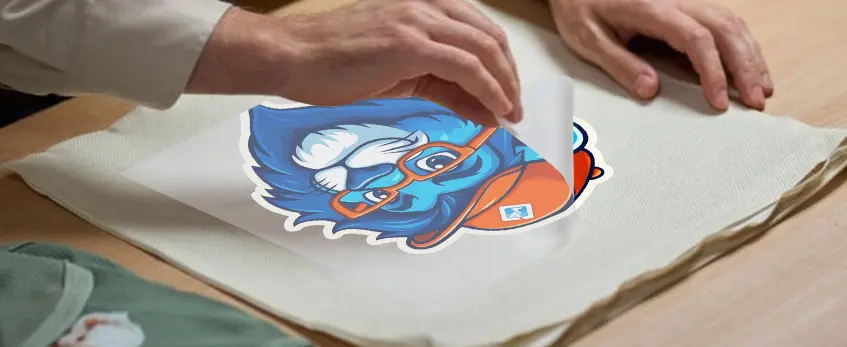
Even with a smooth DTF printer with powder shaker workflow, some issues can pop up. Knowing how to spot and fix these is key to keeping your production on track.
Uneven Powder Application
This usually happens if the powder shaker isn’t calibrated right or the powder is too clumpy. Automatic powder shakers, especially those compatible with jinlong DTF models, help ensure even distribution by vibrating the adhesive powder uniformly. If you’re using a manual shaker, be sure to apply powder steadily and check excess powder removal to avoid patchy prints.
Incomplete Curing or Sticky Transfers
If the hot melt powder isn’t fully melted, transfers can be tacky or peel off easily. Check your curing temperature and time settings—using an integrated shaker-dryer combo or standalone oven set to the proper curing temperature for DTF can solve this. Look for a slightly matte, textured finish (like an orange peel) on the cured film to confirm proper curing.
Clogged Printheads or Film Jams
Printhead clogs often come from ink settling or poor maintenance. Regular cleaning cycles and using quality inks designed for jinlong direct to film printers reduce downtime. Also, watch for improper film feeding—roll to roll DTF systems or sheet-fed setups both need smooth alignment to avoid jams.
Solutions and Preventive Measures
- Routine maintenance: Clean printheads regularly and follow manufacturer guidelines.
- Powder quality: Use fresh, high-grade hot melt adhesive powder and store it properly to prevent moisture build-up.
- Consistent curing: Monitor temperature and time carefully; avoid rushing the curing process.
- Proper equipment setup: Calibrate powder shakers and printer settings before each run.
- Quality materials: Stick to recommended PET film and DTF inks to prevent incompatibilities.
For more in-depth help with setting up or troubleshooting your printer and powder shaker, check out resources like the Die besten DTF-Drucker für Einsteiger im Jahr 2026 to get started on the right foot.
Safety and Environmental Considerations
When working with a DTF-Drucker mit Pulverstreuer, safety and environmental care are critical. Proper ventilation and fume extraction are essential to avoid inhaling harmful vapors released during the curing and heat press stages. Installing a reliable fume extraction system prevents airborne particles and fumes from lingering in the workspace, ensuring a healthier environment for operators.
Handhabung Schmelzklebstoffpulver und DTF-Tinten requires caution—always use gloves and masks to avoid skin contact and inhalation. Store powders and inks in a cool, dry place away from direct sunlight to maintain their quality and reduce any risk of spills or contamination.
Eco-friendly practices in DTF printing have gained importance. Choose inks that are water-based or have low VOC content when possible, and recycle PET film scraps responsibly. Minimizing waste through efficient powder application and managing energy use during curing also helps reduce your environmental footprint while maintaining high-quality output. For more on safe and effective setup tips, check out our guide on Einrichtung der DTF-Ausrüstung.





 English
  Español
  Deutsch
  Français