

Es befinden sich keine Produkte im Warenkorb.


Jinlong
Die besten DTF-Drucker für Einsteiger 2026 Einrichtungskosten und Leistungsübersicht
Why Choose DTF Printing as a Beginner?
If you’re new to garment printing, DTF-Druck (Direct to Film) offers a fantastic entry point with multiple advantages over traditional methods like DTG (Direct to Garment), screen printing, and sublimation. Here’s why many beginners prefer DTF printers in 2026:
Vorteile gegenüber DTG, Siebdruck und Sublimation
| Methode | Beginner Pros of DTF Compared to Others | Why It Matters for Newcomers |
|---|---|---|
| DTG | Works on any fabric (cotton, polyester, blends) | More versatile for different orders |
| Siebdruck | No need for expensive screens, less setup time | Saves startup cost and simplifies workflow |
| Sublimation | Prints on dark and light fabrics, plus various textures | Flexibility without color or fabric limits |
| DTF | Easy-to-learn, vibrant prints, durable wash fastness | Ideal for quick startup, consistent quality |
Key Trends for 2026
DTF technology is evolving fast, making it even more beginner-friendly this year:
- Better reliability with fewer clogs and more robust white ink circulation systems
- Faster print speeds that mean more output and less waiting
- Lower maintenance thanks to automatic cleaning cycles and improved ink formulas
These upgrades help beginners spend more time printing and less on troubleshooting.
Häufig zu vermeidende Anfängerfehler
Starting with DTF is smooth, but a few pitfalls trip up new users:
- Neglecting white ink circulation: White ink clogs fast if not regularly circulated or maintained
- Skipping software setup: Proper RIP software configuration is a must for vibrant and accurate prints
- Ignoring build quality: Converted printers may save money initially but can frustrate with reliability issues
- Overcomplicating maintenance: Sticking to daily and weekly checks prevents most problems
Keep this simple checklist in mind to make your DTF journey in 2026 hassle-free.
With beginner-friendly DTF printers and clear setup routines, you’re set to create vibrant, durable prints without the high costs or complexities of other methods. Next, we\’ll dive into what to look for when choosing your first machine.
Wichtige Faktoren, die beim Kauf eines DTF-Druckers für Einsteiger zu berücksichtigen sind
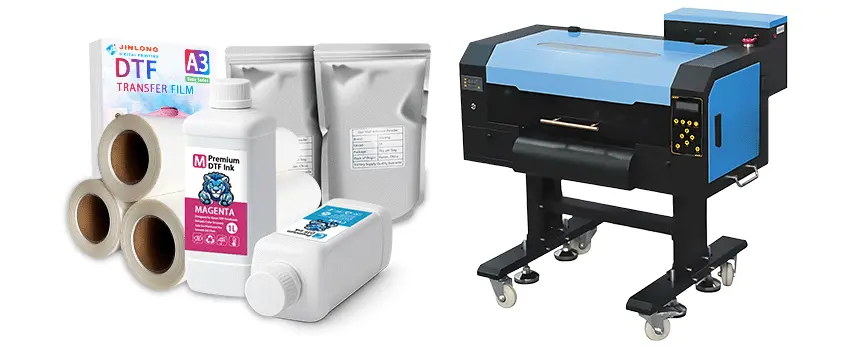
Choosing the right beginner DTF printer in 2026 means focusing on a few key features that balance usability, cost, and print quality. Here’s what you should keep in mind:
Print Width and Head Type
- A3/13-inch heads are ideal starters: compact, affordable, and great for small to medium runs.
- Larger heads (A4, A2) mean higher cost and more complex maintenance—better for experienced users or high-volume shops.
Essential Features for Beginners
- White ink circulation system: Prevents clogging and helps keep prints vibrant and consistent.
- Automatic maintenance: Simplifies cleaning and reduces downtime by handling nozzle checks and flushing automatically.
- Dual print heads (optional): Speeds up production but can add to the complexity of setup and maintenance.
Verarbeitungsqualität
- Converted printers (usually Epson-based models modified for DTF) are budget-friendly but may need frequent tweaks and more hands-on care.
- Dedicated DTF printers come built from the ground up for film printing and often have better long-term reliability and support.
Software and Compatibility
- Ensure the printer is compatible with RIP-Software designed for DTF prints. Good RIP software is crucial for color management, white ink control, and detailed print settings.
- Some beginner models come bundled with user-friendly RIP software, which helps get you started faster.
Kundendienst und Garantie
- Go for brands with strong Betreuung nach dem Verkauf—tech help and easy access to parts can save time and money.
- Eine solide Garantie covering critical components like print heads and ink circulation pumps gives peace of mind.
| Faktor | What to Look for | Warum es wichtig ist |
|---|---|---|
| Print Width & Head | A3/13-inch for beginners | Balanced cost and manageable size |
| Weißes Tintensystem | Continuous circulation | Keeps print quality consistent |
| Automatic Maintenance | Auto cleaning/priming | Saves time and avoids clogging |
| Printer Build | Dedicated > Converted for ease and durability | Long-term reliability |
| Software | Compatible RIP software | Essential for color and white ink control |
| Support & Warranty | Responsive tech help and solid coverage | Troubleshooting ease and cost savings |
For more on ensuring great print results, check out the detailed guide on choosing the right DTF papers for your projects. This helps you pair your printer with the best consumables to maximize quality and durability.
Top 7 Best DTF Printers for Beginners in 2026
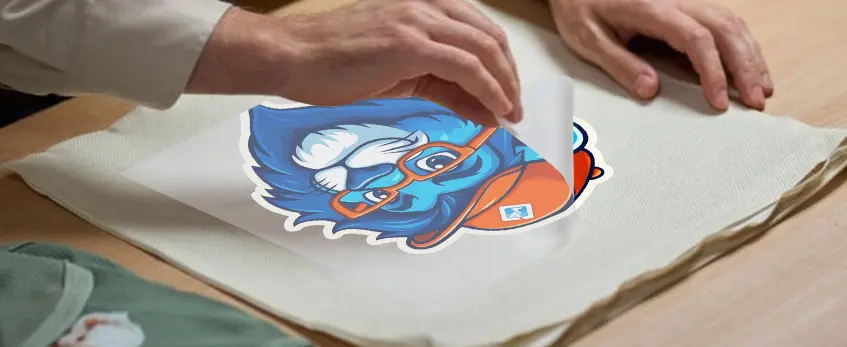
Here’s a quick rundown of the best beginner DTF printers in 2026, focusing on usability, entry costund Betreuung nach dem Verkauf—key factors for newcomers.
| Druckermodell | Druckbreite | Preisspanne | Geschwindigkeit | Druckqualität | Benutzerfreundlichkeit | Anmerkungen |
|---|---|---|---|---|---|---|
| Jinlong DTF Series | 13\” (A3) | $2,500 – $4,000 | Mäßig | Vibrant & Sharp | Very User-Friendly | Top pick: great support and reliability; smooth white ink circulation learn setup tips |
| Procolored / Panda | 13\” (A3) | $2,000 – $3,000 | Schnell | Gut | Compact & Simple | Affordable, ideal for starter setups |
| Prestige R2/A3+ | Up to 16\” | $3,000 – $5,000 | Mäßig | Ausgezeichnet | Mittel | Larger format, solid build quality |
| xTool Apparel Printer | 13\” (A3) | $3,500 – $5,500 | Schnell | Sehr gut | Einfache Einrichtung | Compact with smart software integration |
| OMTech Aurora | 13\” (A3) | $2,500 – $4,500 | Mäßig | Gut | Benutzerfreundlich | Reliable with good after-sales care |
| Epson-Based Conversions | 13\” (A3) | $2,000 – $3,500 | Mäßig | Variiert | Mäßig | Affordable but requires more maintenance |
| InkSonic Entry-Level | 13\” (A3) | $2,200 – $3,200 | Mäßig | Decent | Einfach | Great for tight budgets and simple use |
Why Jinlong DTF Series Stands Out
Die Jinlong DTF Series is the top pick among beginner DTF printers for 2026. Here’s why:
- Usability: Designed specifically with beginners in mind, it features smooth white ink circulation and automatic maintenance cycles, making setup and daily operation hassle-free.
- Entry Cost: Priced competitively, it balances affordability without sacrificing quality.
- After-Sales Support: Jinlong’s strong customer support and handy online resources make troubleshooting easier for first-timers.
- Performance: Offers reliable, vibrant prints with good durability, perfect for small businesses or startups.
For anyone starting out, the Jinlong ecosystem even extends to recommended consumables and maintenance tips, which greatly helps with keeping your printer running smoothly over time.
Overall, if you want a straightforward, reliable beginner DTF printer that won’t overwhelm you with complicated setup or expensive upkeep, the Jinlong DTF series should be your first choice. Others like Procolored Panda or OMTech Aurora are solid budget options, especially if space and simplicity are your priorities.
Explore more entry-level DTF setup advice to get your first prints right the first time.
Cost Breakdown: What to Expect in 2026
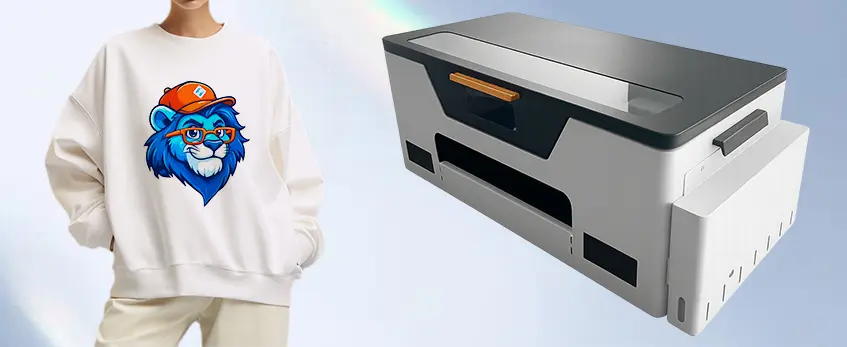
Starting with an entry-level beginner DTF printer in 2026 means understanding the full cost picture beyond just the upfront price. Here’s what to expect:
Initial Investment: $2,000–$8,000
Depending on the brand and features, an affordable DTF printer setup costs between $2,000 and $8,000. This includes the printer itself, essential accessories like a powder shaker and heat press, and initial inks and films. For example, popular models like the jinlong DTF Series offer solid entry cost options with good usability and after-sales support, making them ideal for startups.
Ongoing Costs: Inks, Film, Powder & Electricity
- Tinte: DTF ink, especially white ink with proper circulation, is a recurring cost you can’t skip. High-quality ink helps ensure vibrant DTF prints that last.
- Film: Transfer films vary by brand and size, but you’ll need a constant supply for your prints.
- Puder: TPU powder is essential for adhesion and durability; budget accordingly.
- Elektrizität: Running the printer, shaker, and heat press adds to operational costs, modest but accumulative over time.
Hidden Expenses: Maintenance and Replacements
- Regular maintenance keeps your printer clog-free and performing well.
- Parts like print heads or pump components may need replacing, especially if you skip scheduled upkeep.
- Some beginner printers are converted Epson models that might require more frequent servicing compared to dedicated DTF machines.
ROI Tips for Beginners
- Start with small batch runs to break even faster without overproducing inventory.
- Choose user-friendly models with reliable support to minimize downtime and repair costs.
- Invest in quality consumables to reduce waste and reprints.
Understanding these elements helps beginners plan a realistic budget for their DTF printing venture and avoid surprises down the line. For a detailed guide on the best entry-level DTF printers and startup advice, check out this helpful DTF-Druckmaschinenführer für Anfänger.
Step-by-Step Setup Guide for Beginners
Getting started with your beginner DTF printer in 2026 doesn’t have to be overwhelming. Here’s a straightforward setup guide to get your entry-level DTF setup up and running smoothly.
Auspacken und Zusammenbau
Start by carefully unboxing your printer and checking all the included parts. Follow the manufacturer’s instructions to assemble any removable components, usually the print heads, ink tanks, and film holders. Make sure your workspace is clean, flat, and spacious enough for the printer, powder shaker, and heat press.
Ink Filling and Priming (Focus on White Ink)
Filling your inks, especially white ink, is a critical first step. White ink circulation is key to avoiding clogs, so be sure to prime the system to keep the ink flowing. Many beginner-friendly DTF printers have an automatic white ink circulation system—if yours doesn’t, manually run the white ink through the heads to prevent drying. For detailed tips on managing your ink system effectively, check out the complete guide on DTF ink printer setup.
Software Installation (RIP Setup)
Next, install the RIP software that controls your printer. This software is essential for color management and print quality, allowing you to handle the white ink layers and transparency for your designs. Make sure to configure the software settings according to your printer model, focusing on print resolution and ink coverage for vibrant results. Most entry-level DTF setups come with easy-to-follow software installation instructions.
First Test Print and Calibration
Before moving to actual production, run your first test print on transfer film to check alignment, colors, and ink density. Adjust calibration settings as needed to avoid banding or misprints. Test prints help identify issues early, saving time and materials later on.
Integrating Powder Shaker and Heat Press
Once your print looks good, it’s time to add the powder layer. Use a powder shaker to apply the adhesive powder evenly over the wet print. Shake off any excess powder for a clean transfer. Finally, heat press your transfers onto the fabric using recommended temperature and time settings for durable, vibrant results.
By following this easy-to-understand setup guide, your beginner DTF printer will be ready to produce high-quality transfers with minimal hassle. For a deeper dive into the full printing process, including workflow benefits and key features, consider this detailed resource on how DTF transfer machines work.
Performance Breakdown and Real-World Testing: What Beginners Can Expect in 2026
When choosing a beginner DTF printer in 2026, understanding real-world performance is crucial. Here\’s a clear look at key areas like print quality, speed, reliability, and user feedback from recent 2026 models, helping you know what to expect.
Print Quality: Vibrancy, Detail & Wash Durability
- Vibrancy: Modern entry-level DTF printers now deliver rich, vibrant colors that pop on a wide range of fabrics, including dark and light garments.
- Einzelheiten: Fine details and sharp edges are consistently reproduced, especially with popular A3/13-inch models designed for beginners.
- Waschbeständigkeit: Prints maintain color and texture after multiple washes, thanks to improved powders and film technology. Most beginner setups achieve over 30 wash cycles without noticeable fading.
Geschwindigkeit und Effizienz
| Druckermodell | Print Speed (ft²/hr) | Ideal for Beginners? | Anmerkungen |
|---|---|---|---|
| jinlong DTF-Serie | 12 – 15 | Ja | Great balance of speed & quality |
| Procolored Panda | 10 – 12 | Ja | Compact and consistent speed |
| Epson-Based Conversions L1800 | 8 – 10 | Mäßig | Slower but reliable for small runs |
- Entry-level printers now offer faster output without sacrificing detail, making them efficient for small to medium runs.
- Automated white ink circulation systems reduce downtime, keeping workflows smooth.
Reliability and Maintenance
- Regular maintenance is easier than ever with automatic cleaning cycles and built-in ink circulation.
- Beginner-friendly models focus on less clog-prone heads and user alerts for issues.
- Feedback from 2026 users shows that sticking to daily and weekly maintenance routines significantly extends printer lifespan, even on budget-friendly units.
User Feedback: 2026 Models Projecting into 2026
- Positive notes: Users praise ease of setup, vibrant print results, and strong after-sales support, especially for the jinlong DTF series.
- Challenges: Some beginners face initial teething issues with software RIP configurations; however, detailed guides and customer support minimize setbacks.
- Most recommend starting with a dedicated beginner printer rather than converted models for better usability and performance.
For more tips on optimizing print performance and understanding the full workflow, check out this detailed DTF printing process guide for beginners.
This performance snapshot helps new users pick reliable, user-friendly DTF printers that deliver vibrant, durable prints while keeping maintenance manageable.
Maintenance and Troubleshooting Tips for Beginner DTF Printers
Keeping your beginner DTF printer in top shape means regular maintenance and quick fixes when problems pop up. Here’s how to avoid common issues and extend your printer’s lifespan:
Daily and Weekly Routines to Prevent Clogs
- Run nozzle checks daily to spot any blockages early. This keeps print heads clear and ensures smooth ink flow.
- Circulate white ink at least once a day to prevent settling and clogging. White ink is thicker and needs special attention in DTF systems.
- Perform automatic maintenance cycles if your printer supports it—this helps clean the heads and maintain ink circulation.
- Keep the printer covered when not in use to avoid dust buildup, which can mess with your print quality.
Häufige Probleme und deren Behebung
- Nozzle clogs: Run multiple head cleanings and print test patterns. For stubborn clogs, manual cleaning might be needed, but follow your manufacturer\’s guide carefully.
- Ink circulation problems: If white ink isn’t flowing properly, check the circulation pump and tubing for blockages or air bubbles. Flushing the system can help.
- Paper feed jams: Use recommended films and ensure they’re loaded straight to avoid misfeeds and wrinkles.
- Color fading or uneven prints: Calibrate your RIP software and check ink levels regularly. Sometimes, replacing old ink or powders resolves these issues.
Tips to Extend Printer Lifespan
- Use high-quality consumables compatible with your model—like those from the Jinlong DTF ecosystem.
- Schedule regular deep cleanings beyond daily routines, especially if printing volume increases.
- Update your printer’s firmware and RIP software to benefit from performance improvements and bug fixes.
- Keep a log of maintenance activities to catch recurring issues early.
By following these simple daily and weekly maintenance tips, you’ll avoid costly repairs and keep your beginner DTF printer running smoothly through 2026 and beyond.
Accessories and Consumables You’ll Need
Starting with the right accessories and consumables is key to getting consistent, vibrant results from your beginner DTF printer. Here’s the essentials list to keep your setup smooth and reliable:
DTF-Filme: Use high-quality transfer films designed for DTF printing. These films impact how well your prints adhere and their durability. For best results, check out specialized options like jinlong DTF-Übertragungsfolien that work perfectly with most entry-level DTF setups.
DTF-Pulver: Hot-melt adhesive powders are applied right after printing to bond the ink to the fabric during heat pressing. Make sure to pick powders that are consistent and fine enough to avoid clumps and ensure smooth transfers.
DTF-Tinten: White ink circulation is a critical feature in DTF printing, especially for beginners, so use inks designed for durability and vibrant colors. Stick with brands that provide reliable ink flow and minimal maintenance.
Wärmepresse: A quality heat press is essential to cure the transfer properly. Choose one with even heat distribution and adjustable settings to match different fabrics.
When looking for accessories, consider compatibility with your printer brand. Many beginners choose equipment from the jinlong DTF ecosystem because their films, powders, and inks are optimized for their printers, reducing troubleshooting and improving print quality.
Having these consumables and accessories ready ensures your DTF printing runs efficiently, keeps costs predictable, and supports high-quality results from your startup phase into more advanced projects.
Häufig gestellte Fragen zum DTF-Druck für Einsteiger
Is DTF Worth It for Beginners?
Absolutely. DTF printing is a fantastic entry-level choice thanks to its versatility, ease of use, and relatively low startup cost compared to DTG or screen printing. For beginners, it offers vibrant prints on a wide variety of fabrics with less technical hassle. Plus, the ongoing improvements for 2026 focus on better reliability, faster speeds, and easier maintenance, making DTF printers more user-friendly than ever. If you’re just starting out and looking for a beginner DTF printer 2026 model, you’ll find plenty of affordable options designed specifically to help newcomers grow their printing business.
How Long Do DTF Prints Last?
DTF prints are known for excellent durability. When properly cured and pressed, DTF transfers can last through numerous washes without fading or cracking. Most users report vibrant prints that maintain quality for 30+ wash cycles, assuming you follow proper care instructions. This durability makes DTF ideal for custom apparel or merchandising, ensuring your work looks professional for the long haul.
Can I Start with a Budget Under $5,000?
Yes, starting with a budget under $5,000 is entirely feasible. Many affordable DTF printers for startups, like compact models from jinlong or the Procolored Panda, fit well within this range. Keep in mind that your initial investment should cover the printer itself plus essentials like inks, powders, film, and a heat press. Expect a total startup cost ranging from $2,000 up to around $8,000 depending on features and print size, but for most beginners, sticking near $5,000 or less can get you a reliable, user-friendly system. To help stretch your budget, it’s smart to pick equipment with easy maintenance DTF machines and solid after-sales support to avoid unexpected expenses.
For a detailed breakdown of starting costs and must-have accessories, check out this complete guide for starting a custom printing business. It covers everything from budget to setup, giving you a clear roadmap to launch your DTF printing journey effectively.





 English
  Español
  Deutsch
  Français