



Best DTF Transfer Printer Guide 2026 Performance Durability Cost
Key Factors to Judge a DTF Printer in 2026
Choosing the best DTF transfer printer in 2026 means focusing on several critical factors that affect your print quality, running costs, durability, and overall business efficiency. Here’s a breakdown of what really matters:
1 Print Quality & Color Performance
- Look for sharp prints with vibrant, consistent colors.
- Check if the printer supports high-resolution output (600 dpi or higher).
- Color accuracy should hold up on both light and dark fabrics.
2 Print Speed & Daily Volume Capacity
- Match your printer’s speed with your shop’s production needs.
- Speeds vary: from 3-5 minutes per A3 print for beginners to under 1 minute on commercial models.
- Consider daily printing volume ratings if you run a high-demand shop.
3 White Ink Circulation System (The #1 Failure Point)
- White ink tends to settle and clog easily.
- Reliable circulation or recirculation systems are essential to prevent downtime.
- Avoid models with poor white ink management—they’re costly and frustrating.
4 Build Quality & Durability (Frame, Rails, Motors)
- A solid metal frame and high-quality rails/motors mean longevity and less maintenance.
- Cheap frames lead to misalignment and faster wear.
- Look for printers designed for steady, long-term operation.
5 Software, RIP, and Ease of Use
- The included RIP software should be intuitive and compatible with your workflow.
- Advanced color management features help maintain print consistency.
- User-friendly interfaces reduce training time and errors.
6 Running Costs (Ink, Film, Powder, Electricity)
- Factor in the real price per print considering:
- Ink consumption (especially white ink).
- Film and powder prices (these vary widely in 2026).
- Electricity and curing oven energy use.
- Low upfront cost printers often have higher running costs—balance accordingly.
7 Warranty, Parts Availability & Technical Support
- Strong warranty terms and easy access to genuine replacement parts save headaches.
- Responsive technical support is crucial if issues occur.
- US-based support adds peace of mind for many buyers.
Quick Comparison Table: Key Factors at a Glance
| Factor | What to Look For | Why It Matters |
|---|---|---|
| Print Quality & Color | Sharp detail, vibrant colors, high dpi | Professional results, customer satisfaction |
| Speed & Volume | Fast print times, daily duty cycle specs | Matches production needs, saves time |
| White Ink Circulation | Continuous ink circulation system | Prevents nozzle clogging and downtime |
| Build Quality | Strong frame, quality rails/motors | Durability, consistent prints, fewer repairs |
| Software & Ease of Use | Intuitive software, smart RIP features | Saves time, consistent color management |
| Running Costs | Ink, film, powder costs, electricity | Determines profitability over time |
| Warranty & Support | Solid warranty, genuine parts, US support | Minimizes risk of long downtime |
By paying close attention to these key factors, you can confidently pick a DTF printer that suits your production demands, budget, and long-term business goals in 2026.

Hidden Costs Most Buyers Miss
When shopping for the best DTF transfer printer, many buyers focus on upfront costs but overlook ongoing expenses that add up fast. Here’s what you need to know:
Real Ink Consumption
Printing on black or dark shirts uses way more white ink than on white shirts. White ink is expensive and circulates differently, so your ink costs can skyrocket if you mainly print dark colors.
Film and Powder Costs 2026
High-quality DTF film and hot-melt powder are essential for durable prints but aren’t cheap. Depending on your print volume, these supplies can easily double your running costs. For a reliable source, check out premium DTF transfer film options designed for lasting prints.
Nozzle Clogs & Head Replacement
White ink circulation is the #1 failure point in DTF printers. Frequent clogs mean more cleaning and sometimes costly print head replacements — a surprise expense many underestimate. Proper maintenance tips can help extend printhead lifespan, like those shared in this Jinlong DTF printing guide.
Electricity & Curing Oven Costs
Running a DTF printer 8+ hours daily also means electricity bills add up, especially with curing ovens included. Energy-efficient models and ovens under $500 are worth considering to control costs.
True 2-Year Ownership Cost Example
Beyond the sticker price, factoring in ink, film, powder, repairs, and power shows some budget DTF printers can double in cost within two years. Planning for these hidden expenses helps avoid sticker shock and keeps your small business profitable.
Being aware of these hidden costs means you can choose the best DTF printer for your needs — balancing performance and long-term affordability.
Common DTF Printer Failures & How to Avoid Them
When shopping for the best DTF transfer printer, knowing the common failures can save you time and money. Here’s what often trips up users in 2026—and how you can avoid these pitfalls:
White Ink Settling Issues
White ink is the backbone of great DTF prints but can be a headache if it settles or clogs your print head. Most failures come from poor white ink circulation systems, especially in cheaper models. Look for printers with a reliable white ink circulation, as this is the number one failure point. Regularly cleaning and using recommended inks also helps — you don’t want to risk downtime from clogged nozzles.
Damaged Print Heads from Cheap Conversions
Many budget DTF printers are based on Epson heads like the XP-600 or i3200. But beware—some sellers flood the market with fake or low-quality i3200 heads that fail prematurely. Damage often comes from improper conversion or using incompatible inks. Choose well-known brands with genuine parts and avoid printers that don’t clearly state their head origins. This not only improves print quality but also reduces maintenance headaches and replacement costs.
Poor Tension Control on Roll Printers
If you plan to run roll-to-roll printing, tension control is critical. Poor tension leads to misalignment, puckering, and wasted film. Always check how the printer manages roll tension and opt for models designed for your volume. This prevents print errors and slows wear on the mechanics, protecting your investment over time.
Fake i3200 Heads Flooding the Market
The Epson i3200 is a go-to for many high-end DTF printers, but counterfeit heads are rampant. These fakes might save you upfront cash but cause recurring issues like head clogs, inconsistent print quality, and costly repairs. Stick with printers backed by solid warranties and confirmed genuine parts—this is especially important if you want reliable US-based support.
By keeping these failures in mind and choosing printers with proven white ink systems, genuine heads, and solid roll tension — you’re setting yourself up for smoother DTF printing with less downtime and fewer surprises. For beginners, also consider printers with easy maintenance and strong tech support—like some of the leading models reviewed in this guide.
For reliable DTF transfer film to match your printer’s performance, check out quality options like the DTF transfer film 45cm single STD series and 50cm double STD series, designed to work seamlessly with top DTF printers.
DTF vs DTG vs Screen Printing (2026 Updated)

Choosing the right printing method depends a lot on what you need in terms of quality, cost, and production speed. Here’s how DTF, DTG, and screen printing stack up for 2026:
DTF (Direct to Film)
- Best for: Versatility, especially on a wide range of fabrics including cotton, polyester, and blends.
- Print Quality: Sharp, vibrant colors with excellent white ink coverage thanks to improved white ink circulation systems.
- Durability: Prints last long without cracking or fading, especially when paired with the right powder and curing oven.
- Cost & Speed: Moderate upfront cost (great options like the best A3 DTF printer under $3000), with lower maintenance than DTG. Prints are faster than DTG but slower than high-volume screen printing.
- Maintenance: Requires regular attention to prevent white ink settling—this is the #1 failure point but newer models handle it better.
- Best Use: Small to medium businesses wanting flexible, cost-effective printing without screen setup.
DTG (Direct to Garment)
- Best for: High-detail prints on cotton fabrics with a soft feel.
- Print Quality: Superior photo-realistic quality; ideal for complex, full-color designs.
- Durability: Prints can fade faster unless treated well; needs pre-treatment on fabrics.
- Cost & Speed: Higher ink and maintenance costs due to delicate print heads (Epson L1800 vs XP-600 DTF conversion highlights the difference in durability). Slower print speed compared to DTF.
- Maintenance: More frequent head cleanings and part replacements.
- Best Use: Customized orders with fewer runs or high-quality full-color images.
Screen Printing
- Best for: Large runs with simple, bold designs.
- Print Quality: Vivid colors, but less detail and layering complexity.
- Durability: Extremely durable prints, especially on cotton.
- Cost & Speed: High setup cost and time, but very low cost per print at scale. Not ideal for small batches.
- Maintenance: Requires screens and setup for each color; less flexible for rapid design changes.
- Best Use: Mass production of consistent designs.
For 2026, DTF printers offer a sweet spot between quality, speed, and cost for most small to medium apparel shops. It\’s a flexible choice that handles multiple fabric types with durable prints, making it ideal for shops looking for a balance between DTG detail and screen printing volume. If you want to explore the benefits of DTF printing more deeply, check out our guide on why an A3 DTF printer is the best choice for small and medium apparel shops.
In short: If you want versatility and ease, go DTF. For fine art and photo-like prints, DTG still leads. And for bulk orders with bold designs, screen printing remains unbeatable.
Step-by-Step: How to Choose YOUR Perfect DTF Printer
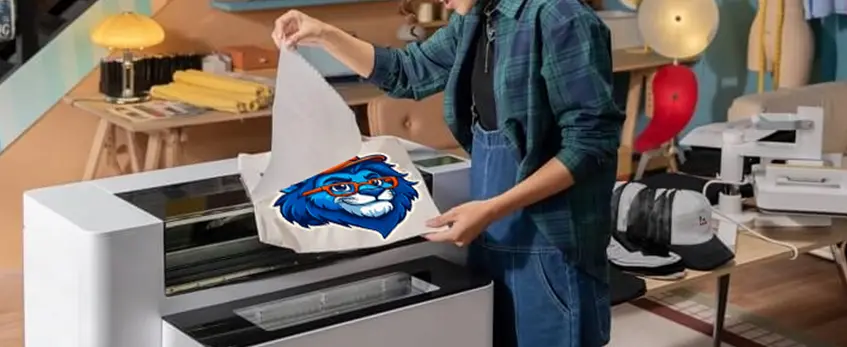
Finding the best DTF transfer printer for your needs can feel overwhelming. To simplify it, here’s a quick quiz-style flowchart to help you narrow down the options based on your priorities like budget, print volume, and experience level. After the quiz, you’ll get a clear recommendation tailored just for you.
Quick Quiz: What Fits Your DTF Printing Needs?
| Question | Options | What It Means for You |
|---|---|---|
| 1. What is your monthly print volume? | – < 100 prints – 100-500 prints – 500+ prints | Small = beginner or side hustle Medium = small business High = production shop |
| 2. What is your budget window? | – Under $1,500 – $1,500–3,000 – Over $3,000 | Tight budget = entry-level Mid-range = best value High = commercial-grade |
| 3. Do you need roll-to-roll printing? | – Yes – No | Yes = high-volume, continuous print No = smaller jobs, sheets |
| 4. How important is print speed? | – Casual speed is fine – Need faster turnaround | Casual speed = hobby or test Faster = paying customer deadlines |
| 5. Are you familiar with printer maintenance? | – Yes, comfortable – No, prefer low-maintenance | High maintenance = more control, but risks Low maintenance = great for beginners |
| 6. Is software user-friendliness important? | – Yes, I prefer easy software – No, I can handle complex RIP setups | Easy software = beginner-friendly Complex RIP = power users |
Your Perfect DTF Printer Recommendation
| Print Volume | Budget | Maintenance | Recommended Model |
|---|---|---|---|
| < 100 prints/month | Under $1,500 | Low maintenance | jinlong DTF Mini A4 – beginner-friendly and compact |
| < 100 prints/month | $1,500 – $3,000 | Moderate | Procolored Panda A3 – easy software & solid output |
| 100-500 prints/month | $1,500 – $3,000 | Moderate | jinlong DTF Pro L18050 – best overall & value |
| 500+ prints/month | Over $3,000 | High maintenance | Prestige R2 Pro – top speed for high-volume shops |
| High roll-to-roll | $2,500+ | Moderate | STS XPD-724 24\” – best roll-to-roll production |
| Budget conscious | Under $1,000 | Accept risk | Mophorn A3 DTF – cheapest entry, watch for issues |
Pro Tips for Choosing Your DTF Printer
- Prioritize white ink circulation if you print lots of white or dark garments—this reduces nozzle clogs.
- Choose dual-head vs single-head based on speed needs and budget.
- Factor in running costs like ink, film, and powder. See our detailed DTF printing cost breakdown for 2026 pricing.
- Check warranty and support options—especially for US buyers wanting quick service.
- Don’t skip research on software compatibility and ease of use.
This step-by-step approach helps you pick the best DTF transfer printer for beginners or pros alike. Once you know your volume, budget, and maintenance comfort, the right printer will stand out clearly.
If you want an all-in-one setup, consider pairing your DTF printer with a quality powder shaker and oven combo for efficient production—explained in detail here.
Frequently Asked Questions About DTF Transfer Printers
Can I convert any Epson printer to DTF?
Not all Epson models work well for DTF conversions. The most popular conversions are from Epson XP-600 or i3200 print heads, known for reliability in white ink circulation and print quality. Earlier models like the Epson L1800 can be converted but often require more maintenance. If you’re new to DTF, choosing a purpose-built or properly converted printer is safer to avoid costly repairs later.
How long do DTF prints really last?
DTF prints offer excellent durability with proper curing and washing. On average, prints can last 1.5 to 3 years on garments, resisting cracking and fading better than older heat transfer methods. For extended lifespan, investing in quality powder and curing ovens is essential. Learn about the best powder for stronger adhesion in our TPU DTF hot melt adhesive powder overview.
Is a powder shaker really worth it?
Yes, a powder shaker significantly improves print quality and durability. It evenly coats the adhesive powder on prints, reducing powder waste and ensuring consistent finishes. For shops doing regular DTF printing, the time saved and quality improvement justify the investment. Pairing a powder shaker with an efficient curing oven creates the best results.
What’s the best curing oven under $500?
For beginners or small businesses, compact curing ovens priced under $500 can handle most A3 or smaller prints efficiently. Look for ovens with adjustable temperature and timer settings for repeatable quality. Avoid overspending on industrial ovens unless you’re running large-scale production. Combining affordable ovens with recommended powders optimizes durability.
Where can I buy genuine jinlong DTF printers?
To guarantee genuine jinlong printers and proper warranty support, buy straight from authorized dealers or the official jinlong website. Avoid third-party sellers offering suspiciously low prices or fake i3200 heads, which are common in the market. For insight into genuine jinlong products and their proven performance, check out their success story and tech advances at jinlong’s showcase at the Canton Fair.
These answers cover the top concerns when buying or upgrading your DTF printer setup for 2026. If you want the best A3 DTF printer under $3000 or need maintenance tips, keep these FAQs in mind to avoid common pitfalls.





 English
  Español
  Deutsch
  Français